Getting Started
Power switch
The rear-panel power switch turns NERO on and off.
Always remember that your speakers or power amplifiers should be turned off when turning NERO, or any other device in the signal chain, on or off.
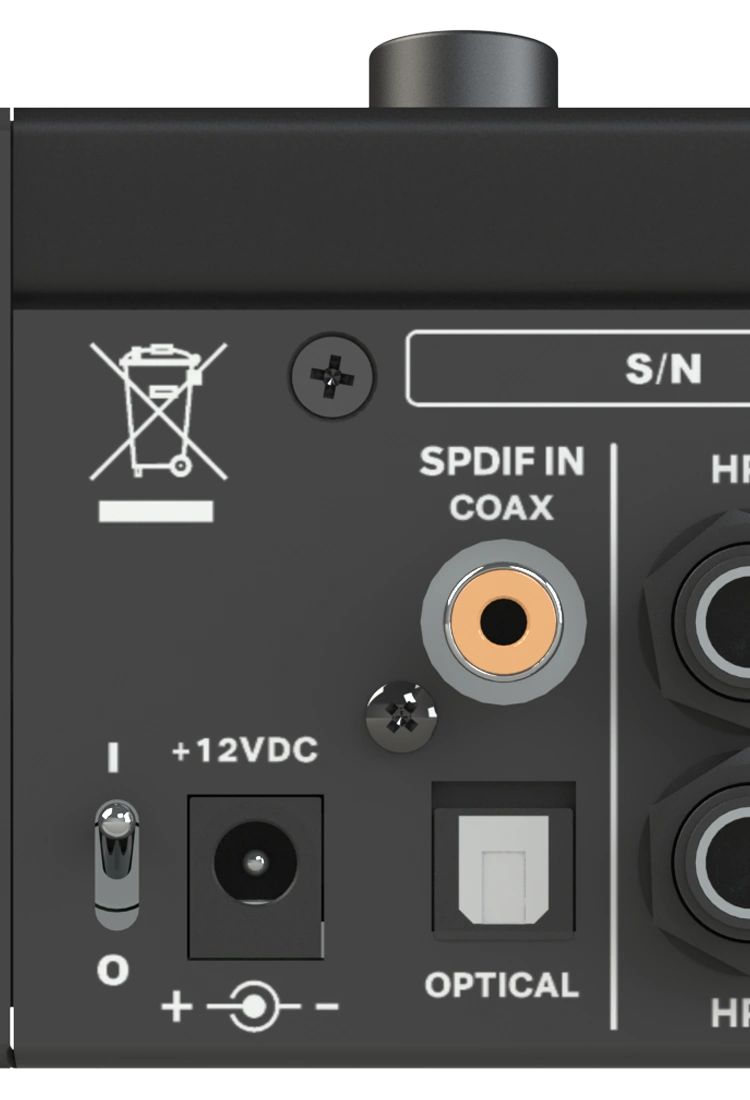
For the power-supply requirements and electrical warnings, see Safety and Compliance.
Computer software
NERO operates as a standalone monitor controller. It does not require a driver or firmware installation on your computer.
Connect your audio sources, speakers and headphones directly to NERO and configure the required routing from the hardware controls.
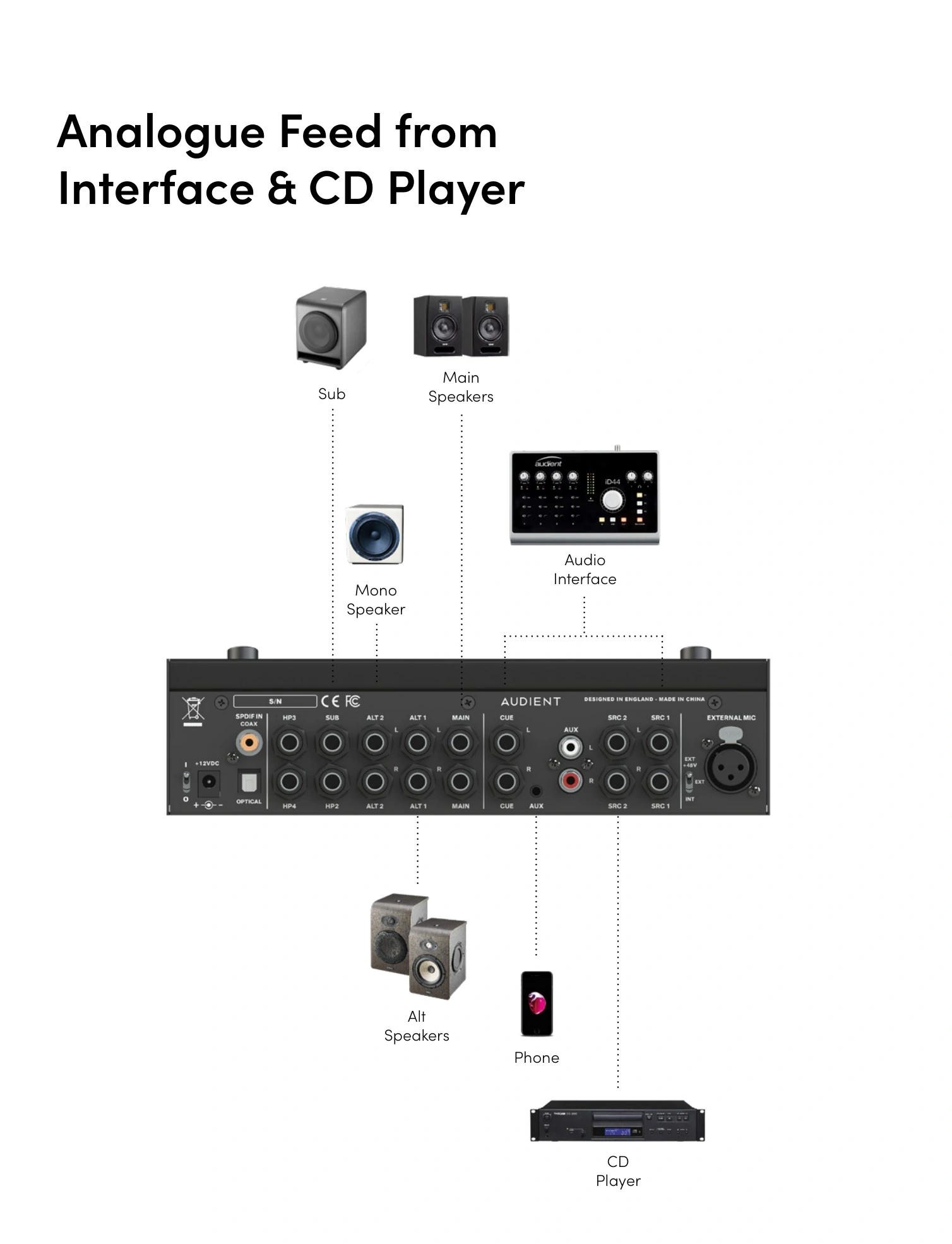
Analogue feed from interface and CD player
This example shows an audio interface feeding NERO, with additional sources connected alongside Main, Alt and mono speakers and a subwoofer.
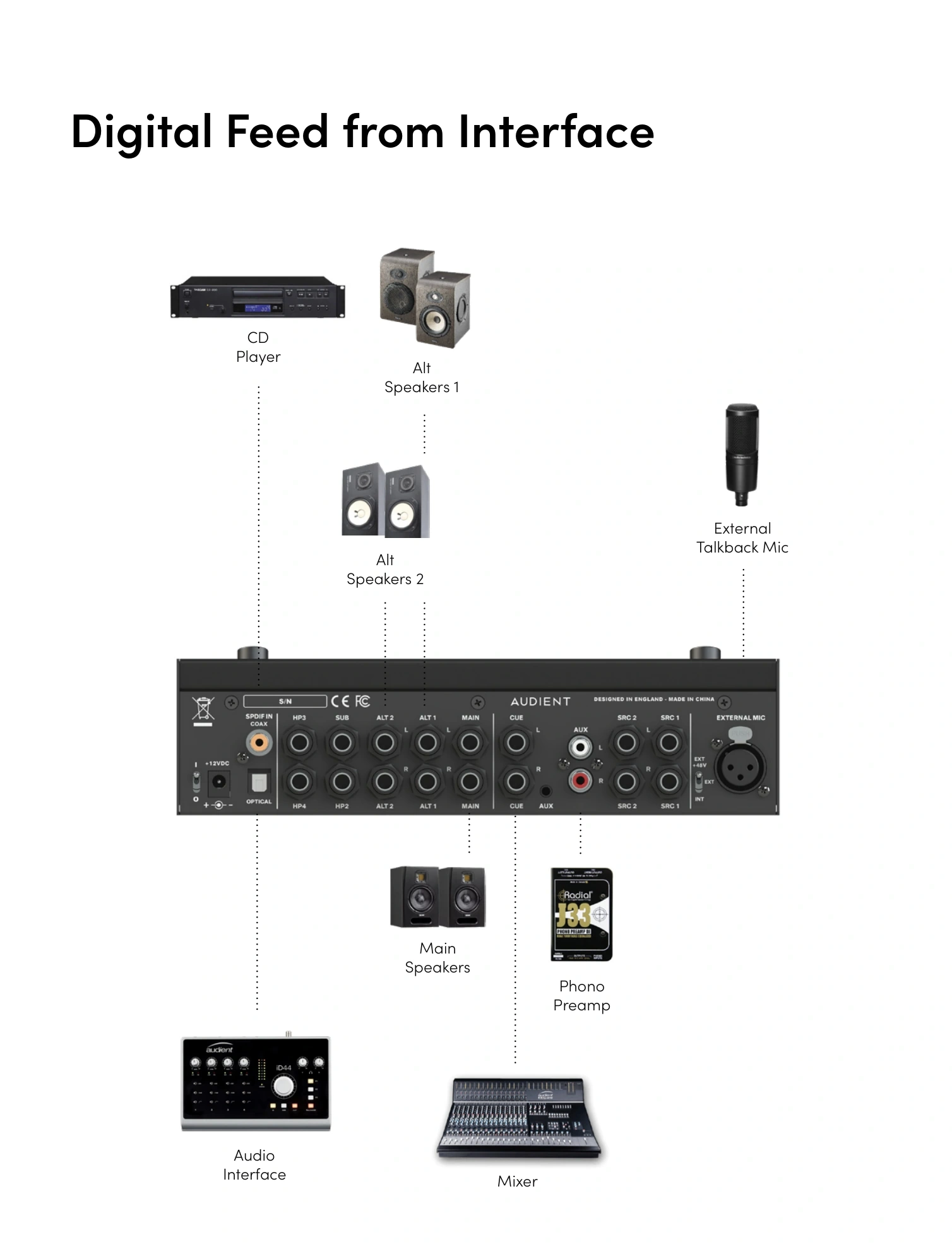
Digital feed from interface
This example shows a digital-feed setup with an audio interface, mixer, CD player, phono preamp, Main and Alt speakers and an external talkback microphone.
Next steps
Continue to Inputs and Outputs.