Talkback
Talkback allows you to communicate with a performer in a live room or vocal booth by feeding a microphone signal from the control room into their headphone mix.
NERO provides an internal talkback microphone and the ability to connect an external talkback microphone.
Selecting the talkback microphone
The rear-panel selector provides three options:
- Internal microphone
- External microphone connected to the XLR input, generally for dynamic microphones
- External microphone connected to the XLR input with phantom power, generally for condenser microphones
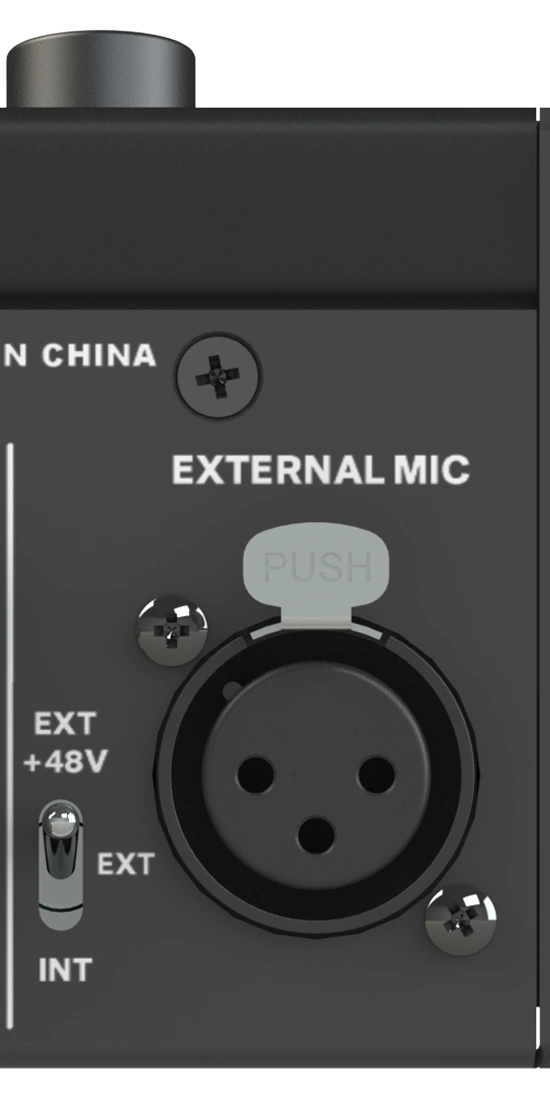
Use +48 V phantom power only when the connected external microphone requires it.
Gain control
The Talkback preamp provides a wide gain range for different microphones.
Use the gain control to set the Talkback level to a comfortable listening level for the performers.
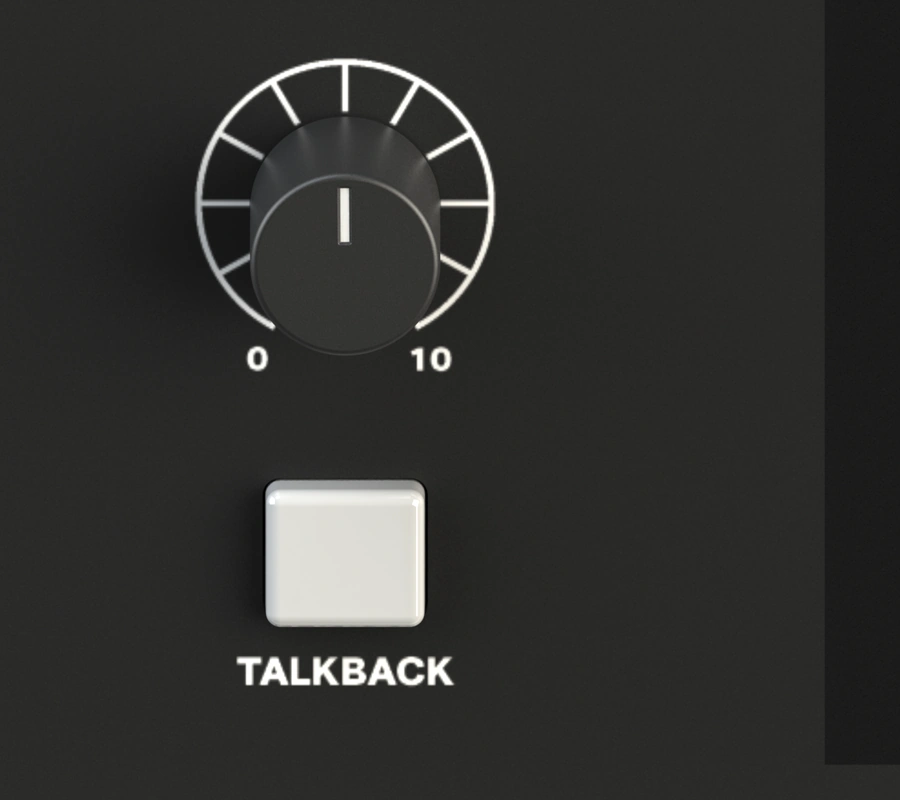
Talkback button
The Talkback button sends the talkback signal to the headphone outputs to which it has been assigned.
- Press the button briefly to latch Talkback on or off.
- Press and hold the button for momentary Talkback operation.
Activating Talkback also engages the Control Room Dim function to help prevent feedback and provide a clearer talkback signal to the performer.
Talkback assignment
Talkback can be routed independently to the headphone outputs.
See Talkback Routing.
Next steps
Continue to Smart Touchpoints and Stored Settings.