Monitor Formats and Speaker Control
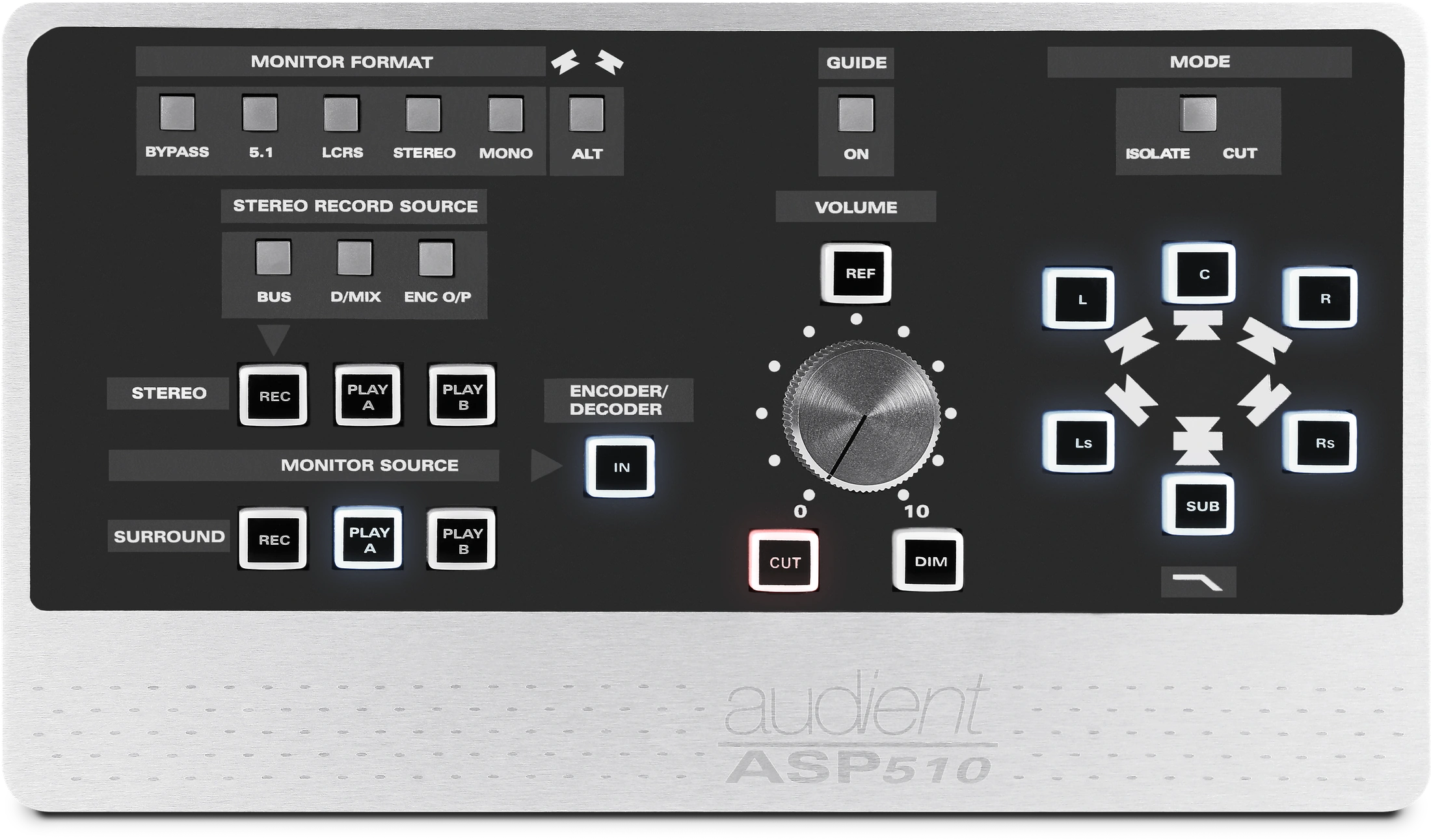
Monitor Format
ASP510 provides five primary monitor-format selections:
- 5.1
- LCRS
- Stereo
- Mono
- Bypass
The format buttons are interlocked so selecting one cancels the previous format. Bypass operates independently.
5.1 Film mode
To enable 5.1 Film mode, hold 5.1 until the button flashes, then release it.
In Film mode, the Left Surround and Right Surround monitor channels are attenuated by 3 dB.
To cancel Film mode, hold 5.1 until it stops flashing.
Bypass
Bypass connects the console Control Room Left and Right inputs directly to the Left and Right speakers.
While Bypass is active, ASP510 monitoring functions are bypassed except for Alternate speaker switching.
Press Bypass again to exit.
Holding Bypass until it flashes restores the factory defaults.
ALT
ALT switches the Left and Right speaker outputs from the main monitors to the alternate pair, typically near-field monitors.
Reference level
REF recalls a user-defined monitor reference level independently of the current Volume position.
To store a reference level:
- Hold REF until it flashes.
- Release the button.
- Set the required level with the main Volume control.
- Press REF again to store it.
Guide
Guide routes the Guide Track input directly to the main Left and Right monitors.
The associated ON indicator lights while the Guide input is active.
Mode: Isolate or Cut
MODE changes the six individual speaker buttons between:
- ISOLATE, which lets you hear selected speaker channels
- CUT, which mutes selected speaker channels
An indicator shows the active mode.
Subwoofer low-pass filter
A switchable 120 Hz low-pass filter is available in the subwoofer monitor path.
To enable it, hold the illuminated SUB speaker button until the filter indicator lights.
Repeat the action until the indicator goes out to bypass the filter.
Individual monitor buttons
The six channel buttons control:
- Left
- Centre
- Right
- Left Surround
- Right Surround
- Sub
Their function depends on whether MODE is set to Isolate or Cut.
Volume
The main Volume control adjusts all monitor outputs through high-precision digital attenuators.
Next steps
Continue to Monitor Sources and Recording.