Application Setups
ASP510 can be configured for a range of surround and stereo production workflows.
The diagrams below are the official ASP510 application layouts. External recorders, converters and codec models shown are examples. Use compatible devices appropriate to your current system.
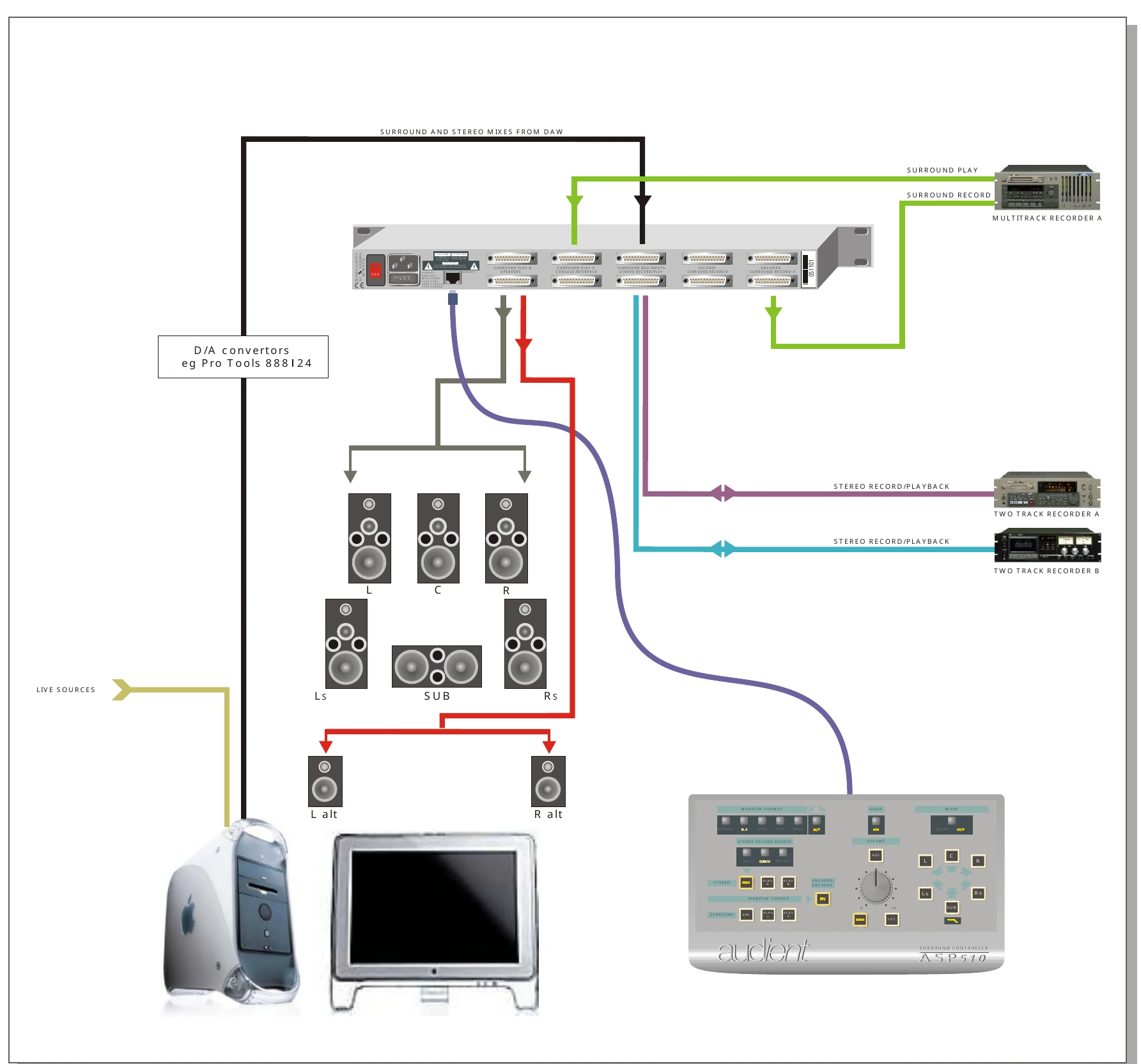
Working with a DAW
ASP510 can provide 5.1 monitor control for Pro Tools or another surround-capable DAW while also managing alternate stereo monitors and external recorders.
A typical system routes the DAW surround and stereo monitor feeds to ASP510, connects the main speaker system to the six surround outputs, and uses the alternate Left and Right outputs for near-field monitors.
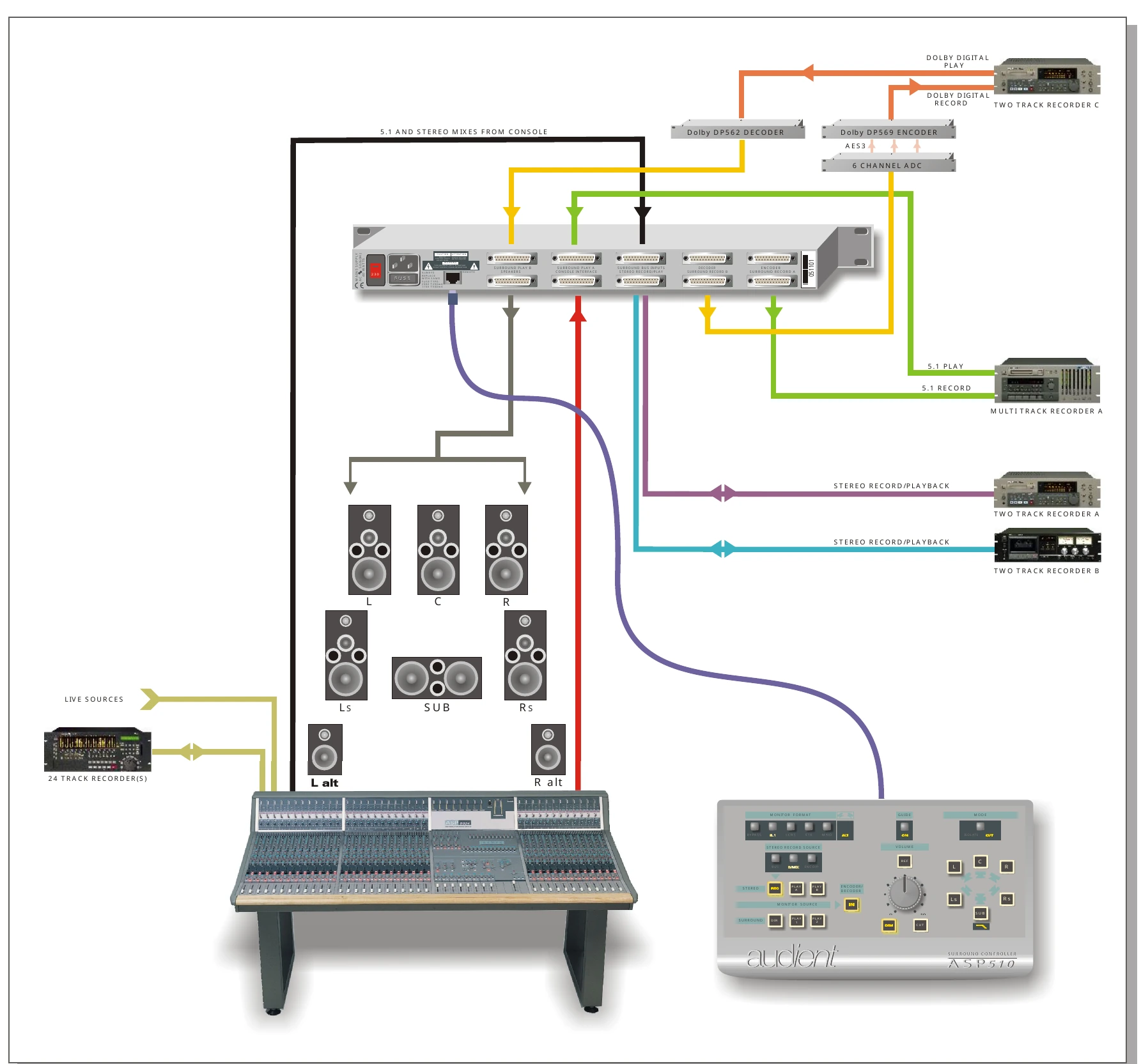
5.1 and Dolby Digital
In this workflow:
- the console 5.1 mix feeds the ASP510 Surround Bus
- the 5.1 recorder uses Surround A Record and Play
- Dolby Digital encode/decode paths can use the Surround B or dedicated Encoder/Decoder connections
- Stereo Record Source can be set to Bus or Downmix as required
- Monitor Format controls remain available for compatibility checks
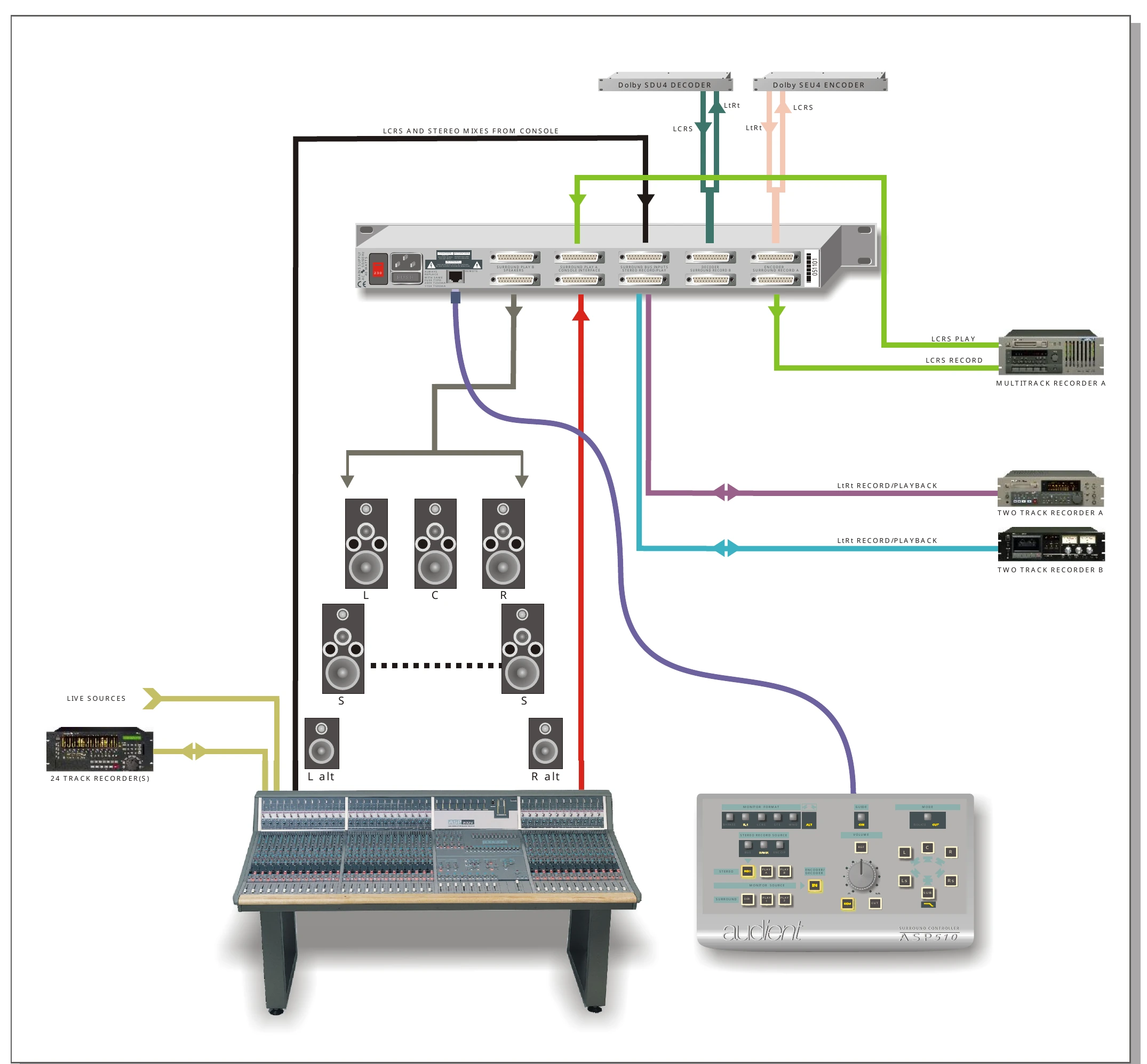
Dolby Surround and LtRt
An LCRS mix can feed the Surround Bus while an external encoder produces LtRt for stereo recorders.
The Encoder/Decoder insert can decode the LtRt path back to LCRS for monitoring and compatibility checking.
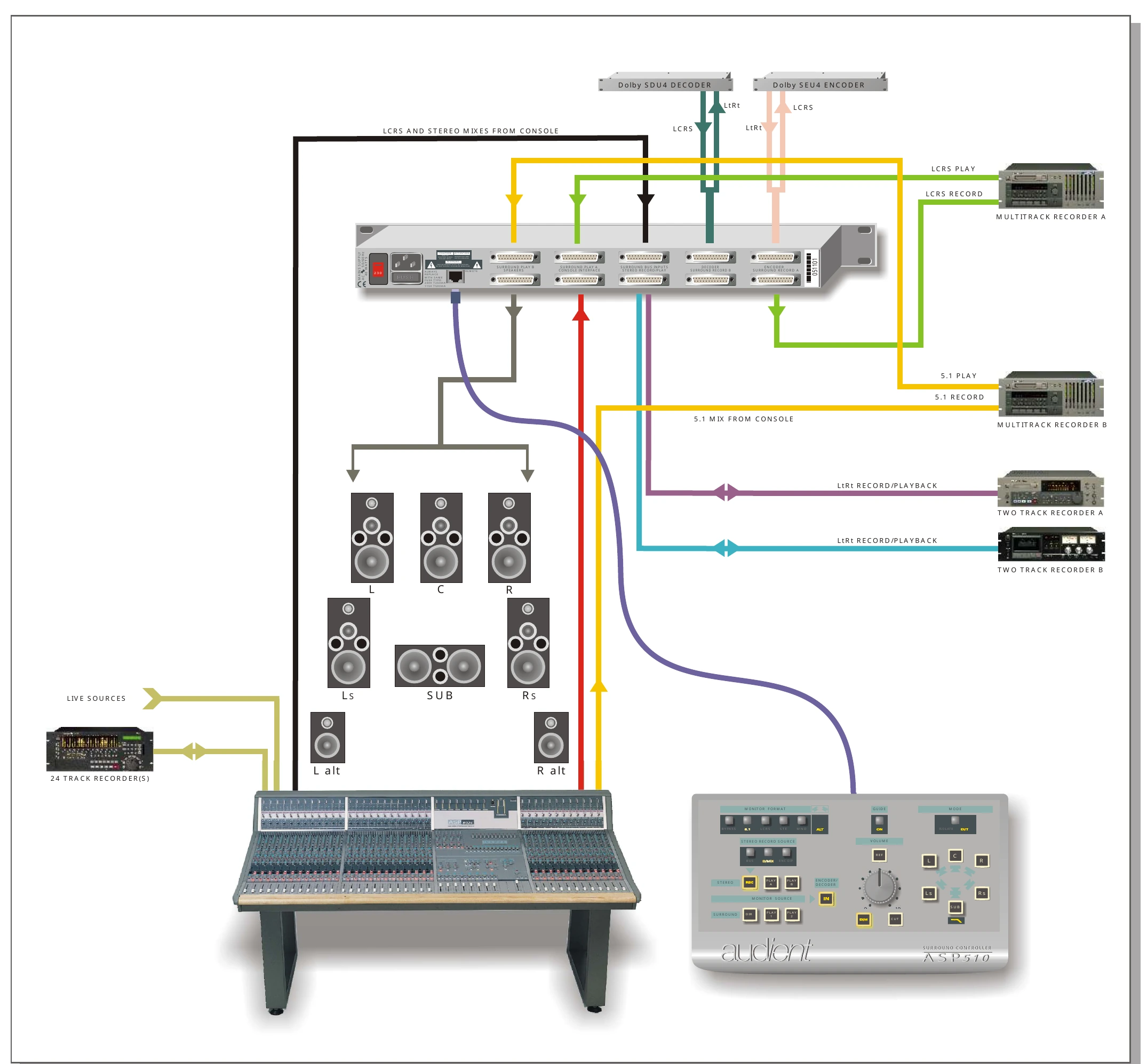
Multi-format mixing
ASP510 can support simultaneous 5.1 and LCRS workflows while also producing and monitoring an LtRt encoded output.
The multiple Surround Play, Surround Record, Stereo Play and Stereo Record paths allow the different source and return paths to remain connected while Monitor Source and Monitor Format controls select what is heard.
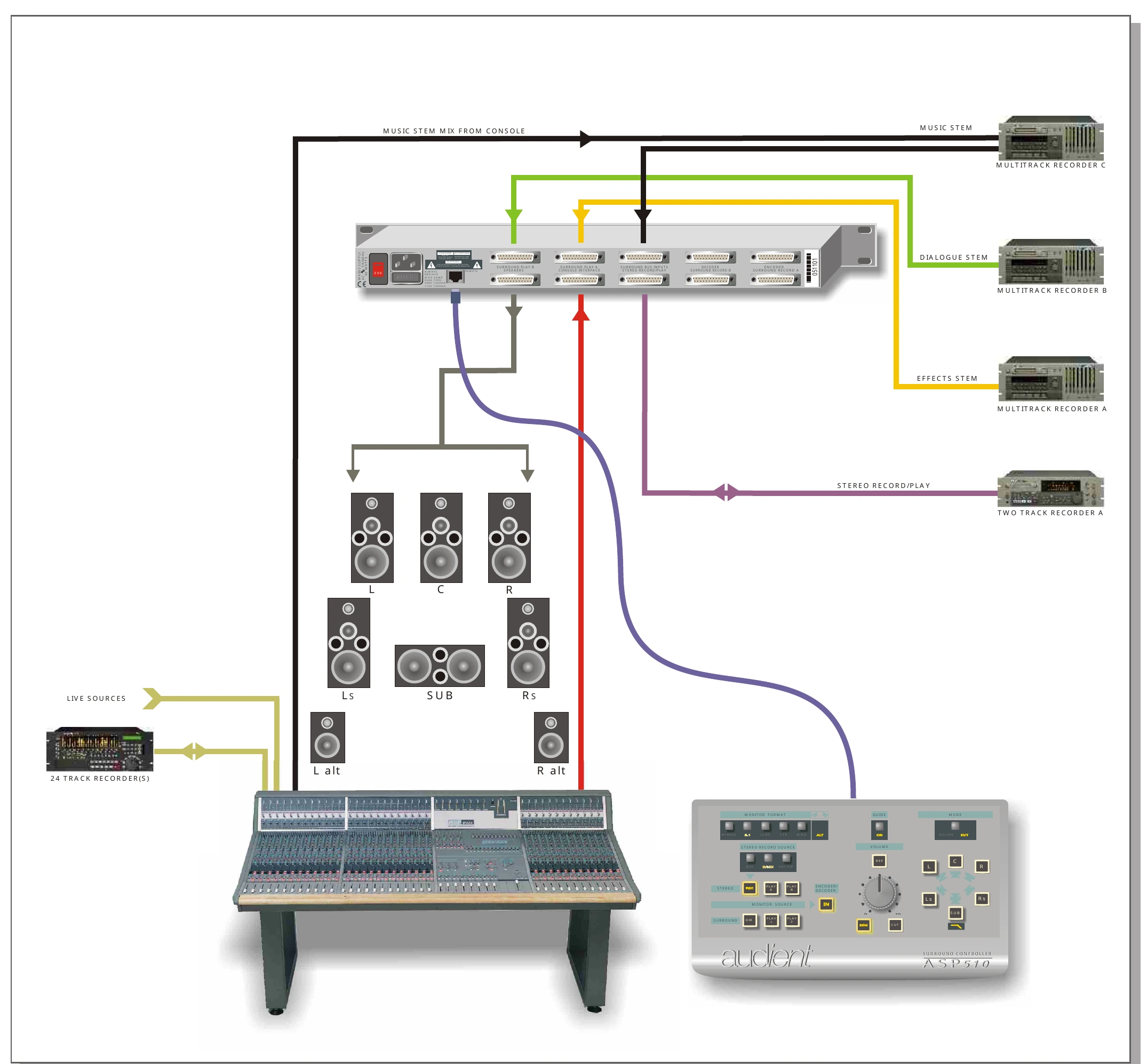
Stem mixing
ASP510 can monitor up to three surround stems or premixes.
In the example workflow:
- Music uses the direct Surround Record path
- Effects uses Surround Play A
- Dialogue uses Surround Play B
The sources can be heard individually or combined using Lock and Gang.
A separate stereo music mix can be monitored and recorded at the same time.
Authoring and mastering
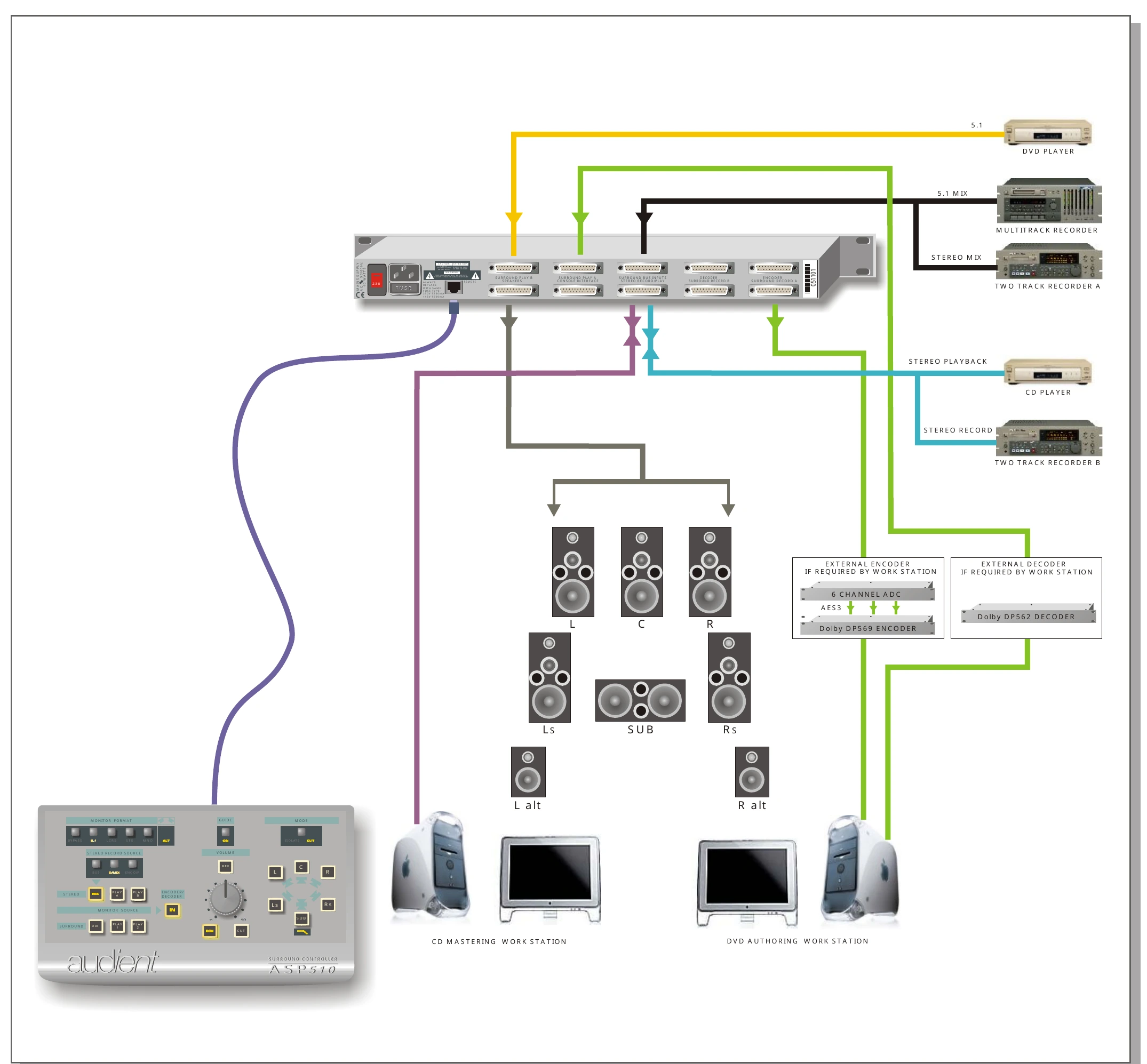
The multiple surround and stereo inputs also support authoring and mastering workflows.
Surround and Stereo Record paths can feed separate workstations, while the corresponding Play inputs monitor the processed returns.
Additional playback devices can use the Play B inputs for test-disc or reference playback.
A stereo downmix can be produced from the surround source using the D/MIX stereo record source.
Next steps
Continue to Technical Specifications.