Hardware and Connections
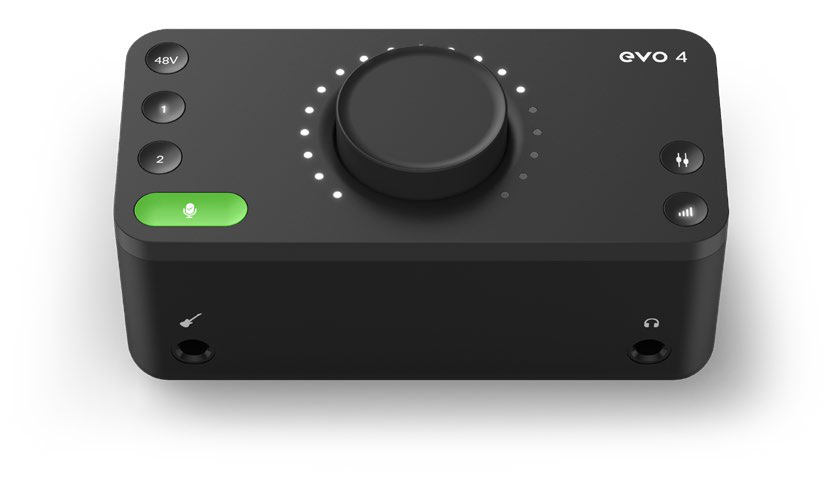
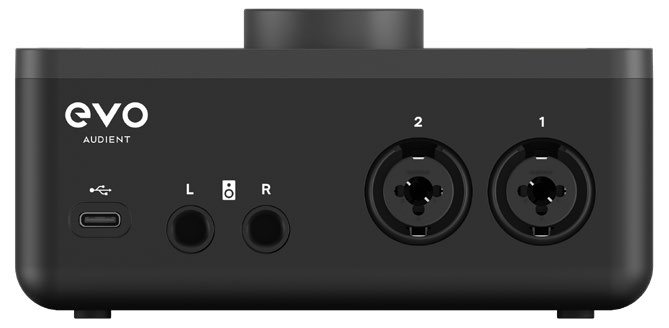
EVO 4 provides two microphone or line inputs, a dedicated instrument input, stereo speaker outputs and a headphone output. The USB connection carries audio and provides power to the interface.
EVO 4 connections
USB connection
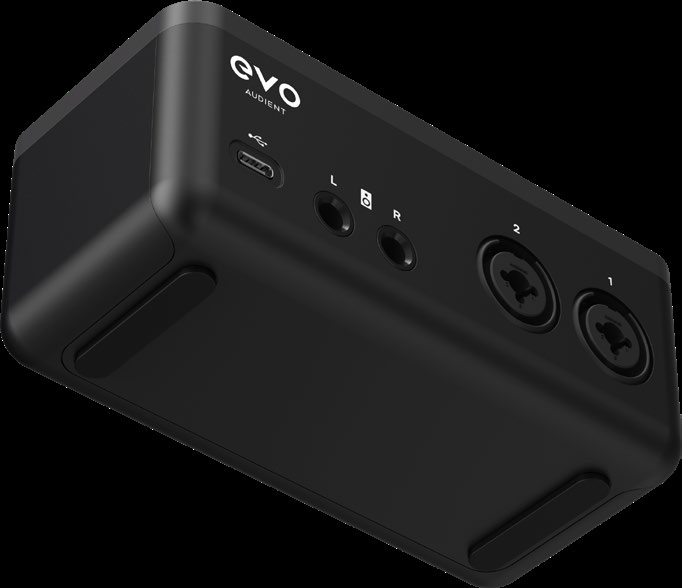
Connect the rear USB-C port to a data-capable USB port on the computer. EVO 4 is powered through the USB connection and does not use a separate power supply.
Use a suitable data cable, adaptor or powered hub when the computer does not provide the required USB connection. See Software Installation and Registration for macOS, Windows and iOS setup information.
Microphone and line inputs
Inputs 1 and 2 use rear-panel combination connectors. Each connector accepts either:
- A three-pin XLR connection for a microphone
- A balanced 1/4-inch TRS connection for a line-level source
Line inputs are suitable for equipment such as keyboards, synthesisers, drum machines and external audio equipment. The line input is padded relative to the microphone input to provide additional headroom for line-level signals.
Use Input Controls and Smartgain to set the input gain, enable phantom power or link the inputs as a stereo pair.
Instrument input
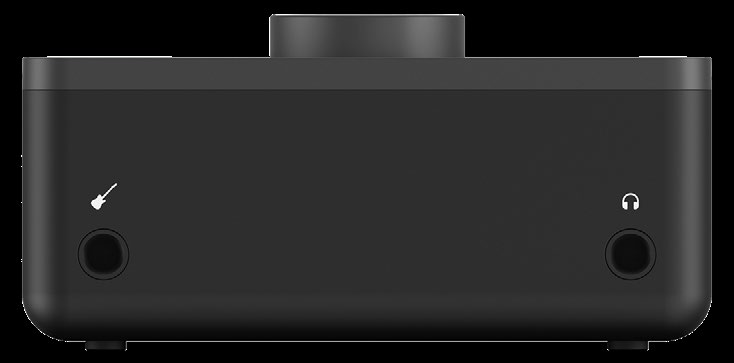
The front instrument input accepts an unbalanced 1/4-inch TS connection from a guitar, bass or another high-impedance instrument.
Connecting a jack to the instrument input routes it to input channel 1 and overrides the rear microphone or line connection for channel 1. Disconnect the front instrument cable to use rear input 1 again.
Monitor outputs
The rear L and R monitor outputs carry the main stereo output from EVO 4.
- Use balanced 1/4-inch TRS cables when connecting active monitors or other balanced equipment.
- Unbalanced 1/4-inch TS cables can be used when connecting equipment with unbalanced inputs.
- Passive speakers require a suitable external amplifier between EVO 4 and the speakers.
Headphone output
Connect headphones to the front 1/4-inch stereo headphone output.
Connecting headphones automatically mutes the rear monitor outputs. EVO 4 does not provide independent speaker and headphone mixes or separate speaker and headphone level controls.
See Monitoring and Output Controls for output level, Monitor Mix, Monitor Pan and muting instructions.
Connection summary
| Equipment | EVO 4 connection | Cable or connector |
|---|---|---|
| Computer or mobile device | Rear USB-C port | Data-capable USB cable |
| Microphone | Rear input 1 or 2 | Three-pin XLR |
| Line-level source | Rear input 1 or 2 | Balanced 1/4-inch TRS |
| Guitar, bass or high-impedance instrument | Front instrument input | Unbalanced 1/4-inch TS |
| Active monitors or amplifier | Rear L and R monitor outputs | Balanced 1/4-inch TRS, or TS for unbalanced equipment |
| Headphones | Front headphone output | 1/4-inch stereo TRS |
Next steps
Continue to Input Controls and Smartgain to set recording levels and configure the two inputs.