Monitoring and Output Controls
EVO 8 provides two separately controlled output groups. Each group consists of one rear stereo speaker-output pair and its corresponding front headphone output.
Output controls and connections
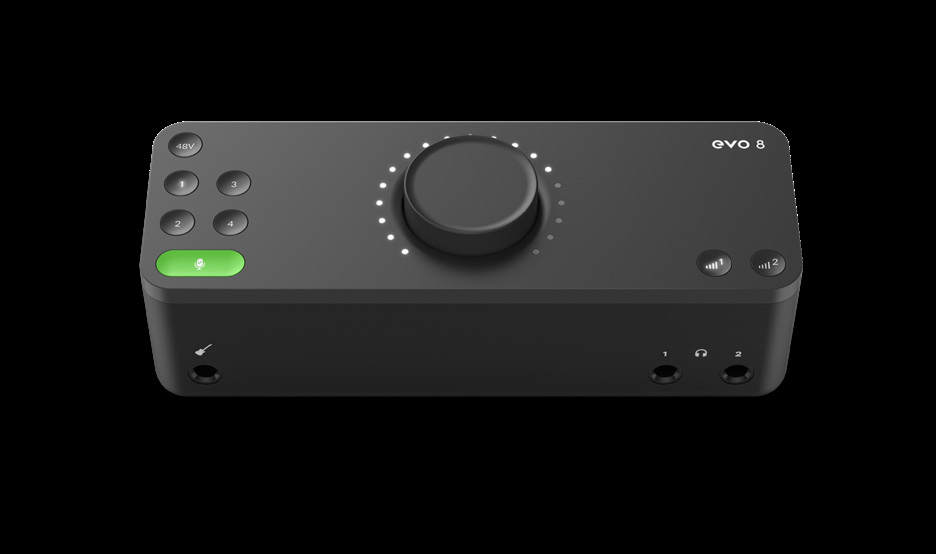
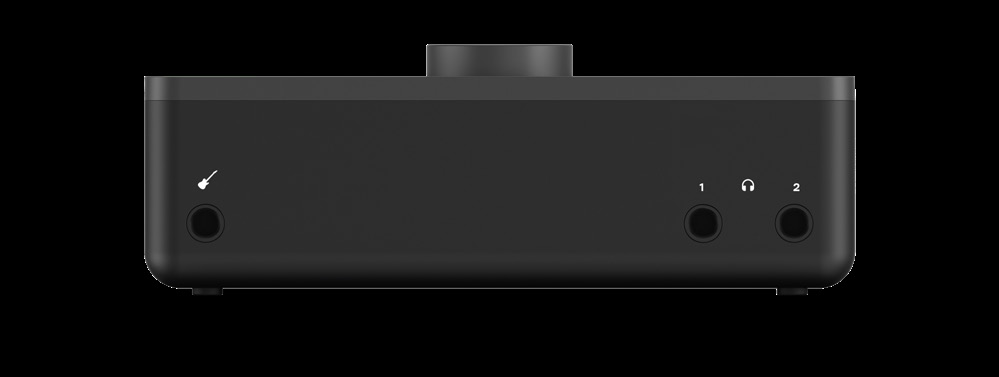
Output groups
The two Output Volume buttons select which output group the Control Knob adjusts:
| Output button | Rear speaker outputs | Front headphone output |
|---|---|---|
| 1 | Outputs 1+2 | Headphone output 1 |
| 2 | Outputs 3+4 | Headphone output 2 |
Adjust an output level
- Press Output Volume button 1 or 2.
- Turn the Control Knob to set the listening level for the selected output group.
- Use the LED ring around the Control Knob as an indication of the current relative level.
The two output groups can be adjusted separately from each other.
SmartMuting
Connecting headphones to one of the front headphone outputs automatically mutes the corresponding rear speaker-output pair:
- Connecting headphones to headphone output 1 mutes speaker outputs 1+2.
- Connecting headphones to headphone output 2 mutes speaker outputs 3+4.
This allows headphones and speakers to remain connected to different output groups. For example, speakers can use outputs 1+2 while a separate headphone mix uses headphone output 2.
The EVO software mixer can provide a separate Artist Mix to outputs 3+4. See EVO Mixer and Configurations for Artist Mix setup.
Mute an output group
Press and hold Output Volume button 1 or 2 to mute the selected output group. The button flashes while muted.
Press and hold the same button again to unmute the group.
Next steps
Continue to EVO Mixer and Configurations to configure the software mixer and Artist Mix, or Audio Loopback for recording and streaming computer audio.