Hardware and Connections
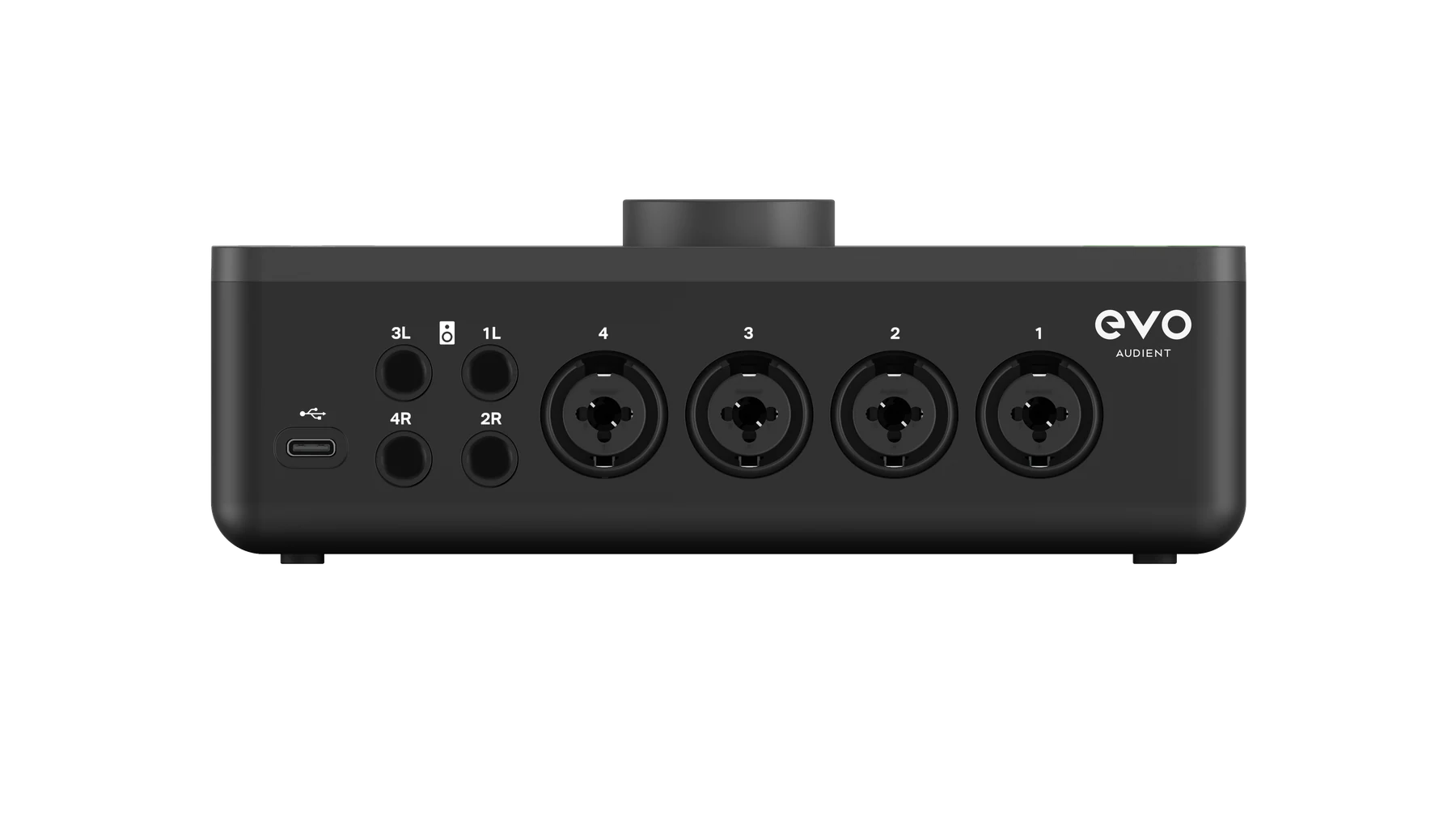
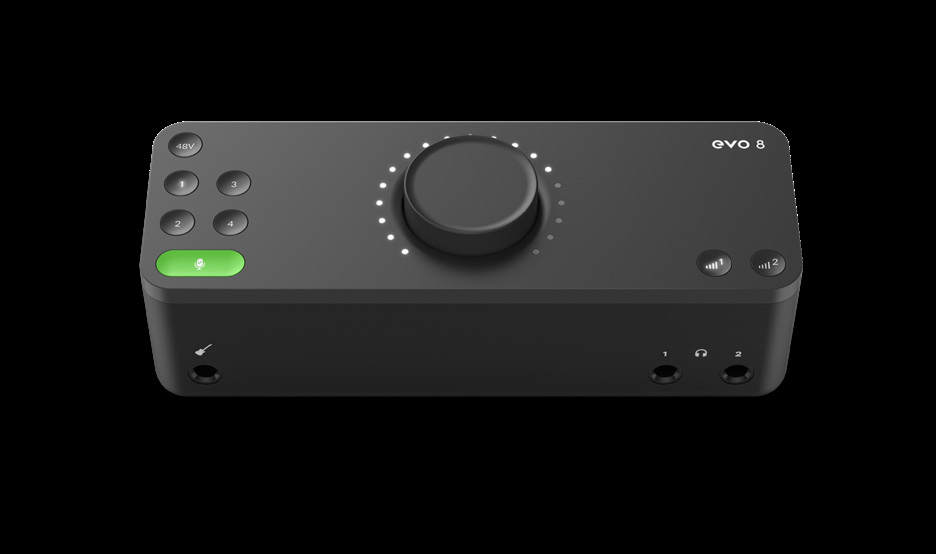
EVO 8 provides four microphone or line inputs, a dedicated instrument input, four analogue speaker outputs and two headphone outputs. The rear USB-C connection carries audio and powers the interface.
EVO 8 connections
USB connection
Connect the rear USB-C port to a data-capable USB port on the computer. EVO 8 is bus powered and does not require a separate power supply.
The available USB power can affect how many microphone channels can use phantom power at the same time. See Input Controls and Smartgain for the phantom-power limits when using USB-A and USB-C host connections.
See Software Installation and Registration for macOS and Windows setup information.
Microphone and line inputs
Inputs 1–4 use rear-panel combination connectors. Each connector accepts either:
- A three-pin XLR connection for a microphone
- A balanced 1/4-inch TRS connection for a line-level source
Connecting a line-level source engages the line-input path, providing additional headroom for equipment such as synthesisers, keyboards, drum machines and external audio equipment.
Use Input Controls and Smartgain to set the input gain, enable phantom power or link inputs as stereo pairs.
Instrument input
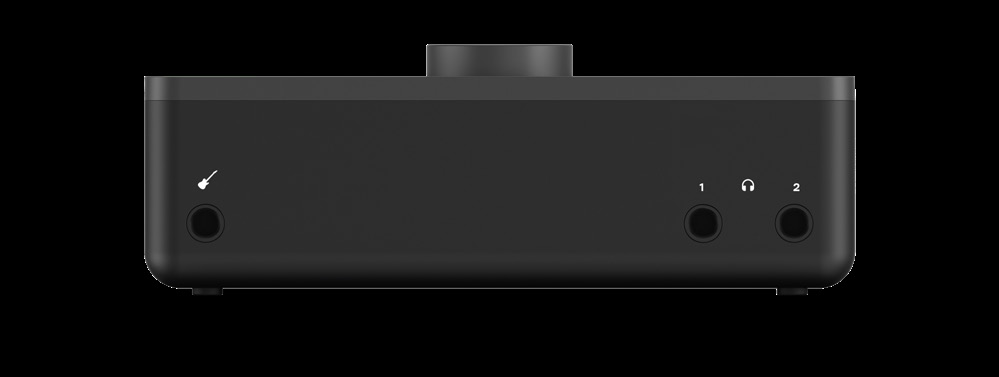
The front instrument input accepts an unbalanced 1/4-inch TS connection from a guitar, bass or another high-impedance instrument.
When a cable is connected to the instrument input, its signal is routed to input channel 1 and overrides the rear microphone or line connection for channel 1. Disconnect the front instrument cable to use rear input 1 again.
Speaker outputs
EVO 8 provides four rear analogue outputs arranged as two stereo pairs:
- Outputs 1+2
- Outputs 3+4
These balanced 1/4-inch outputs can feed active speakers or other line-level equipment. Passive speakers require a suitable external amplifier.
Output Volume button 1 controls the level for outputs 1+2, while Output Volume button 2 controls outputs 3+4.
Headphone outputs
Two 1/4-inch stereo headphone outputs are provided on the front panel:
- Headphone output 1 is paired with speaker outputs 1+2.
- Headphone output 2 is paired with speaker outputs 3+4.
Connecting headphones automatically mutes the corresponding rear speaker-output pair. See Monitoring and Output Controls for level control and SmartMuting behaviour.
Connection summary
| Equipment | EVO 8 connection | Cable or connector |
|---|---|---|
| Computer | Rear USB-C port | Data-capable USB cable |
| Microphone | Rear input 1–4 | Three-pin XLR |
| Line-level source | Rear input 1–4 | Balanced 1/4-inch TRS |
| Guitar, bass or high-impedance instrument | Front instrument input | Unbalanced 1/4-inch TS |
| Active monitors or line-level equipment | Rear outputs 1–4 | Balanced 1/4-inch TRS |
| Headphones | Front headphone output 1 or 2 | 1/4-inch stereo TRS |
Next steps
Continue to Input Controls and Smartgain to set recording levels and configure the four inputs.