Digital Clocking
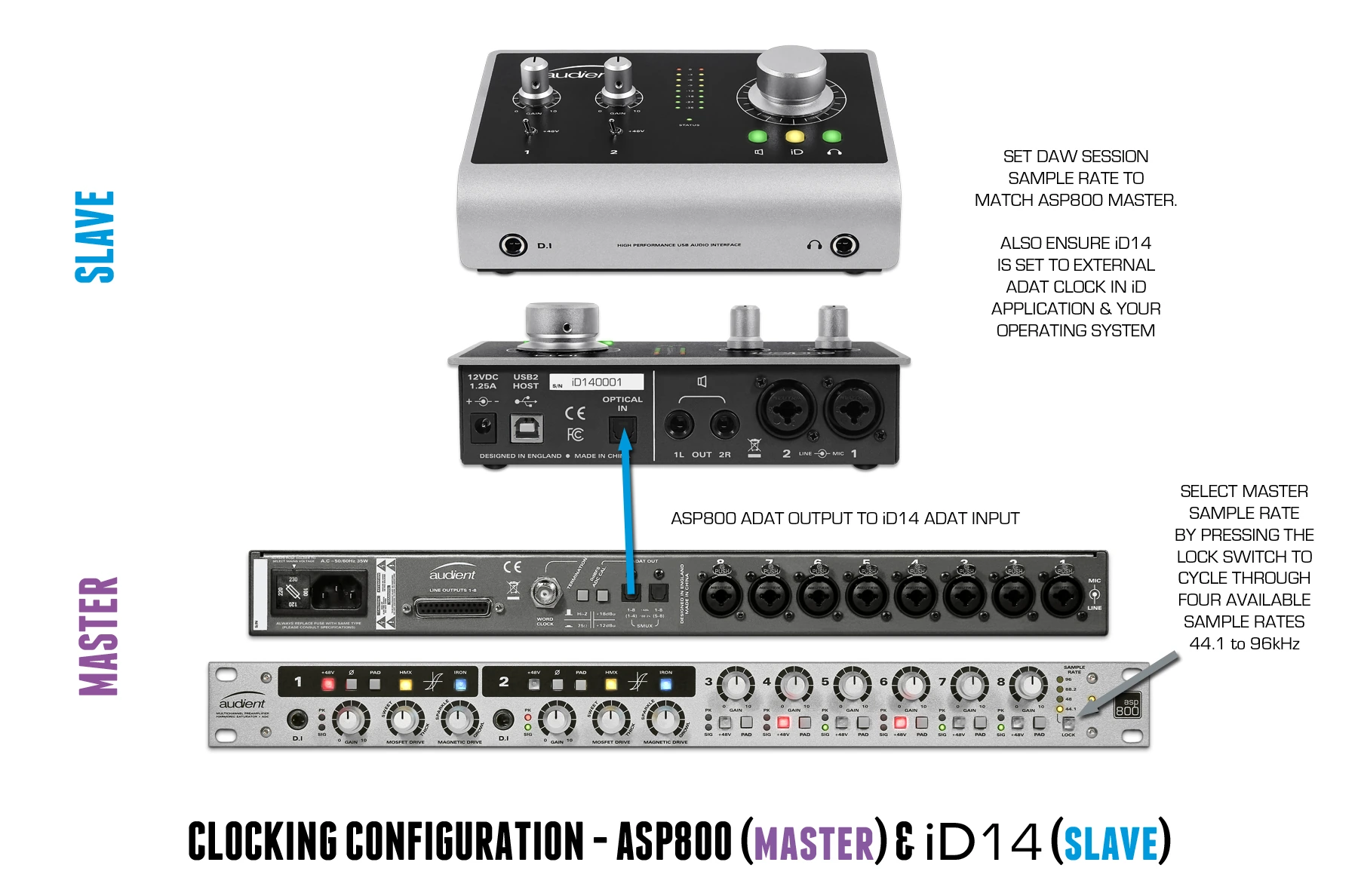
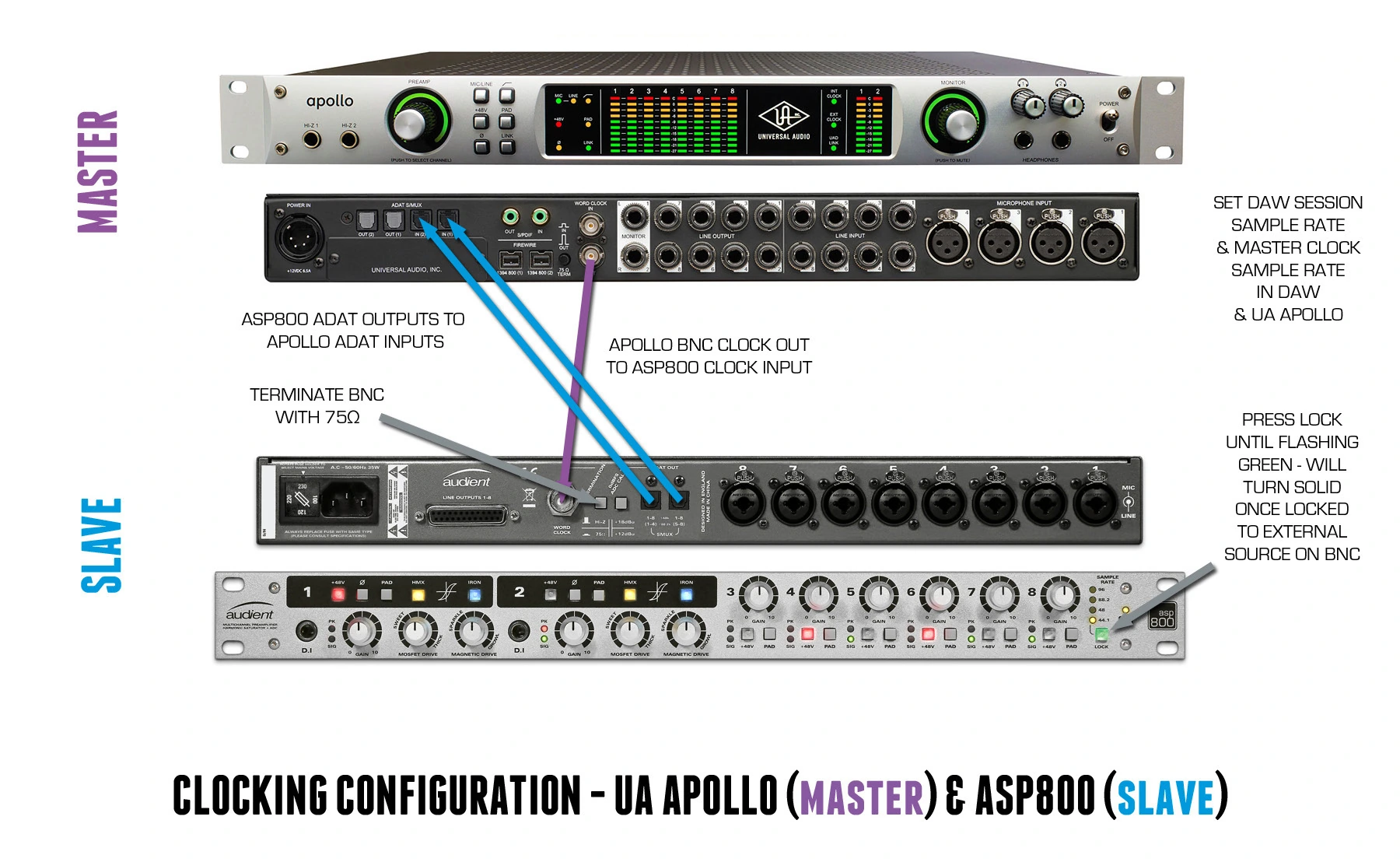
A digital system must have one clock master. ASP800 can operate from its internal clock as the master, or lock to an external word-clock source as a slave.
Supported sample rates are 44.1, 48, 88.2 and 96 kHz.
ASP800 as clock master
- Connect the ASP800 ADAT output or outputs to the interface or recorder.
- Press SAMPLE RATE until the required sample rate is indicated by the yellow LED.
- Set the receiving interface, recorder and DAW session to the same sample rate.
- Set the receiving device’s clock source to its ADAT input.
The receiving device should follow the sample rate selected on ASP800.
ASP800 as an external-clock slave
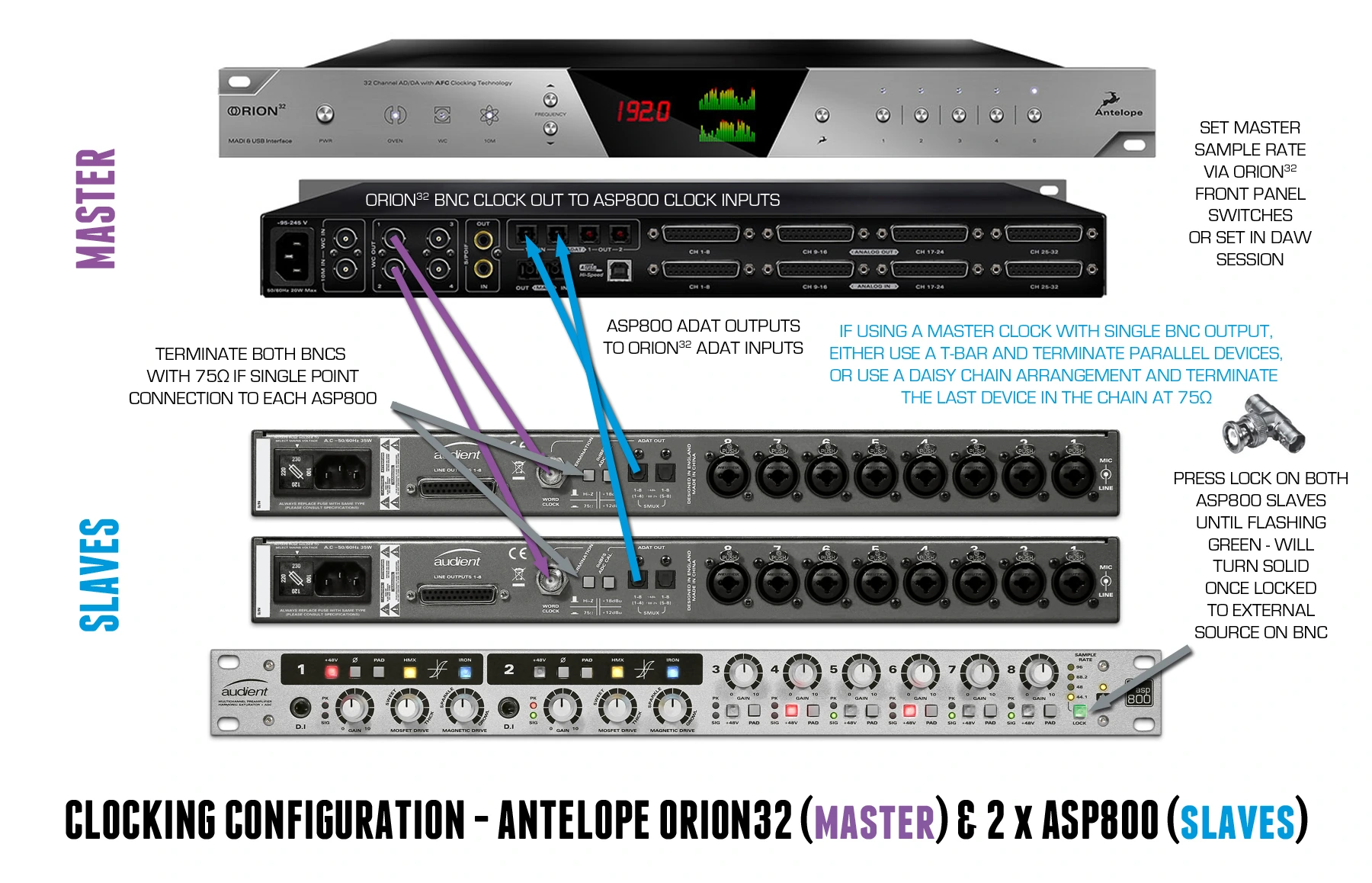
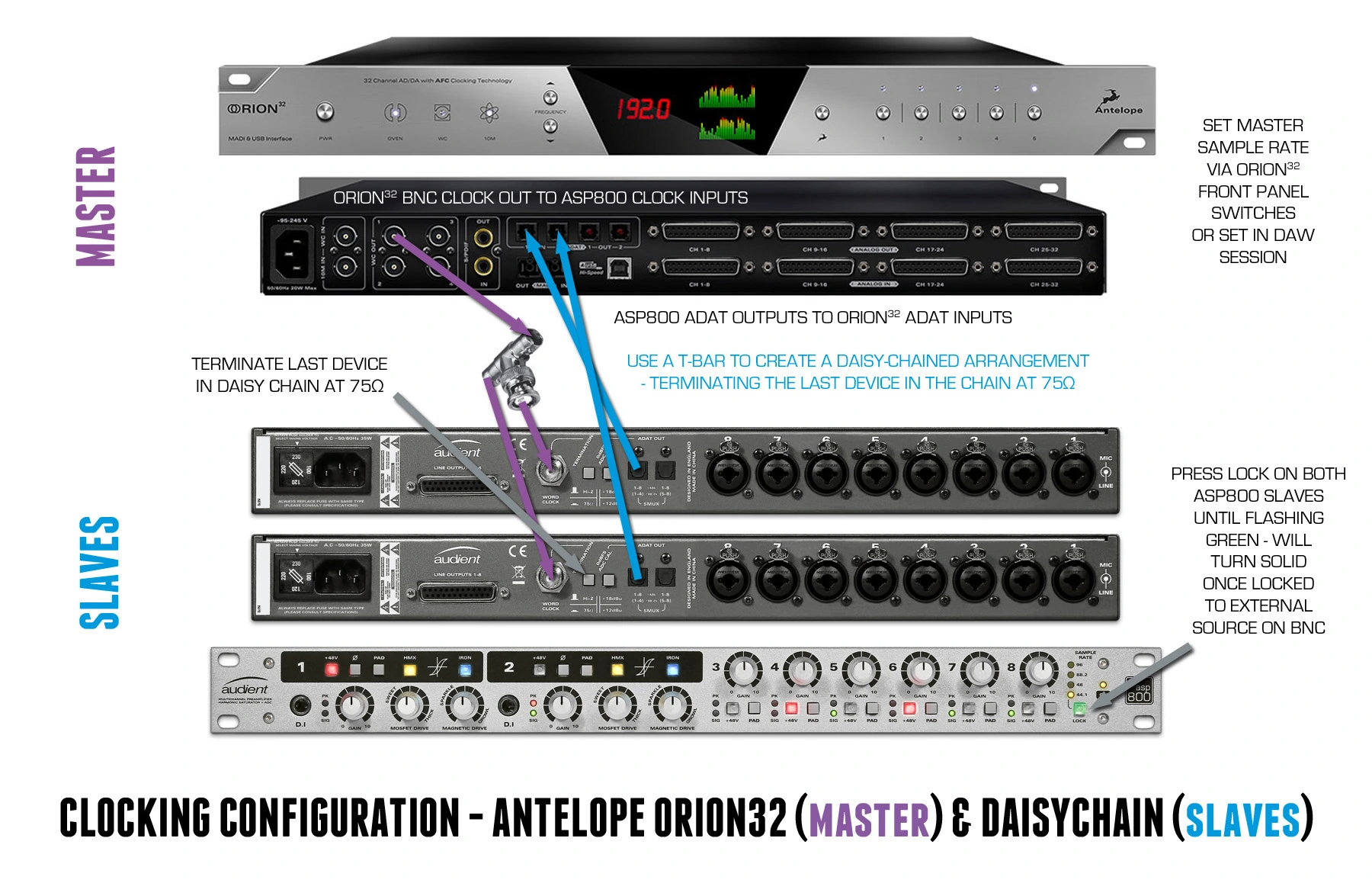
- Connect the master clock output to the ASP800 WORD CLOCK input using a 75 Ω BNC coaxial cable.
- Press SAMPLE RATE until the LOCK switch flashes green. This selects external-clock mode.
- When a valid clock is detected, the green indicator becomes solid.
- If ASP800 is the only or last device in the word-clock chain, engage the rear-panel 75 Ω termination switch.
- If a BNC T-connector is used to distribute clock, terminate only the final device in the chain at 75 Ω.
important
Use only one clock master in the system. Incorrect master/slave configuration, sample-rate mismatch, unsuitable cabling or incorrect termination can cause clicks, pops or failure to lock.
Example systems from the source manual