iD Software Mixer
The iD Software Mixer provides low-latency monitoring and flexible Cue mixes for iD44 MKII.
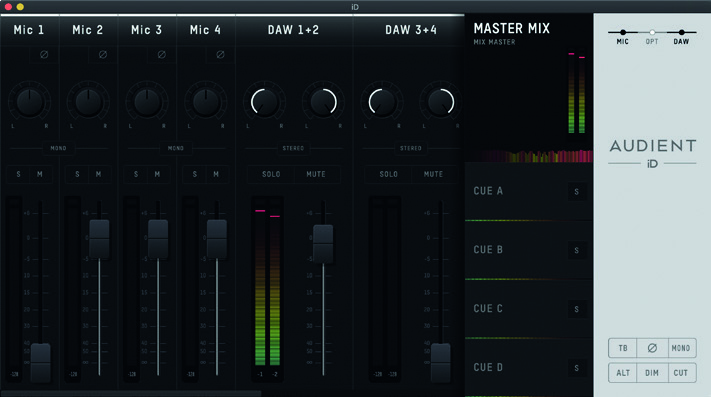
The normal mixer view contains three channel types:
- analogue inputs
- optical digital inputs
- DAW returns
These channels can be used to create the Master/Main monitor mix and four independent Cue mixes.
Channel types
Analogue inputs
The four analogue channels correspond to iD44 MKII inputs 1–4.
Digital inputs
Digital channels receive audio from the optical inputs. The number of available channels depends on the selected ADAT or S/PDIF format and the current sample rate.
DAW returns
DAW Return channels carry playback from the connected computer. The normal mixer provides eight DAW Return channels for creating monitor and Cue mixes.
Additional host playback channels are used by specific routing functions described elsewhere in this manual.
Monitoring and recording levels
The mixer faders, pan, mute, solo and Cue controls affect monitoring and output mixes. They do not change the analogue input gain or the level being recorded into your DAW.
Set analogue recording gain using the iD44 MKII hardware input controls.
Channel controls
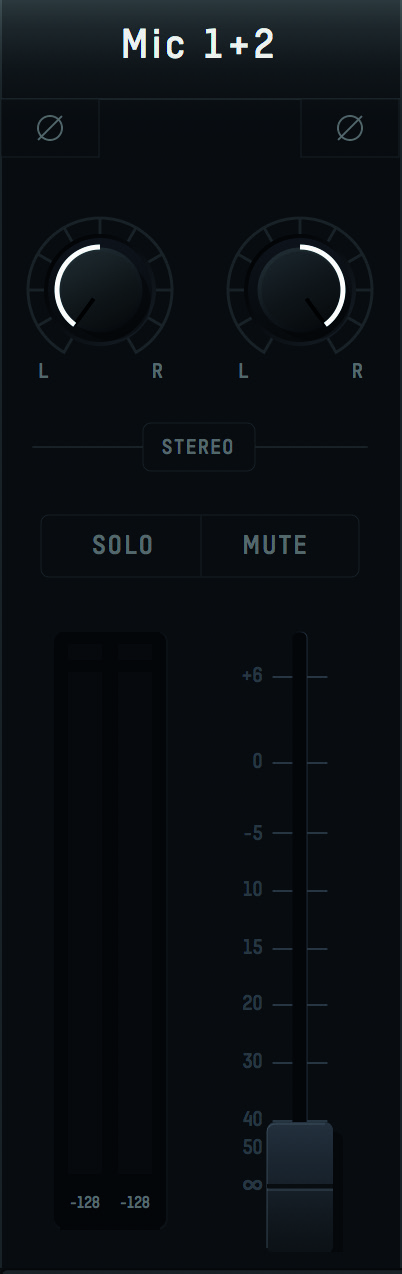
Channel name
Double-click the channel name to rename it.
Polarity Reverse
Press Ø to invert the polarity of the selected channel.
Pan
Use the Pan control to position the channel within the selected stereo monitoring mix.
Stereo grouping
Adjacent channels can be grouped as a stereo pair. The pair then shares a level control and is automatically panned left and right.
Solo
Solo allows one or more channels to be auditioned while the other channels in the selected mix are muted.
Mute
Mute removes the channel from the currently selected monitoring mix.
Fader
The channel fader controls how much signal is sent to the selected mix.
Fader range is -infinity dB to +6 dB.
Meter
The channel meter shows signal level in dBFS. The peak indicator illuminates when clipping is detected.
Click a peak indicator to clear it. Alt/Option-click can be used to clear all peak indicators.
Main and Cue mixes
iD44 MKII provides:
- Master/Main Mix
- Cue A
- Cue B
- Cue C
- Cue D
Select a mix before adjusting its channel balance. Each Cue mix can have an independent name, channel balance and overall level.
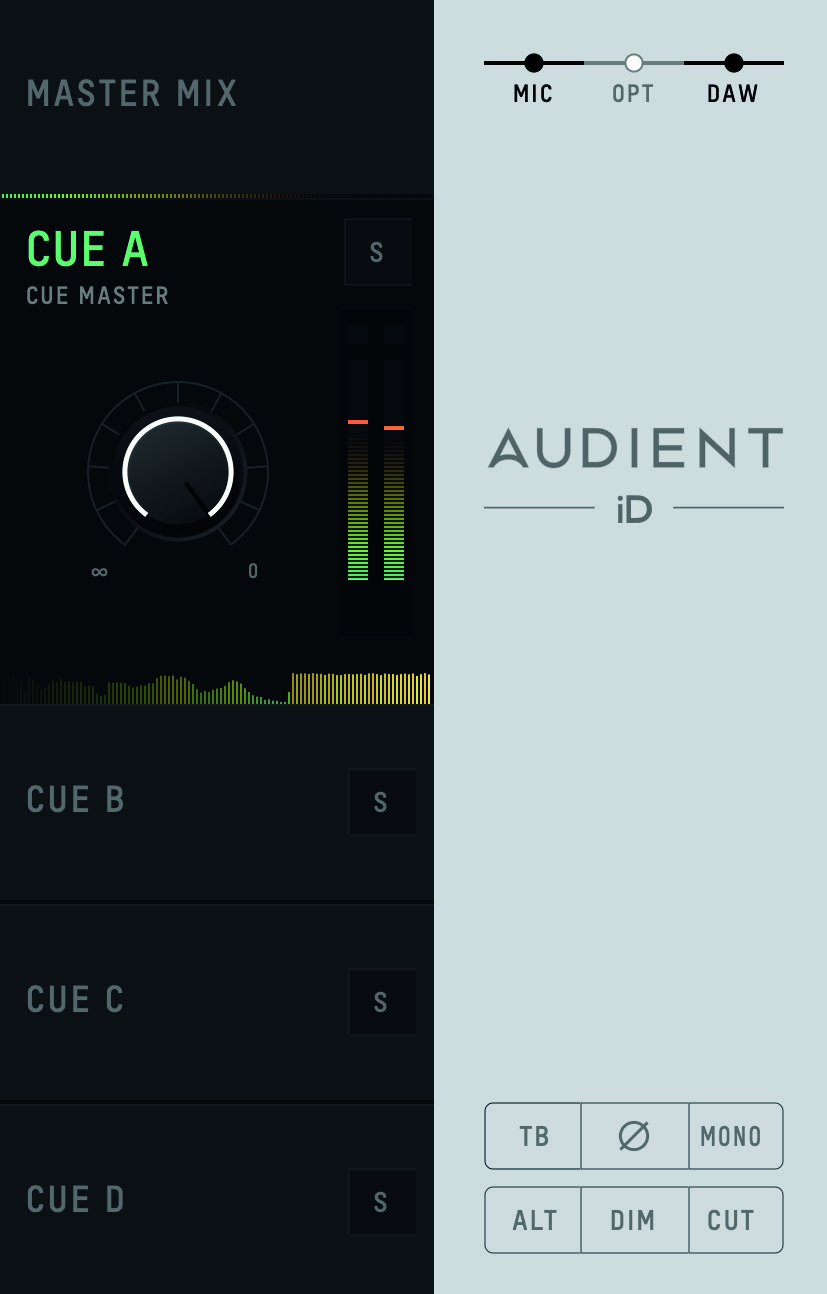
Cue Solo
Use Cue Solo to audition a Cue mix through the control-room monitoring path.
Mix meters
The Mix meters show the output level of the selected mix.
Chronometer
The Chronometer displays recent level history as well as the current mix level, helping identify short transients or changes in level.
Channel Views
Use the Channel View controls to show or hide:
- analogue inputs
- optical digital inputs
- DAW returns
Monitor controls
The mixer provides software access to the iD44 MKII monitor functions:
| Control | Function |
|---|---|
| Talkback | Activates the configured talkback source |
| Polarity Reverse | Inverts one side of the stereo monitoring signal |
| Mono | Sums the stereo monitoring signal to mono |
| ALT | Selects the configured alternative-speaker path |
| Dim | Reduces monitor level by the configured amount |
| Cut | Mutes the monitor path |
Polarity Reverse can be used together with Mono to audition the stereo difference/side content.
Function Keys
Monitor controls can be assigned to the hardware F1, F2 and F3 keys. Right-click the required monitor control in the iD Software Mixer and select the Function Key to which it should be assigned.
See System Panel and Routing for monitor trims, output routing and Talkback configuration.