Digital I/O and Clocking
iD44 MKII provides two optical digital inputs, two optical digital outputs and a BNC Word Clock Output.
Correct clock configuration is essential whenever iD44 MKII is connected to other digital audio equipment.
Optical digital I/O
Each optical connection can operate using ADAT or optical S/PDIF.
ADAT
| Sample rate | Channels per optical port | Total channels |
|---|---|---|
| 44.1 / 48 kHz | 8 | 16 input / 16 output |
| 88.2 / 96 kHz | 4 using SMUX | 8 input / 8 output |
To access all eight ADAT channels at 88.2 or 96 kHz, both optical connections are required.
Optical S/PDIF
Each optical connection carries two channels of S/PDIF audio at sample rates up to 96 kHz.
Configure the digital format in the iD Mixer System Panel.
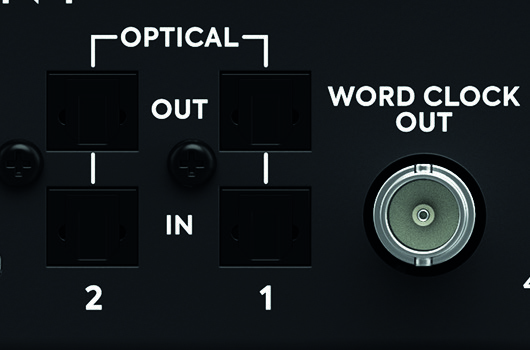
Word Clock Output
iD44 MKII provides a BNC Word Clock Output operating at 44.1, 48, 88.2 or 96 kHz.
The BNC connection is an output only.
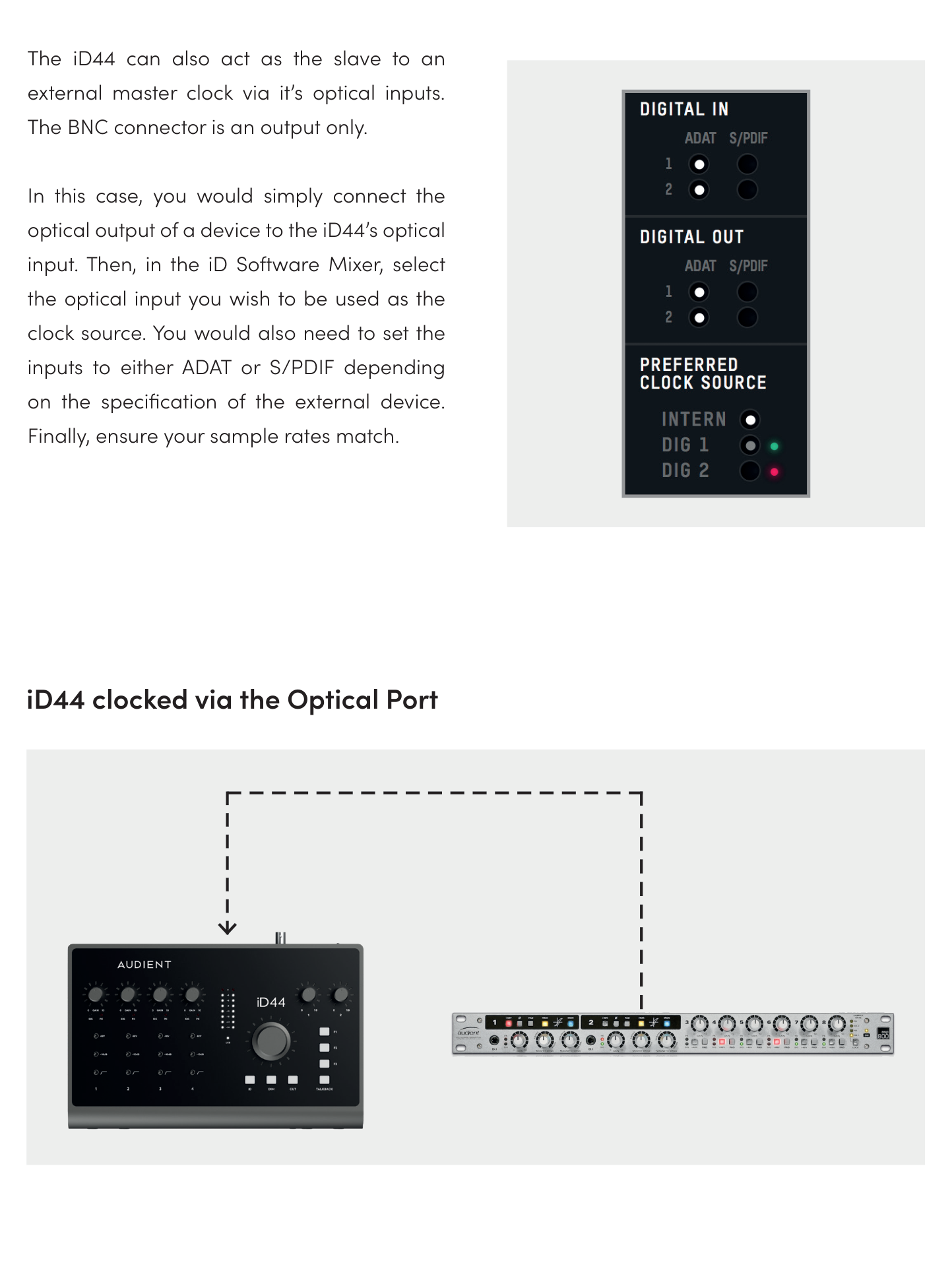
iD44 MKII cannot receive an external clock through BNC. To synchronise iD44 MKII to another device, the clock must be received through one of the optical inputs.
The Word Clock Output follows the sample rate at which iD44 MKII is currently operating, whether the interface uses its internal clock or is synchronised to an external optical source.
Understanding digital clocking
All digitally connected equipment must operate from the same clock. One device provides the clock for the system; the other digital devices synchronise to it.
Incorrect clocking can result in clicks, pops, distortion or other digital-audio errors.
Using iD44 MKII as the clock source
Set Preferred Clock Source to Internal.
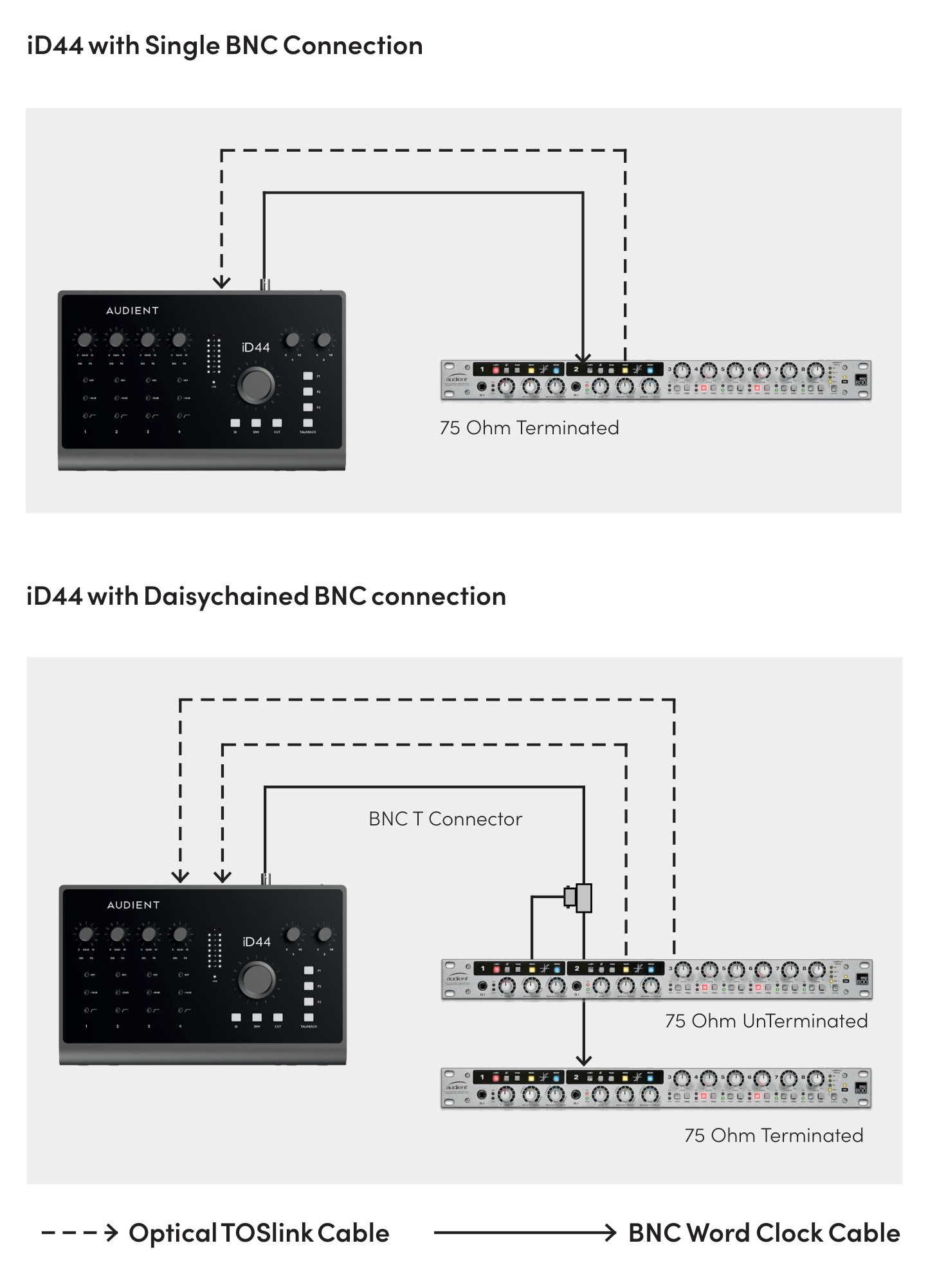
Connected equipment can receive the iD44 MKII clock through either an optical output or the BNC Word Clock Output.
Clock external devices through BNC
Connect the iD44 MKII Word Clock Output to the Word Clock Input of the external equipment using a 75 Ω BNC word-clock cable.
For multiple devices, use BNC T-connectors to distribute the clock. Only the final device in the chain should have its 75 Ω termination enabled.
Synchronising iD44 MKII to an external device
- Connect the external device optical output to an iD44 MKII optical input.
- Configure the external device to provide the clock.
- In the iD Mixer, set Preferred Clock Source to the optical input receiving the signal.
- Set the corresponding digital input format to ADAT or S/PDIF.
- Make sure the external device, iD44 MKII and DAW use the same sample rate.
- Check that the clock-status indicator is green.
Clock status
- Red — no clock signal detected
- Amber — clock detected at a different sample rate
- Green — valid clock detected at the correct sample rate
If the selected external clock is not valid, iD44 MKII uses its internal clock until a valid external clock is detected.