Inputs and Inserts
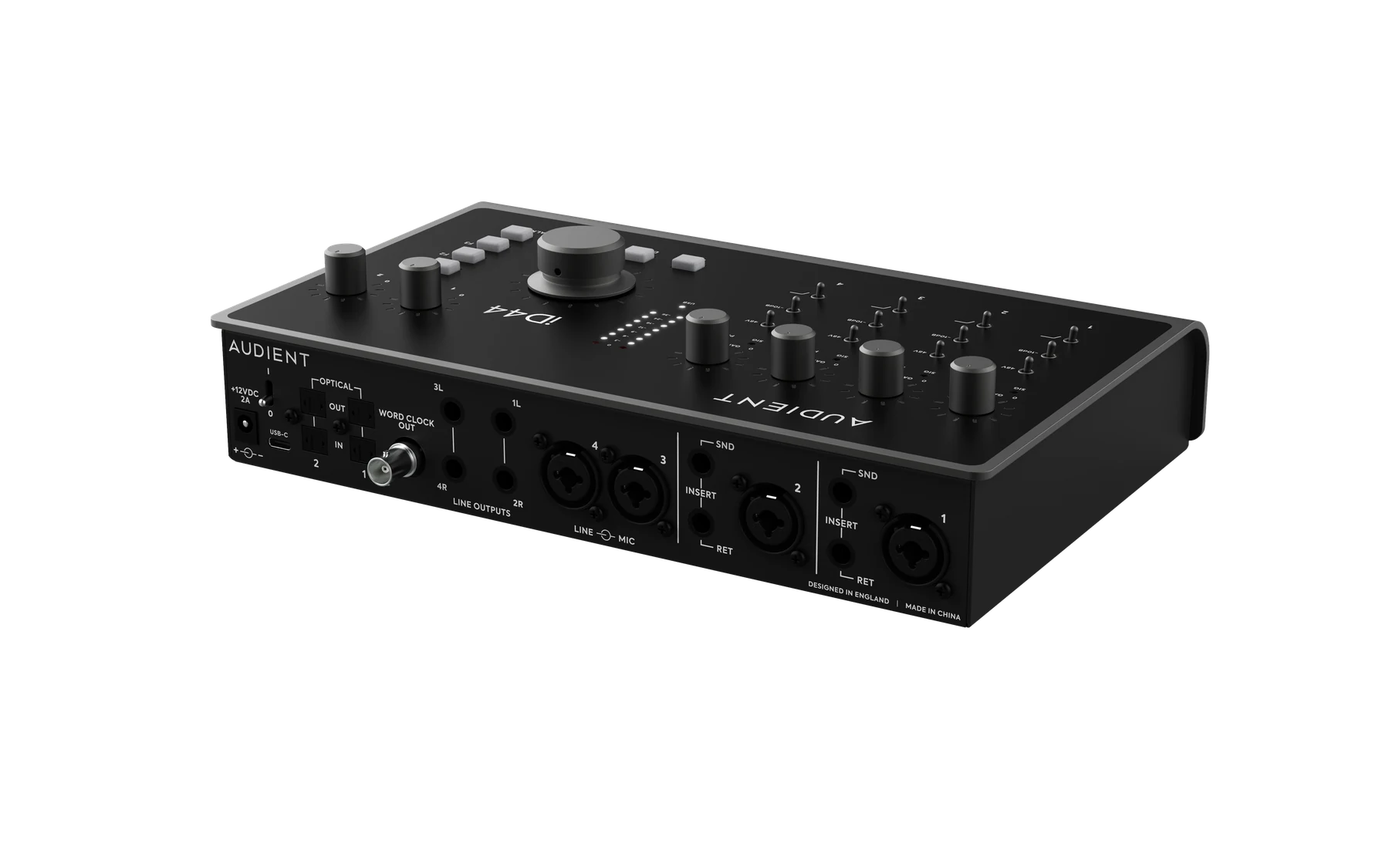
Mic/line inputs
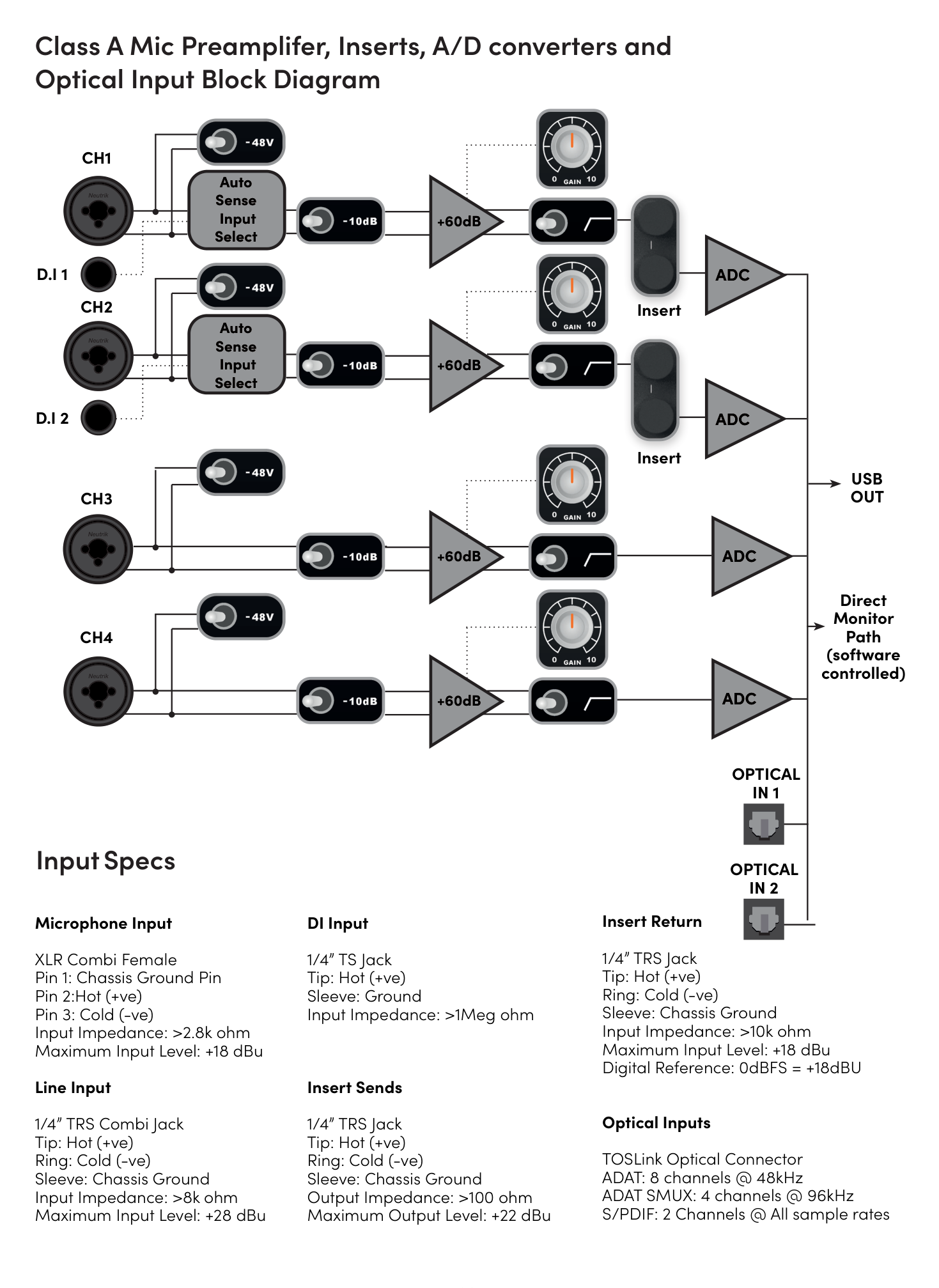
iD44 MKII provides four rear-panel XLR/TRS combo inputs connected to Audient Console Mic Preamps.
Use:
- XLR for microphone-level sources
- ¼-inch TRS for balanced line-level sources
The microphone preamps provide 0 to +60 dB of gain. The line-input gain range is −10 to +50 dB.
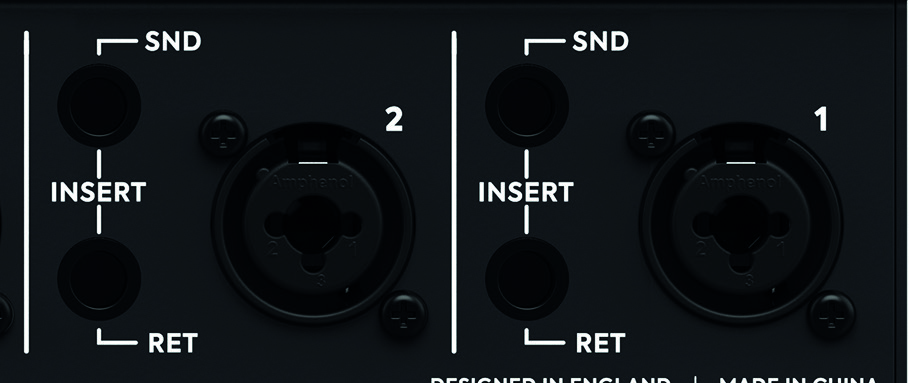
Each channel provides:
- +48 V phantom power
- −10 dB pad
- 100 Hz high-pass filter
- signal/peak indicators

Phantom power
Enable +48 V only when the connected microphone requires phantom power. Each channel provides 48 V ±4 V at up to 10 mA.
Check the microphone documentation before enabling phantom power.
Pad
Press −10 dB to attenuate the input when additional headroom is required.
High-pass filter
Each analogue input includes a 100 Hz high-pass filter, second order, with a 12 dB/octave slope.
Instrument inputs
iD44 MKII provides two front-panel JFET instrument inputs:
- DI 1 → input channel 1
- DI 2 → input channel 2
Connecting a ¼-inch TS plug switches the corresponding channel to the front instrument input. The channel Pad and high-pass filter remain available.
Inserts
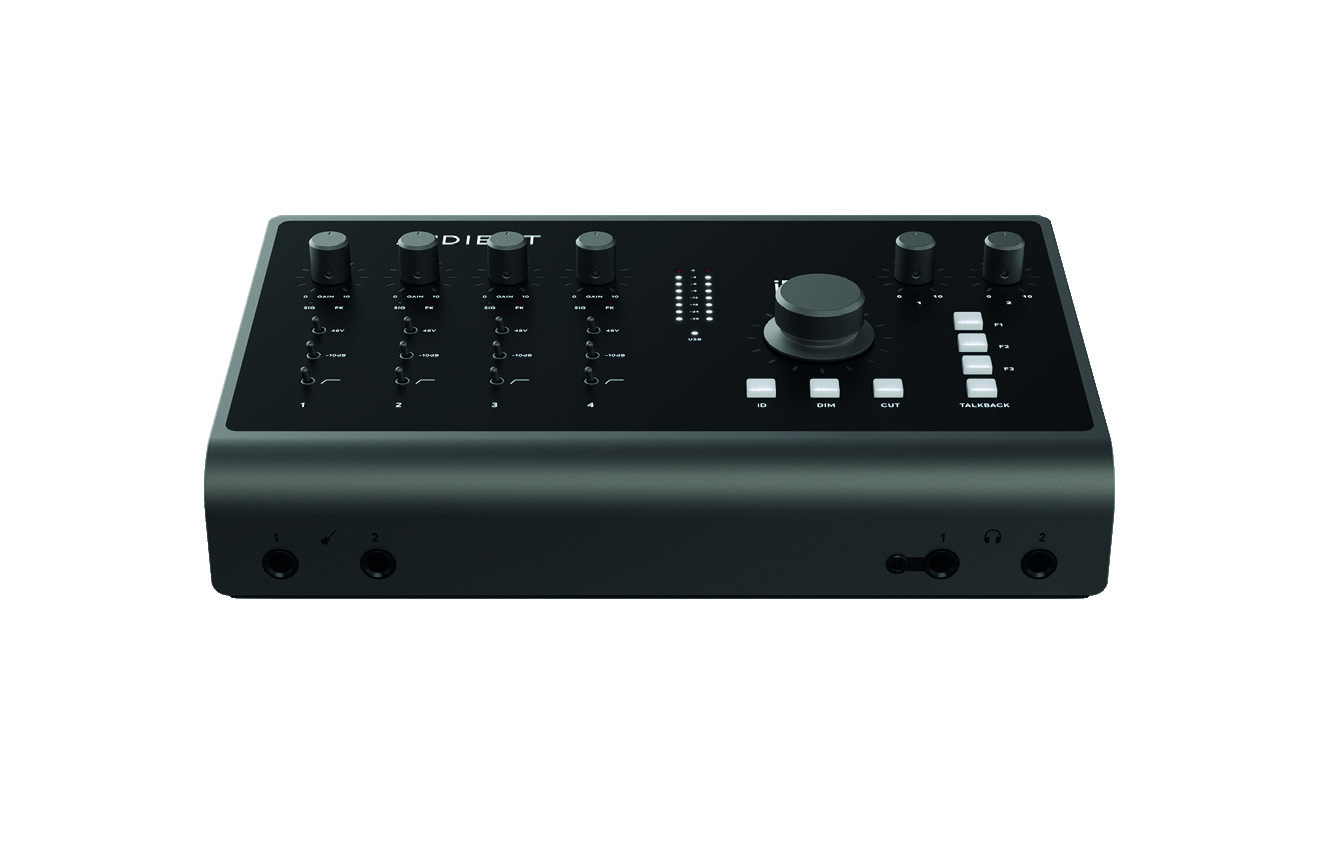
Input channels 1 and 2 provide analogue insert send and return connections before the A/D converters.
Each insert uses:
- an impedance-balanced send
- an electronically balanced return
Normalled operation
The inserts are half-normalled.
With nothing connected, the signal passes internally from the preamp to the ADC. Connecting a cable to the Insert Return breaks the normal internal path. Connecting only the Insert Send allows the preamp signal to be taken elsewhere without interrupting the normal path.
Use external processing while recording
- Connect the iD44 MKII Insert Send to the input of the external processor.
- Connect the output of the processor to the matching Insert Return.
The processed signal then continues to the iD44 MKII A/D converter.
Bypass the onboard preamp
The Insert Returns on channels 1 and 2 provide direct access to the A/D converters.
To use an external microphone preamp or other line-level source without passing through the onboard Audient preamp:
- Connect the output of the external device directly to the required Insert Return.
- Set the level from the external device.
The iD44 MKII channel gain control does not apply when using the Insert Return as a direct ADC input.
The insert-return reference level is +18 dBu = 0 dBFS.