System Panel and Routing
The iD Mixer System Panel contains digital-input, clocking, monitor, Talkback, output-routing, and iD-button settings.
Digital input and clocking
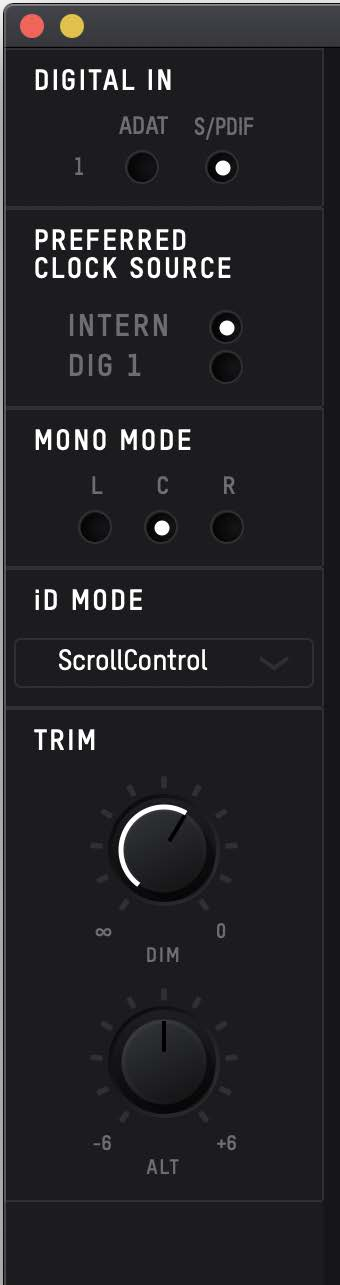
Digital Input Format
Set the optical input to ADAT or S/PDIF to match the connected digital source.
Clock source
Use the internal clock when iD14 MKII is not receiving digital audio from an external optical device.
When receiving ADAT or S/PDIF, configure iD14 MKII to synchronise to the incoming optical clock. The external device must supply the clock.
The clock-status indicator shows:
- Red — no clock detected
- Amber — clock detected at a different sample rate
- Green — valid clock detected at the correct sample rate
If a valid external clock is not available, iD14 MKII uses its internal clock until a valid incoming clock is detected.
Monitor settings
Mono mode
Mono mode determines whether the mono signal is reproduced from the left monitor, right monitor, or both monitors.
Dim level
Dim level sets the amount by which the monitor level is reduced when Dim is active.
Alt speaker level
Alt speaker level lets you compensate for level differences between the main and alternative monitor pairs.
iD button assignment
The iD button can be assigned to current supported functions including:
- ScrollControl
- Mono
- Mono + Polarity
- Dim
- Talkback
- Alt
Output routing
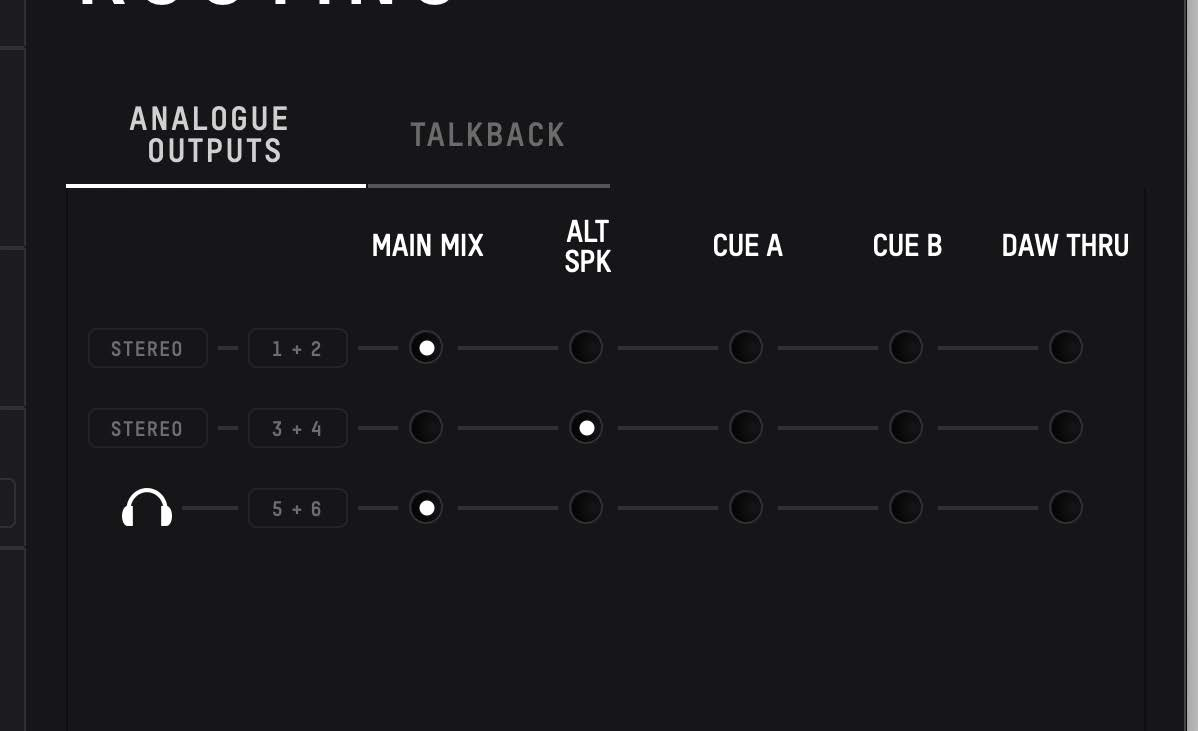

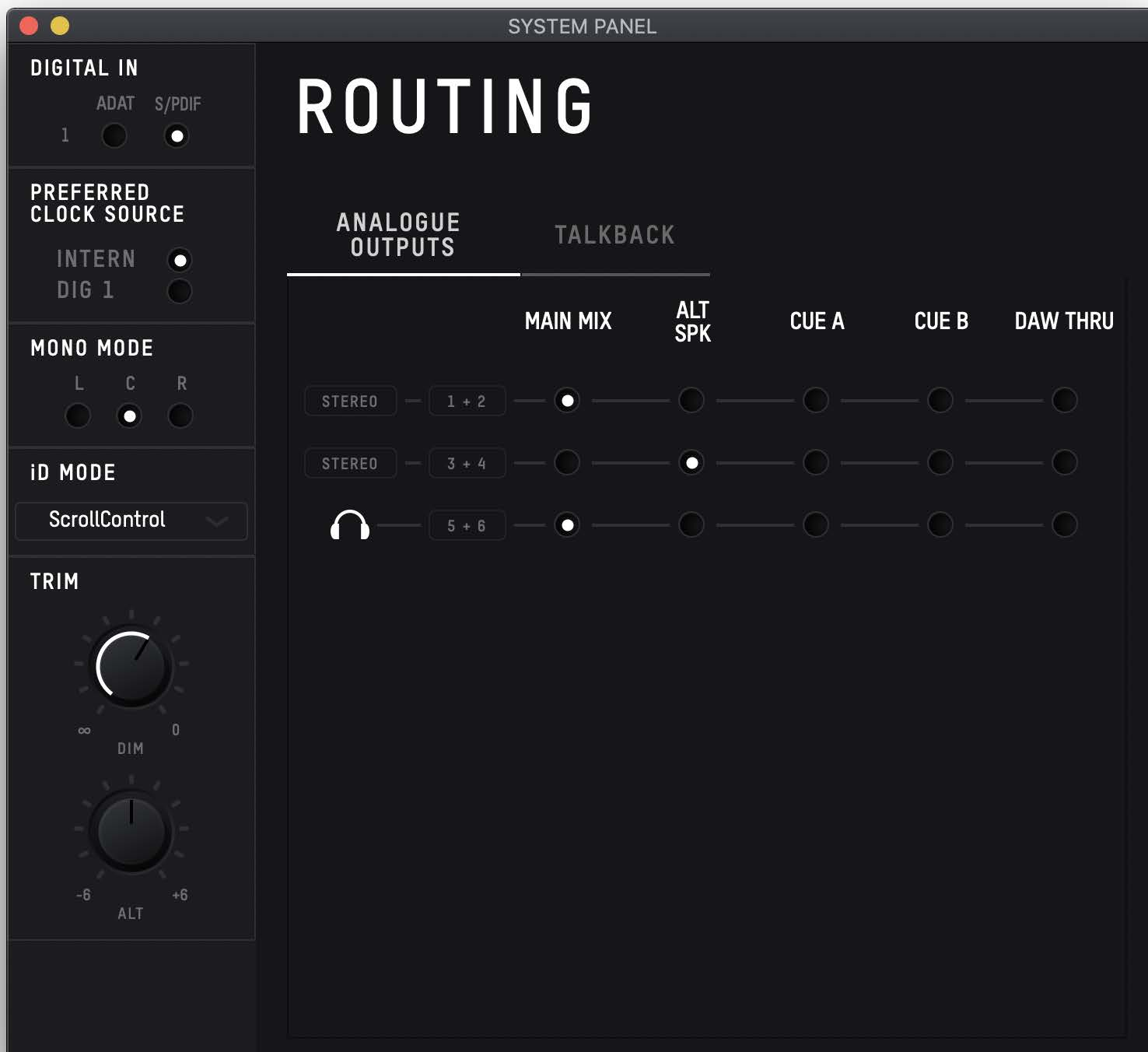
The routing matrix controls the source sent to the analogue line outputs and headphone output.
Available routing sources include:
- Main Mix — the main iD Mixer monitoring mix
- Alt Speaker — the main mix routed to the configured alternative-speaker outputs when Alt is active
- Cue A — Cue A monitoring mix
- Cue B — Cue B monitoring mix
- DAW Thru — direct host playback for the corresponding output channels
The mixer bus may be labelled Master Mix in parts of the mixer interface and Main Mix in the routing matrix. These labels refer to the main iD Mixer monitoring path.
Alternative speakers
A common configuration is:
- outputs 1+2 — primary monitors
- outputs 3+4 — Alt Speaker
Assign Alt to the iD button if you want to switch between the two monitor pairs from the hardware.
DAW Thru
DAW Thru bypasses the iD Mixer level controls for the assigned output path.
Reduce the source level before assigning an output to DAW Thru. When the headphone output is assigned to DAW Thru, the normal headphone volume control is bypassed and playback can be very loud. For a separately controlled headphone mix, use Cue A or Cue B.
Talkback
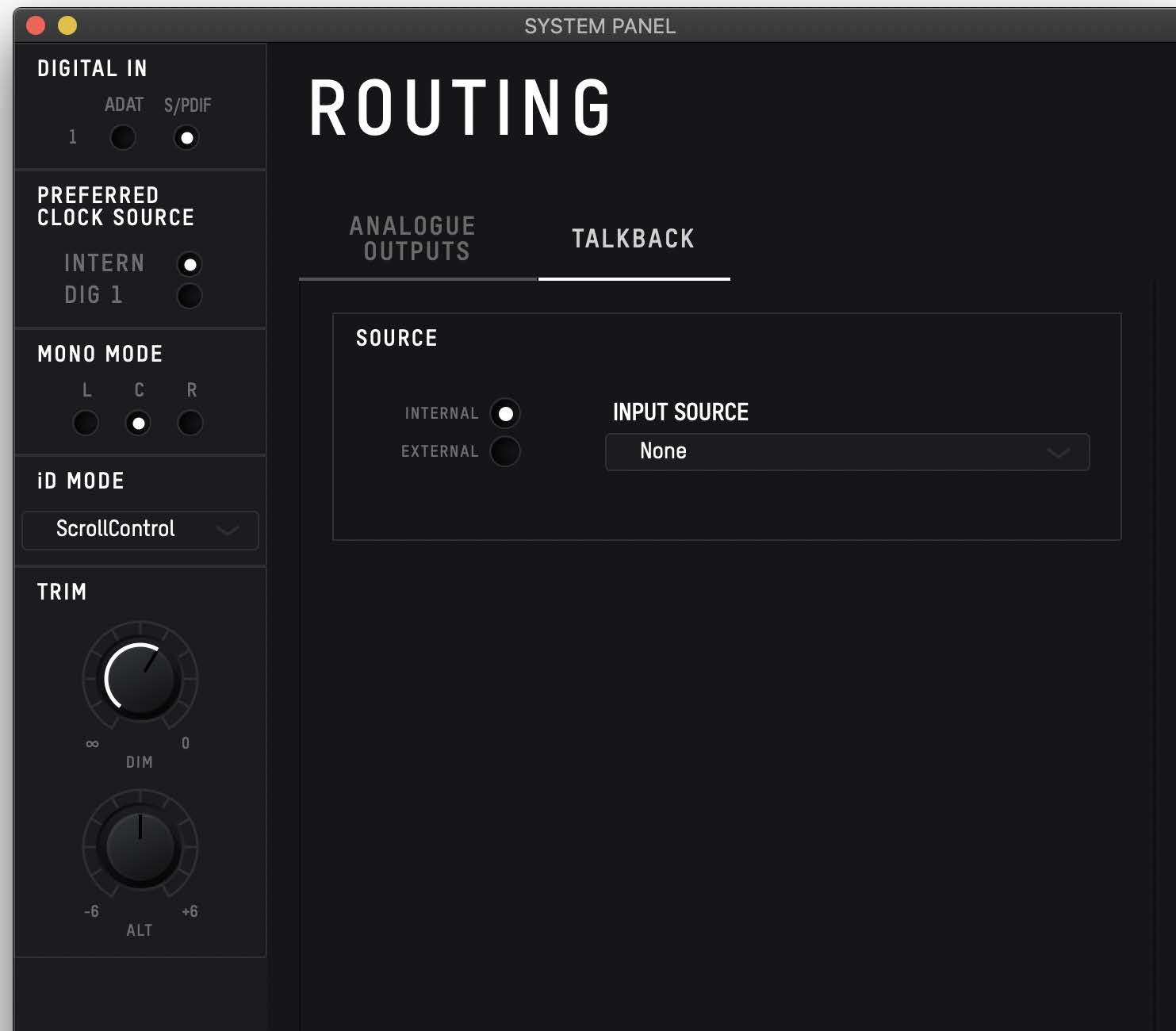
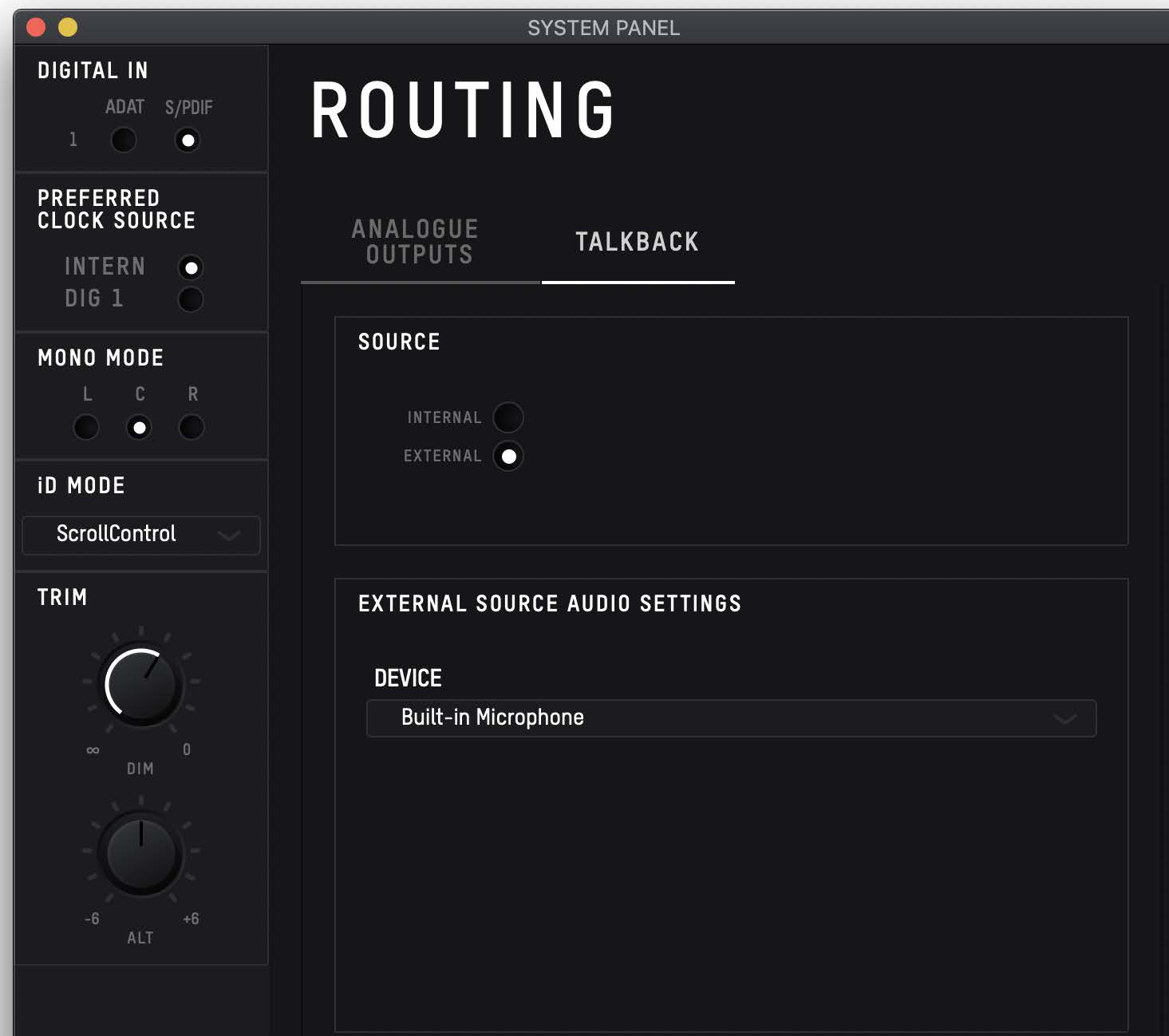
Talkback can use either an iD14 MKII analogue input or a microphone/audio device connected to the host computer.
If an iD14 input is selected as Talkback, that channel becomes the Talkback channel in the mixer.
If an external host audio device is selected, the Talkback signal is presented through DAW channel 6. Talkback routing is available to Cue mixes rather than the Main Mix.