Inputs and ADC Paths
Microphone preamps and line inputs
iD48 provides eight Audient Console microphone preamps on rear-panel XLR/TRS combi connectors. The microphone input impedance is 3 kΩ balanced and the line input impedance is 10 kΩ balanced.
Each mic preamp provides 58 dB of analogue gain. A further +10 dB digital Boost is available from the iD Software Mixer, giving the published 0 to +68 dB control range without changing the analogue preamp's 58 dB gain range.
The TRS line input is padded before the microphone preamp to provide additional headroom for line-level sources.
Instrument inputs
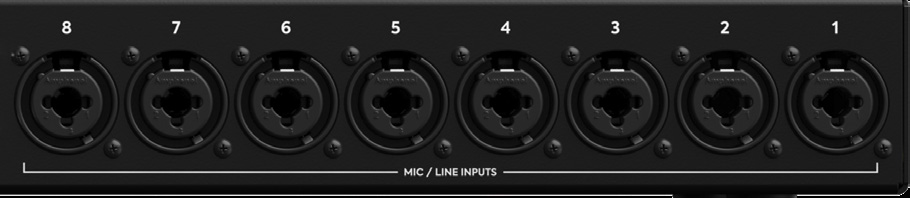
Channels 1 and 2 include front-panel Class-A JFET instrument inputs. Connecting a TS (tip-sleeve) jack to the relevant instrument input overrides the rear mic/line input for that channel.
The instrument input is unbalanced with a 500 kΩ input impedance.
Input controls
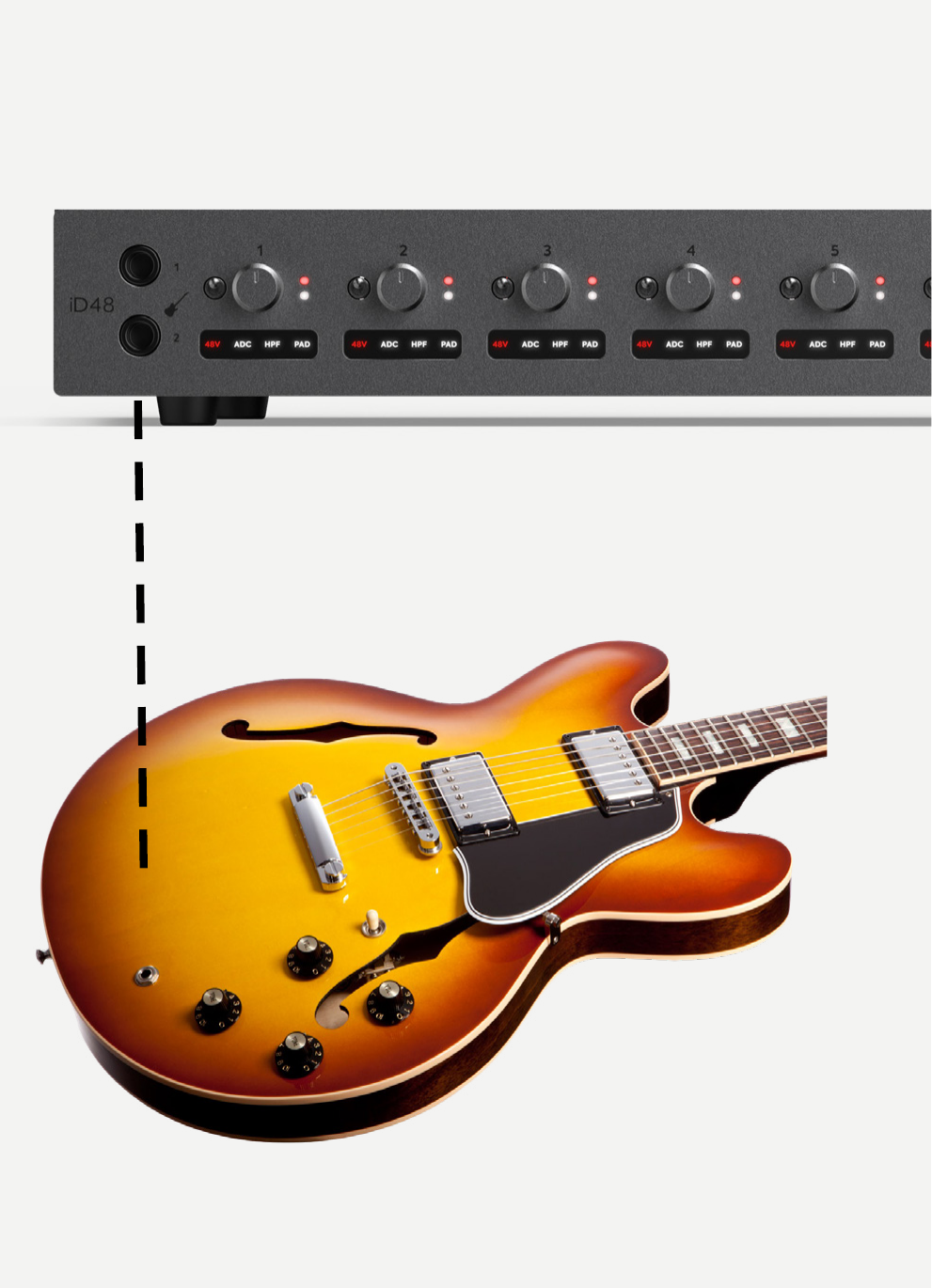
The status panel below each gain control shows the active hardware/input-path functions for that channel.
Phantom power
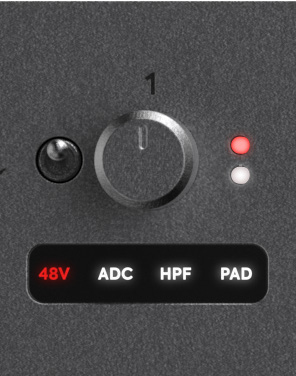
Each microphone channel has independent 48 V phantom power. Phantom power is supplied only through the XLR microphone connection; it is not supplied to the TRS line input or front-panel instrument input.
High-pass filter
Each preamp has a switchable analogue 100 Hz high-pass filter, second order at 12 dB/octave. Use it to reduce low-frequency rumble or unwanted low-frequency room noise before conversion.
-10 dB pad
Each input includes a switchable analogue -10 dB pad for high-level sources.
+10 dB Boost and polarity invert
The iD Software Mixer also provides a +10 dB digital Boost and polarity invert on the input channel. Boost affects the signal presented to the DAW because it is part of the recording path after conversion; it must not be counted as additional analogue preamp gain.
ADC path settings
Each channel can independently use one of three ADC path modes:
- Mic
- ADC Direct
- Mic Insert
When ADC Direct or Mic Insert is selected, the channel's ADC-status indicator illuminates to show that the ADC input/insert-return path is active.
Mic
In Mic mode, the channel ADC is fed from the built-in mic/line/instrument input path. The Line Output/Insert Send DB25 connection is then available as an additional line-output path fed from the DAC/routing matrix rather than acting as a preamp insert send.
ADC Direct
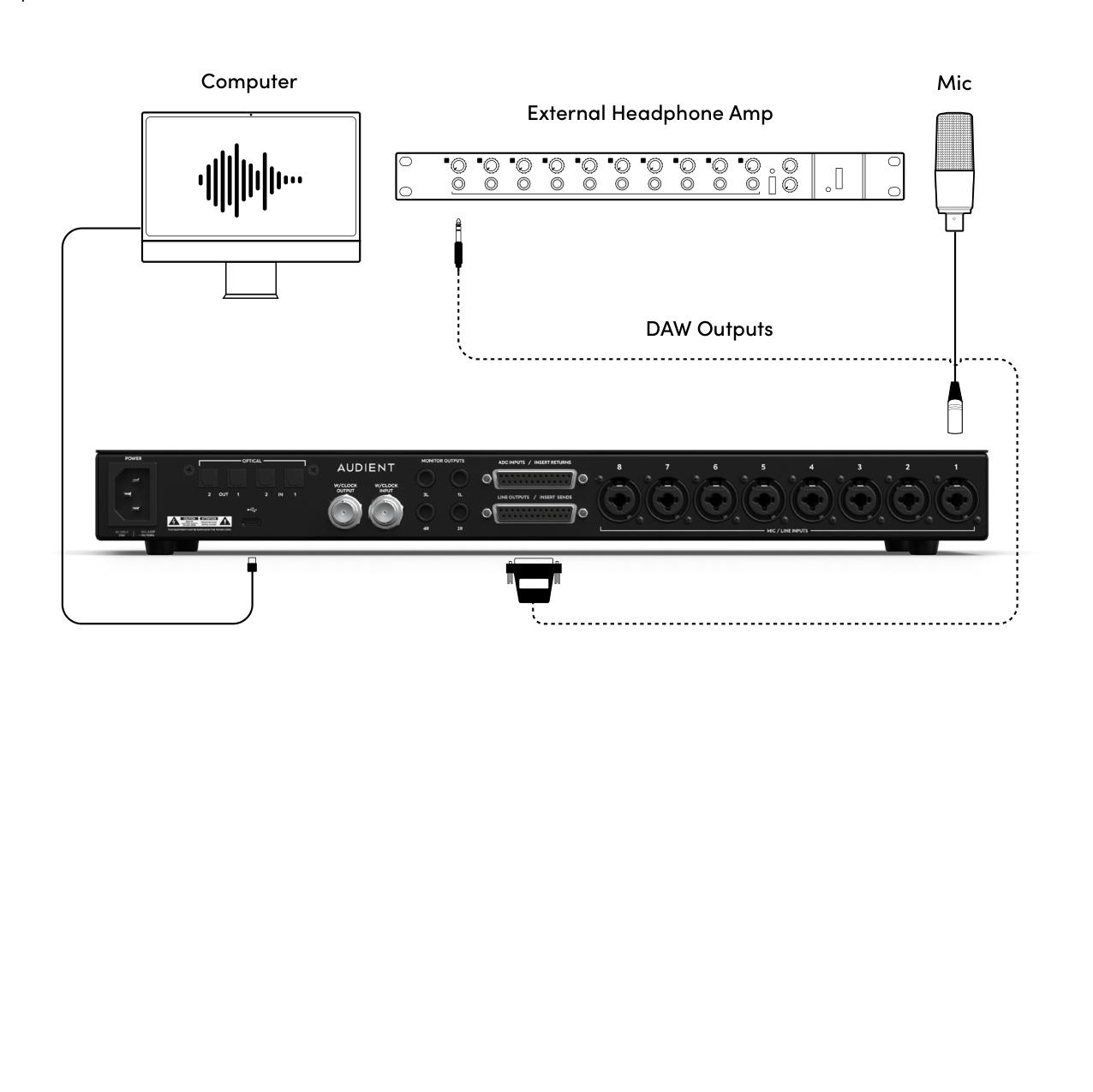
In ADC Direct mode, the channel ADC is fed from the corresponding ADC Input/Insert Return on the DB25 connector, bypassing the built-in Audient Console preamp. Use this for an external preamp or other line-level source that you want to feed directly into the converter path.
The normal mic/line input for that channel is not available to the ADC while ADC Direct is selected.
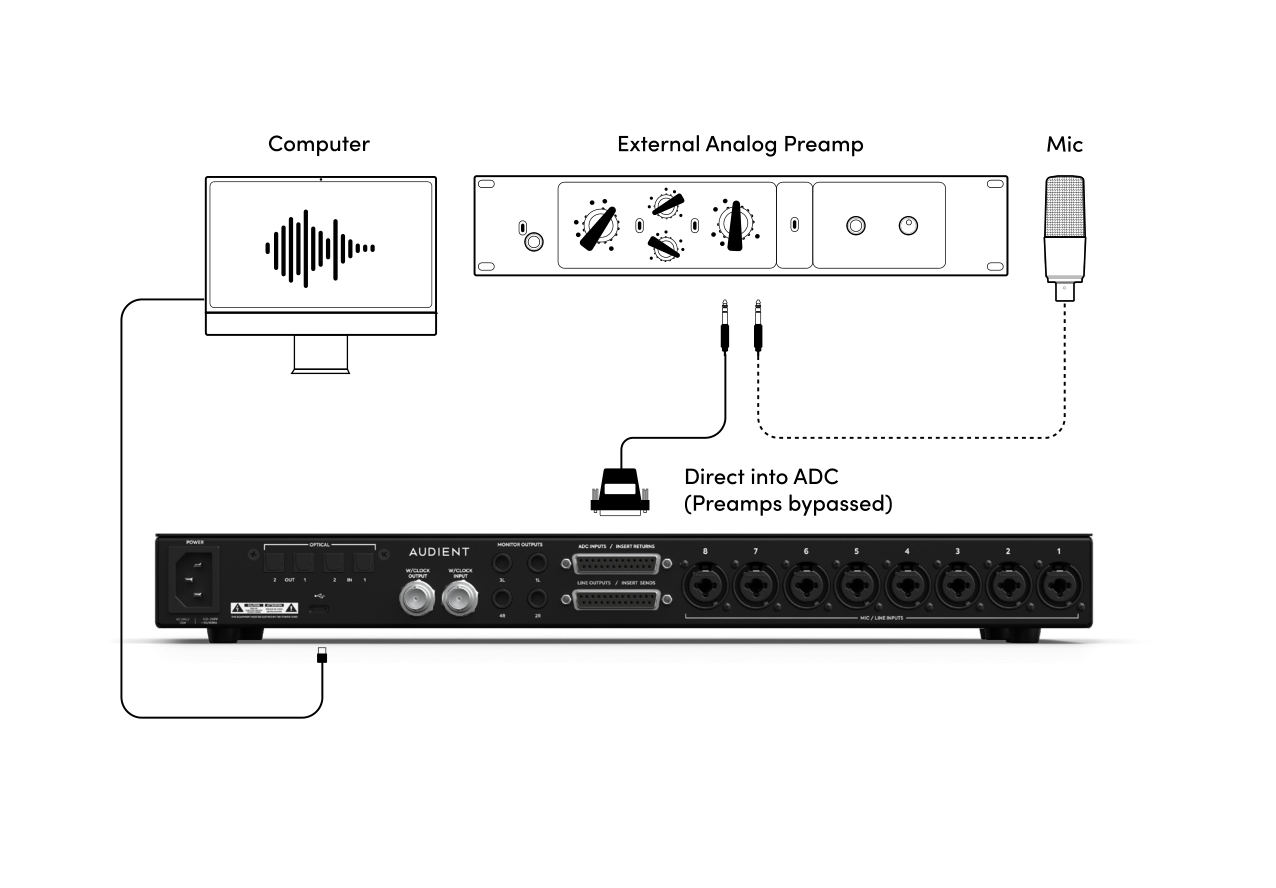
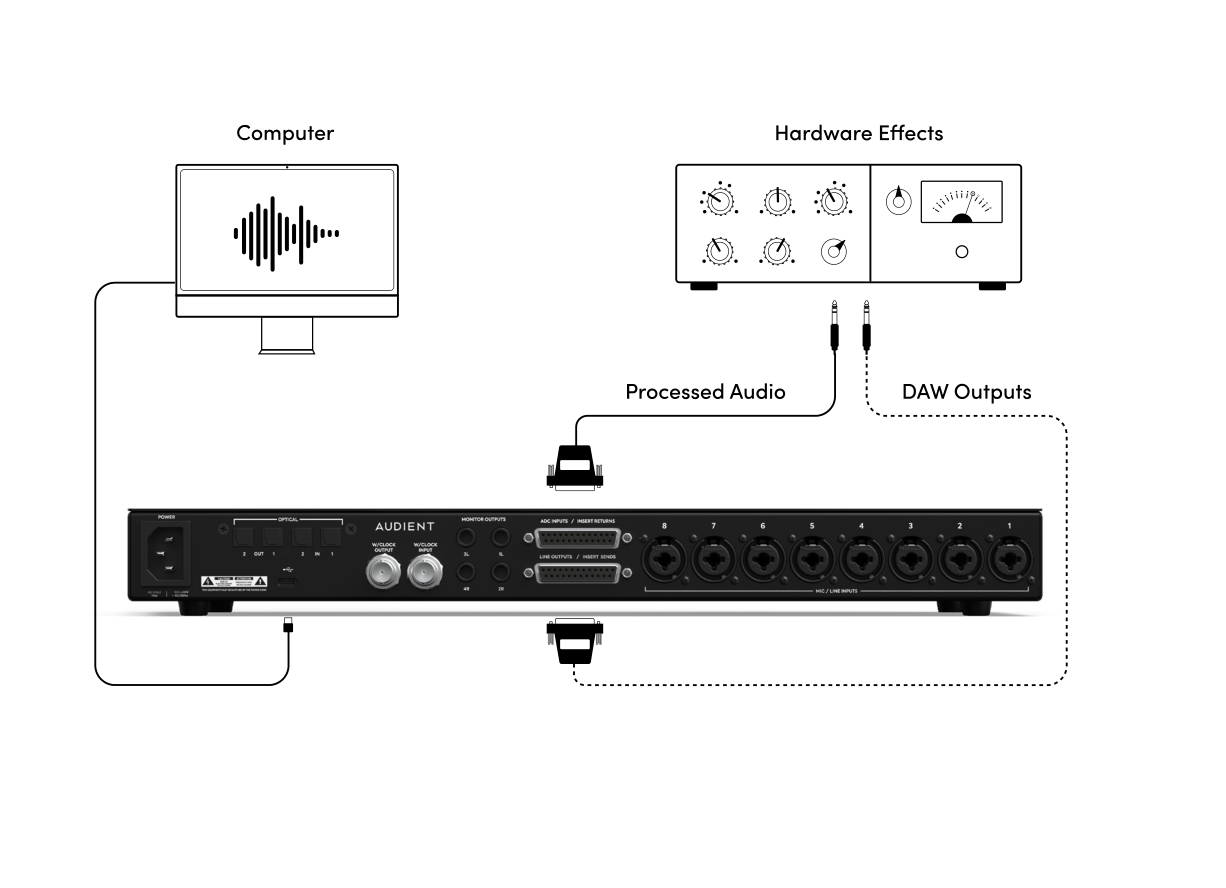
ADC Direct can also be used to route audio from the DAW out to external hardware and back into an ADC input for re-recording. In this case, route the required Line Output channel using DAW ANALOGUE or DAW ADAT in the Routing Matrix.
Mic Insert
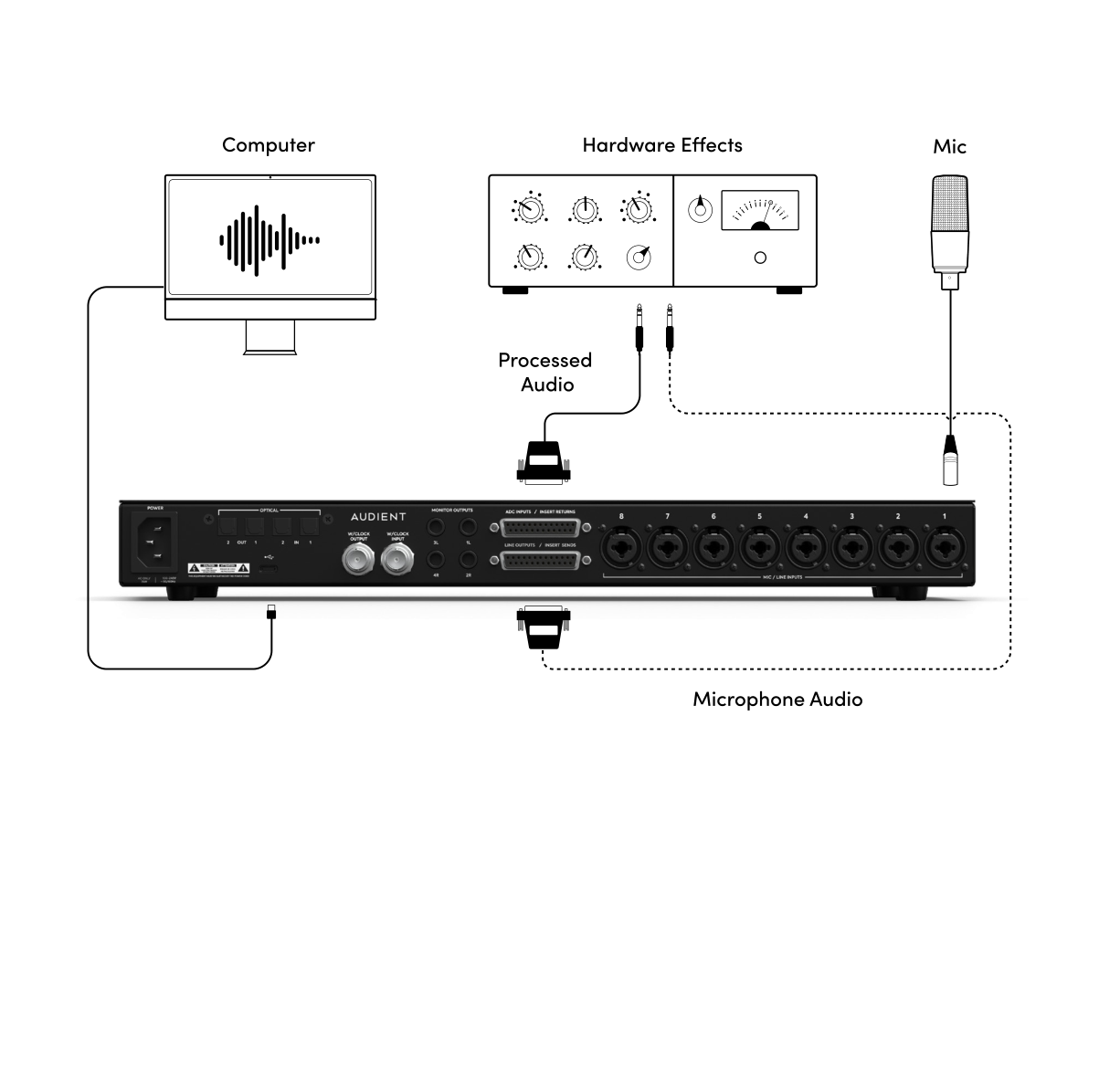
In Mic Insert mode, the Line Output/Insert Send and ADC Input/Insert Return DB25 connectors form an analogue insert point between the built-in preamp and the ADC. Use this to place hardware such as a compressor or EQ in the recording path while tracking.
See System Panel, Routing and Talkback for output routing and Technical Specifications for input levels, impedances and converter performance.
Continue to Monitoring and Outputs.