Rack Installation
iD48 can be installed as a standard 1RU rack unit using the rack ears supplied in the box.
Fit the rack ears
- Power iD48 down and disconnect mains power and all cables.
- Turn the unit over on a protected surface.
- Remove the Phillips screw from the centre of each rubber foot and lift off the four feet.
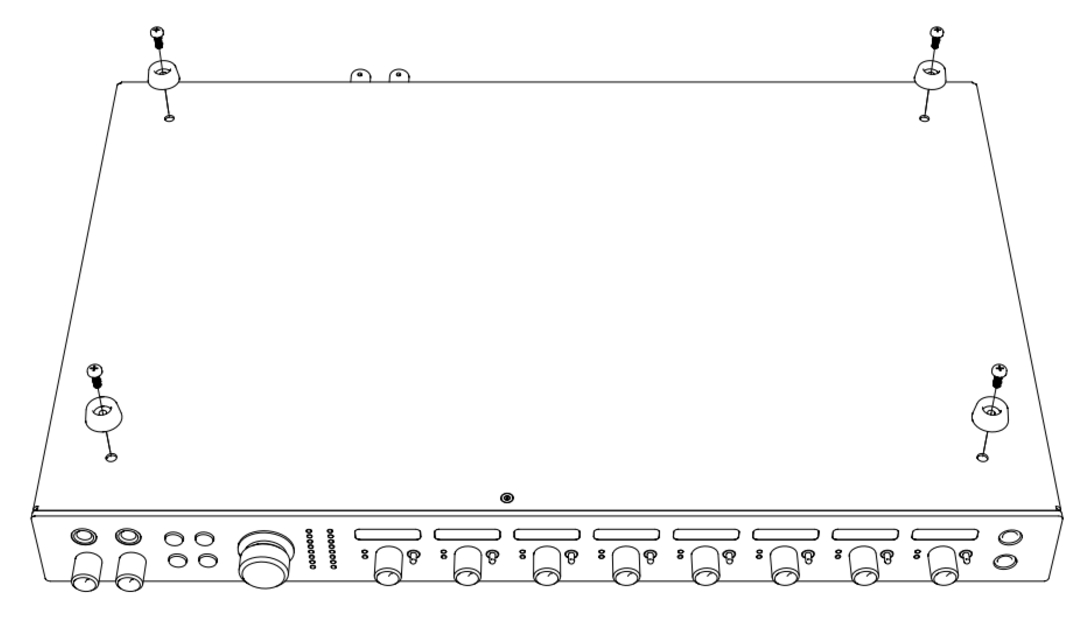
danger
Do not reinstall the rubber-foot screws into the chassis after the feet have been removed. Replacing those screws without the feet can damage the unit.
- Align one rack ear with the four threaded holes on the side of the chassis.
- Secure it using the four supplied M3 Pozi screws.
- Repeat for the other side.
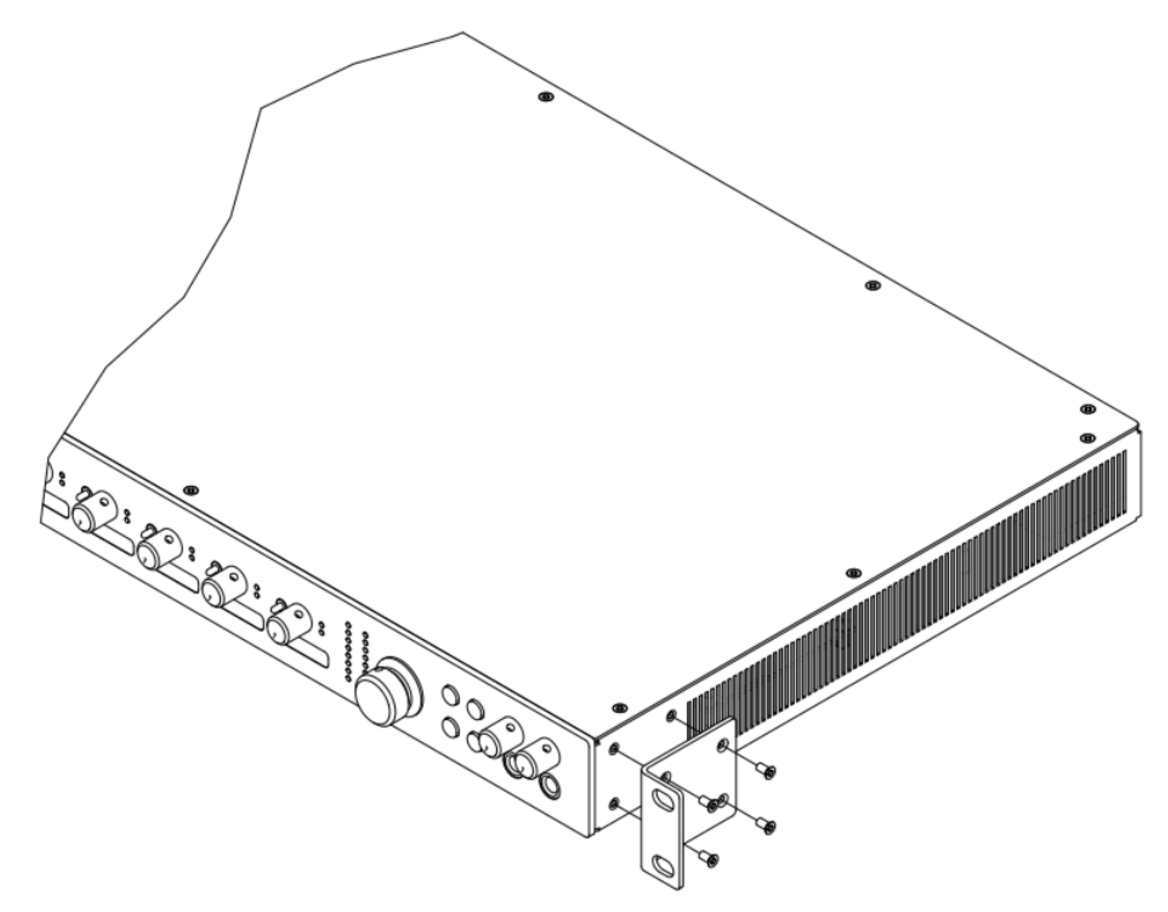
Rack requirements
- Vertical space: 1U
- Minimum rack depth: 400 mm, allowing space for cables
- Unit weight: 3.9 kg
- Front-panel depth at the rack mounting points: 3 mm
- For a fixed studio installation, the four front-panel rack screws provide adequate support.
Ventilation
iD48 is cooled by natural convection.
- Do not use it where the ambient temperature exceeds 35°C.
- Keep the ventilation slots on both sides clear.
- Do not mount iD48 immediately above or below equipment that produces significant heat, such as a power amplifier.
Continue to Software Mixer.