System Panel, Routing and Talkback
The System Panel contains iD48's digital-format, clocking, monitor and output-routing settings.
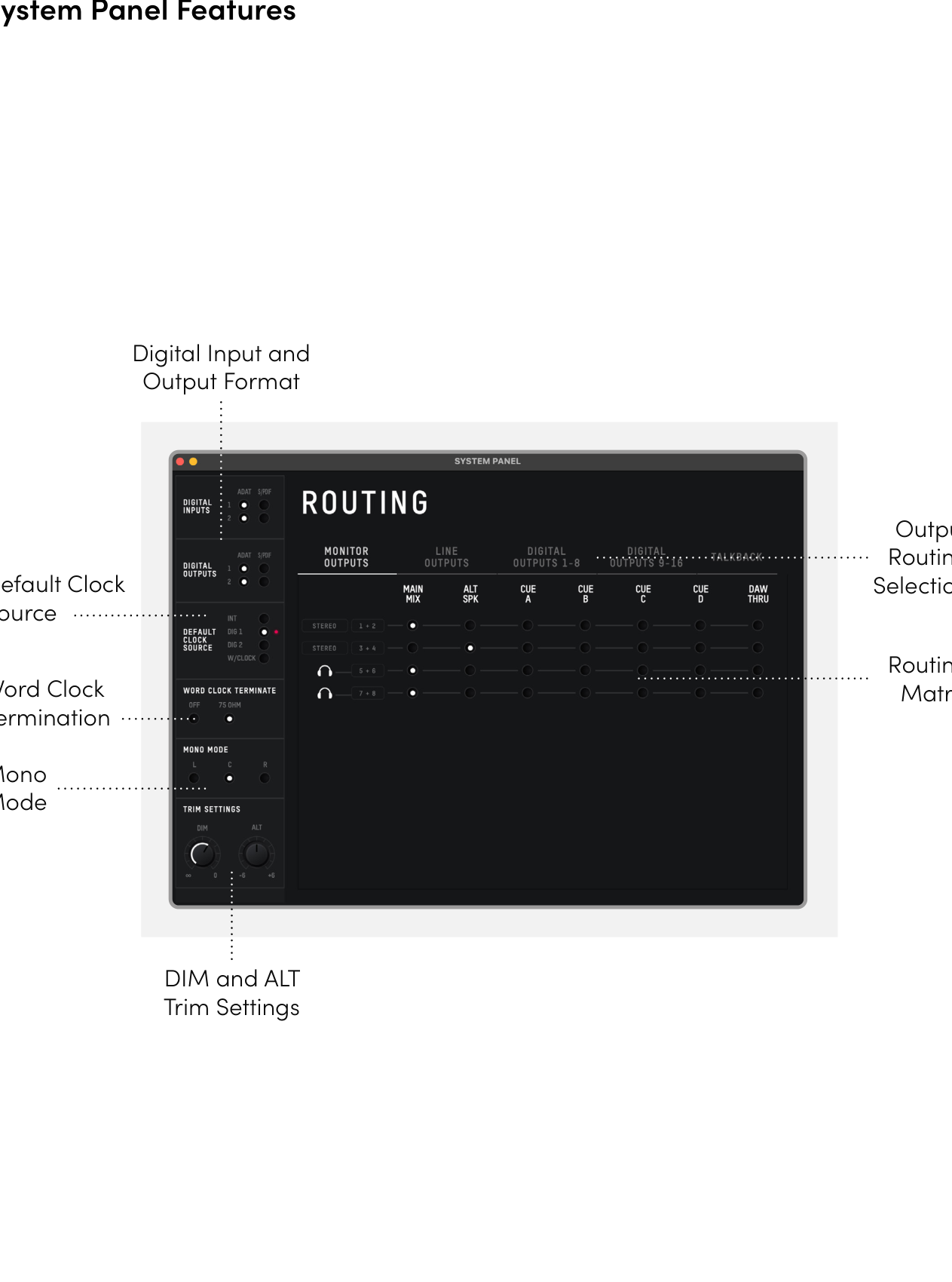
Digital I/O format
Set Optical 1 and Optical 2 independently to ADAT or S/PDIF.
- In S/PDIF mode, an optical port carries 2 channels at up to 96 kHz.
- In ADAT mode, an optical port carries 8 channels at 44.1/48 kHz or 4 channels at 88.2/96 kHz using SMUX.
See Digital I/O and Clocking for channel counts and clocking examples.
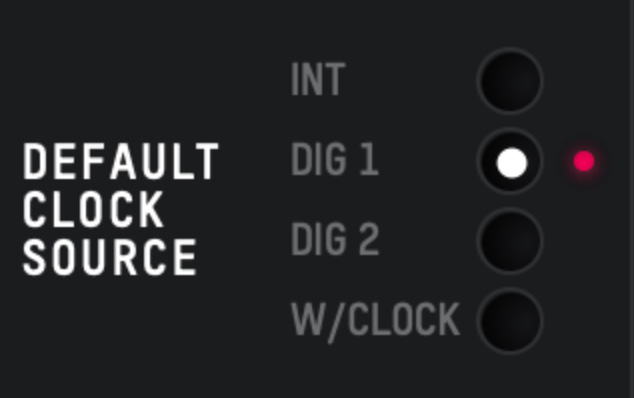
Preferred clock source
Choose the clock source that should drive iD48:
- Internal
- Digital 1
- Digital 2
- Word Clock
When an external source is selected, the status indicator shows:
- Red - no usable clock detected.
- Amber - clock detected, but its sample rate does not match iD48.
- Green - clock detected and locked at the correct sample rate.
For reliable operation with an external source, the indicator should be green.
Word Clock termination
Enable 75 ohm termination on the BNC Word Clock input when iD48 is the last or only device in a word-clock chain. See Digital I/O and Clocking.
Mono mode
Sets whether the summed mono monitor signal is sent to the left, right or both monitor outputs when Mono is active.
Dim level
Sets the amount of attenuation applied by DIM.
Alt speaker level
Sets the level offset for the Alt speaker path so the Main and Alt speaker systems can be level-matched.
Output routing
The routing area assigns sources to iD48's monitor, headphone, analogue-line and optical outputs.
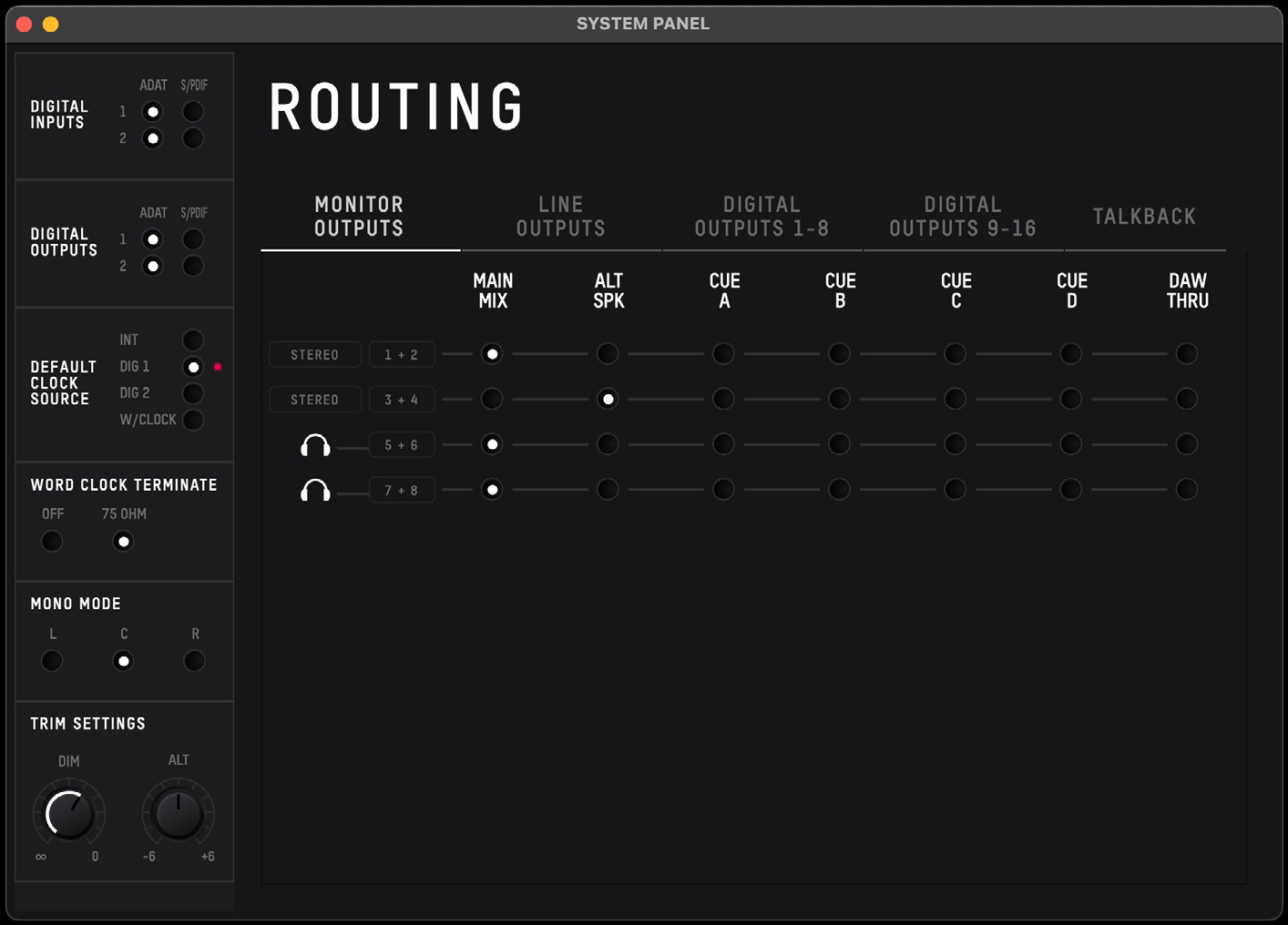
Available sources include:
- Main Mix
- Alt
- Cue A, Cue B, Cue C, Cue D
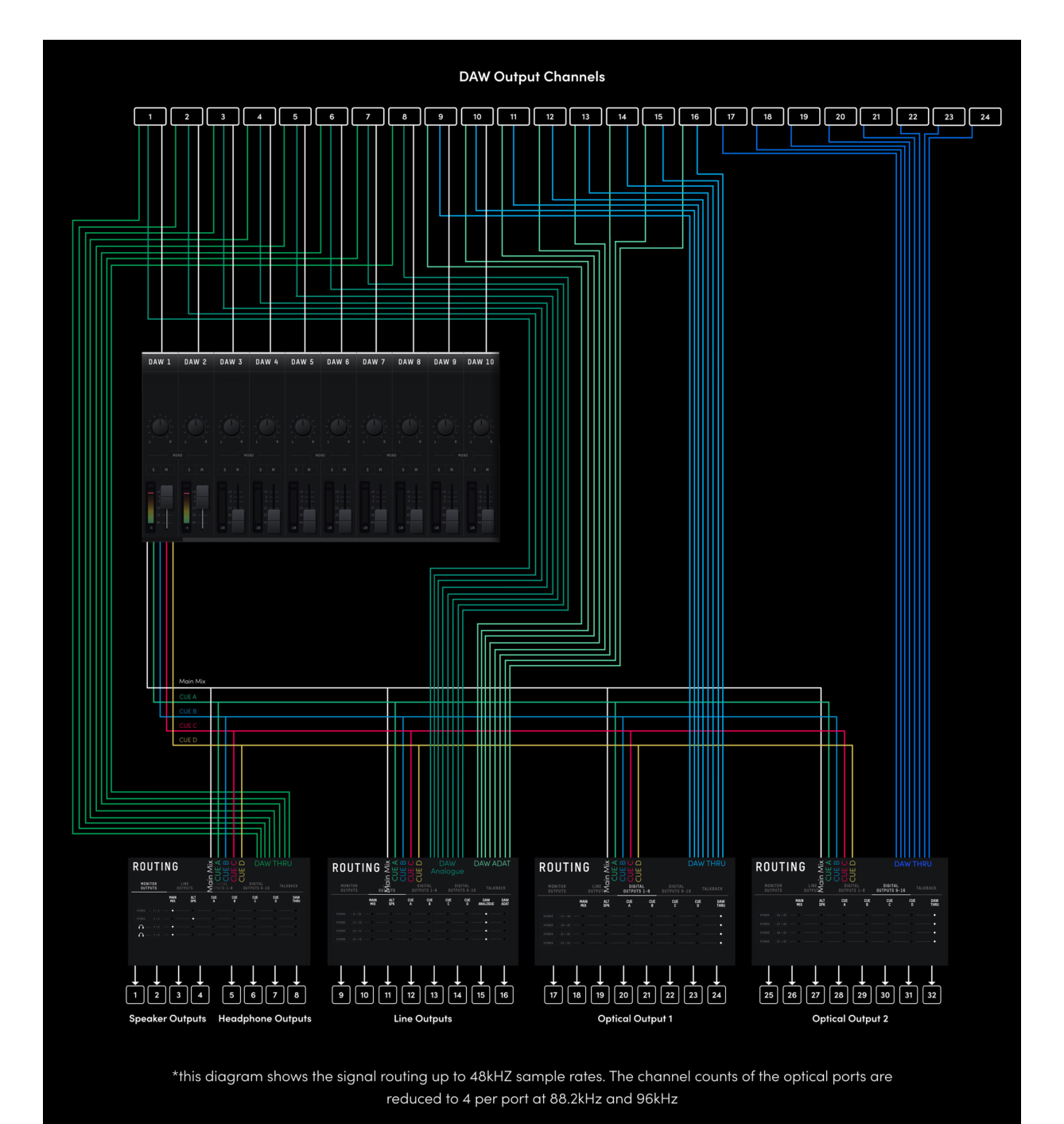
- DAW THRU
When a Cue mix is routed to an output, its mix level is set by the Cue master in the iD Software Mixer; the Main Monitor encoder does not control the Cue mix level.
DAW THRU bypasses the normal iD mixer monitor-level path and can send a full-scale digital signal directly to the selected output. Do not route DAW THRU directly to powered monitors unless an appropriate downstream level control is in place.
The dedicated headphone level control remains active when a headphone output is set to DAW THRU.
Routing Matrix
Open the Routing Matrix for the output group you need to configure. The line-output and digital-output matrices can route individual channels from the DAW directly to physical outputs.
Line Outputs / Insert Sends
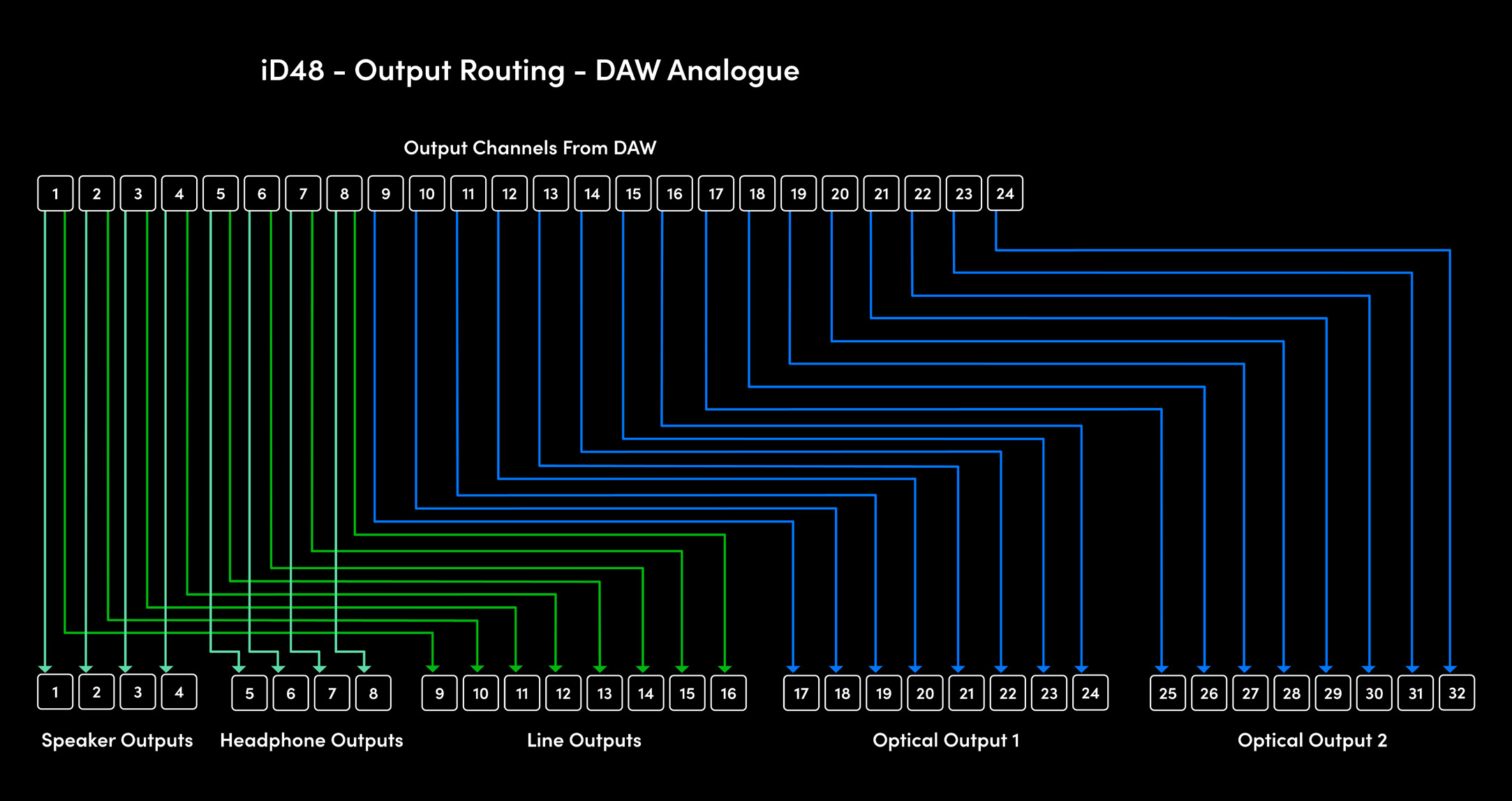
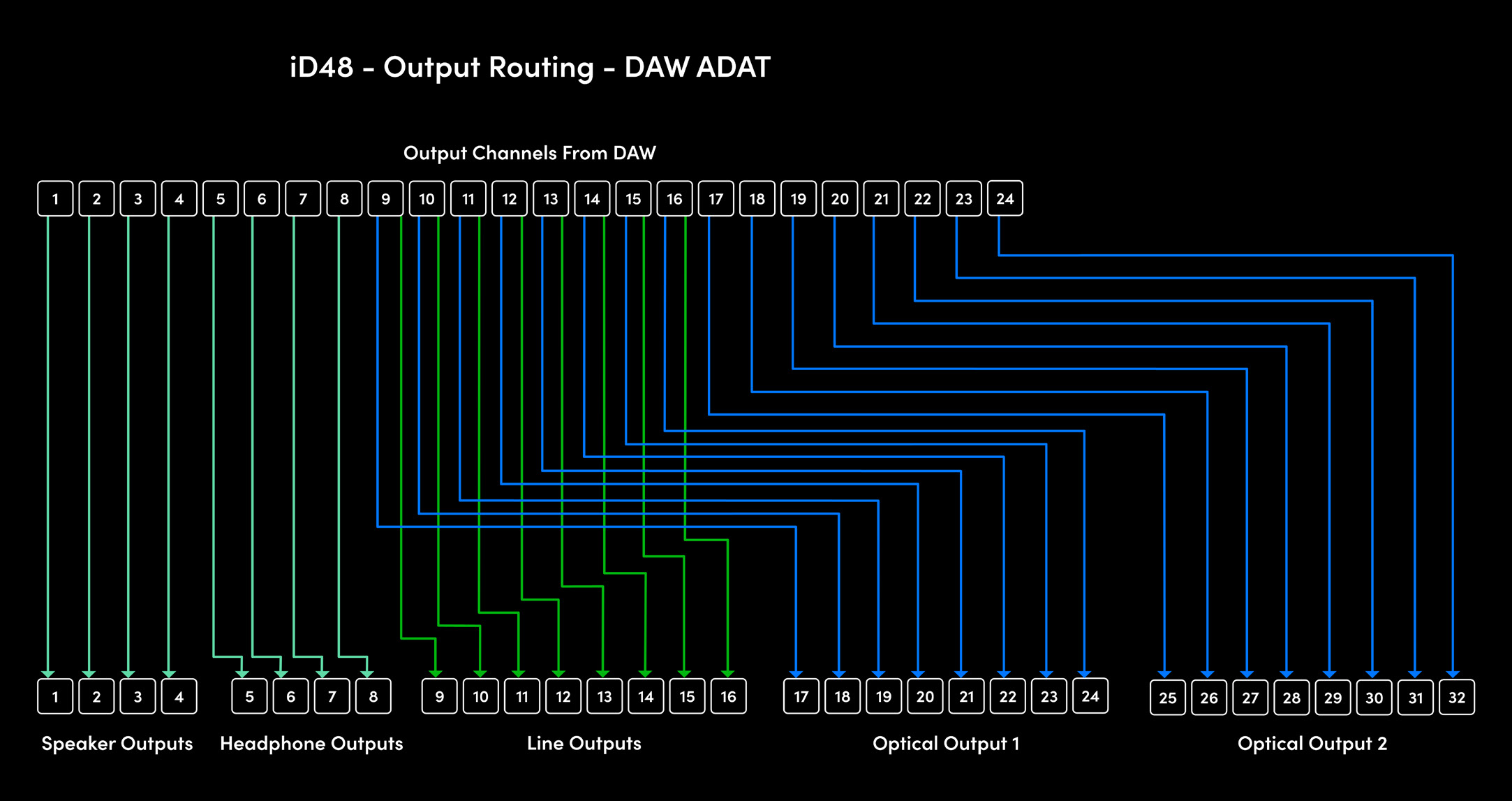
The eight DB25 line outputs can be fed from the iD mixer or routed directly from DAW channels. The source can be selected independently for each line-output channel.
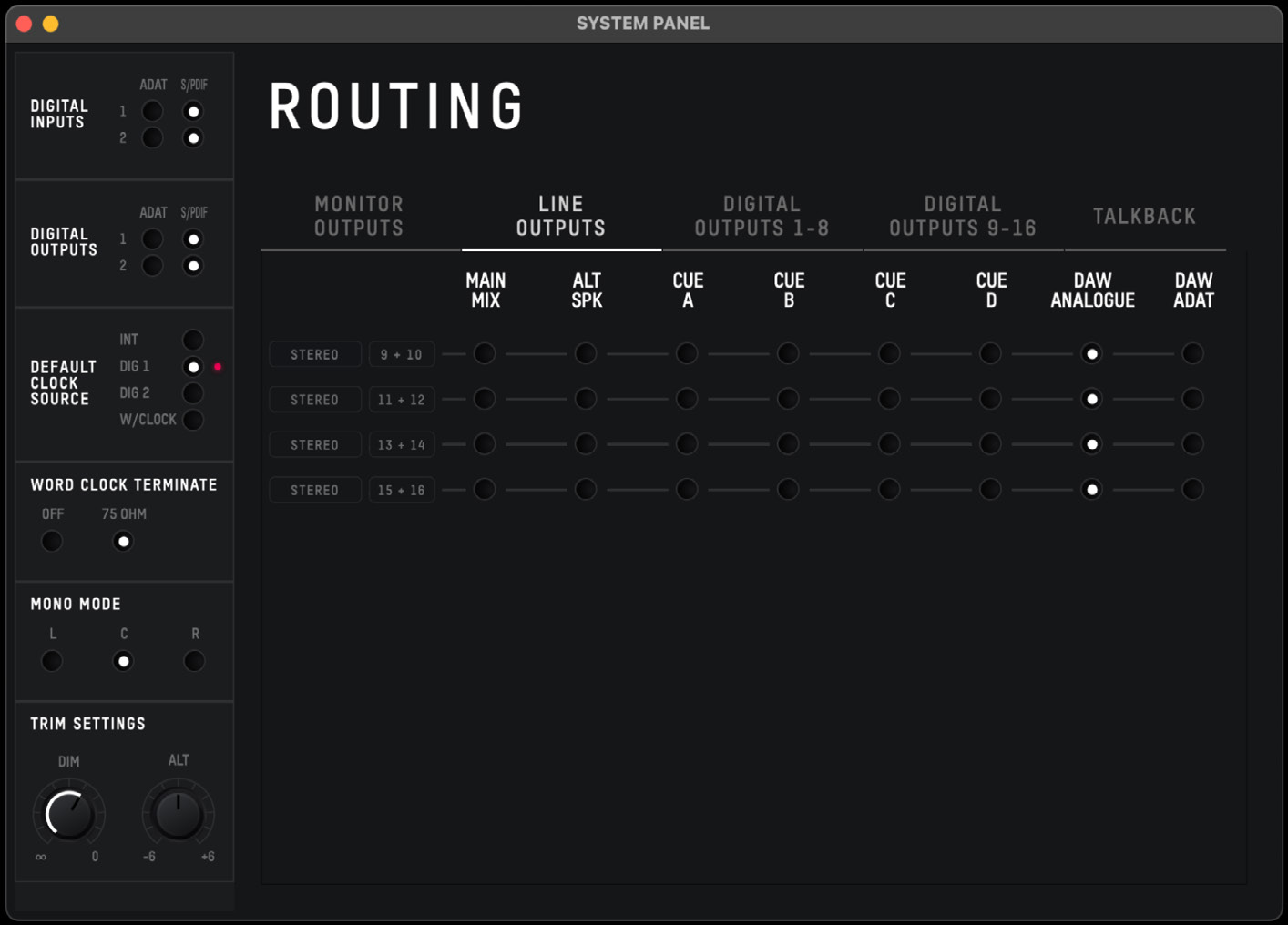
- DAW ANALOGUE maps DAW output channels 1–8 to DB25 line outputs 1–8.
- DAW ADAT maps DAW output channels 9–16 to DB25 line outputs 1–8.
The source is selected per output channel, allowing analogue and ADAT-referenced DAW channels to be mixed across the eight physical line outputs as required.
DAW ANALOGUE example
DAW ADAT example
Digital Outputs 1–8
When DAW THRU is selected for Digital Outputs 1–8, the outputs receive DAW channels 9–16.
Digital Outputs 9–16
When DAW THRU is selected for Digital Outputs 9–16, the outputs receive DAW channels 17–24.
At 88.2 kHz or 96 kHz, ADAT capacity is halved, so Digital Outputs 9–16 are unavailable and their routing matrix is removed. If an optical port is operating as S/PDIF, only the first two channels of that optical output are available.
Talkback
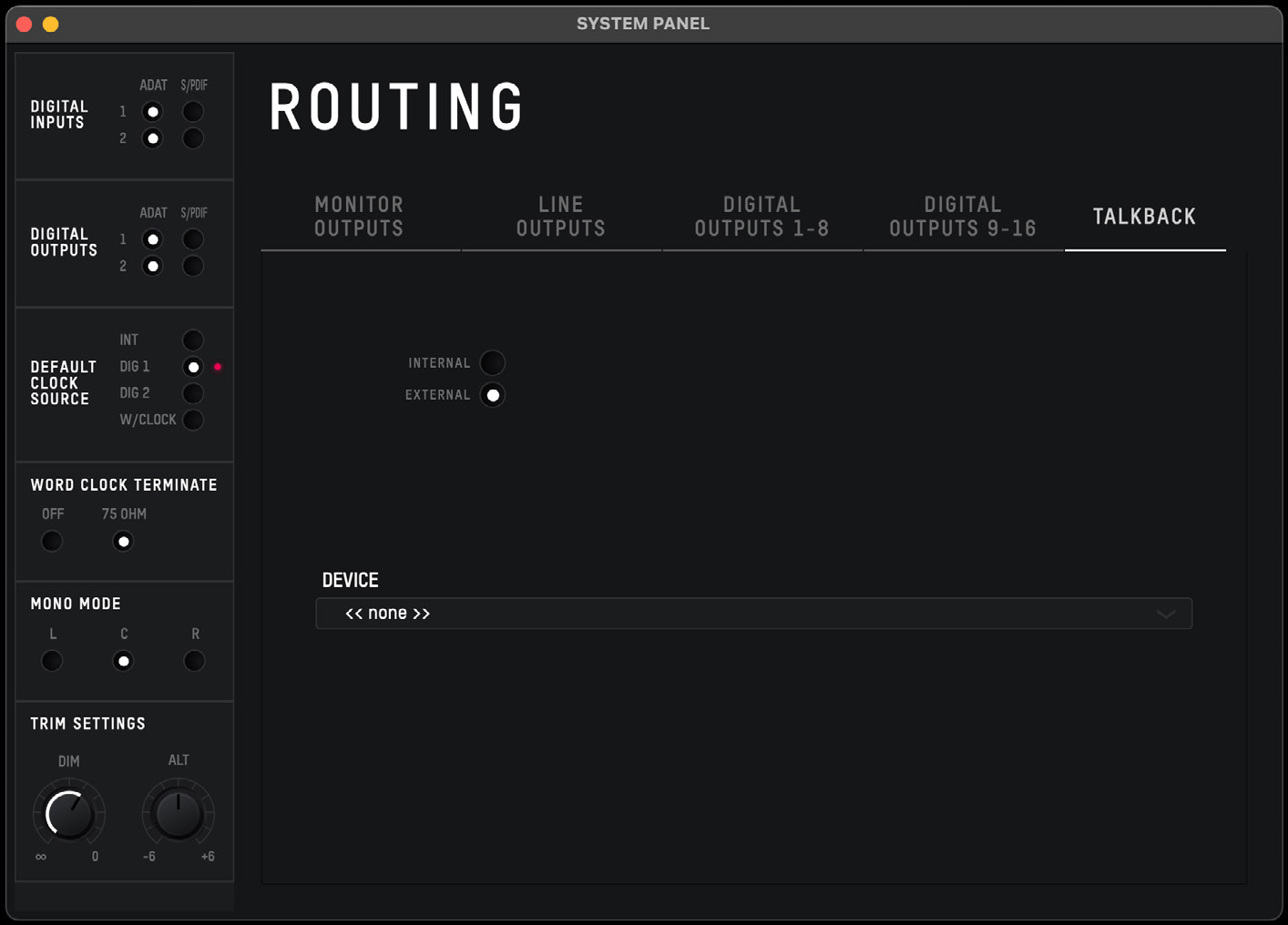
Talkback is sent to the Cue mixes, allowing communication with performers without adding talkback to the Main Mix.
Internal talkback source
Choose one of iD48's available input channels as the talkback source. When assigned, that input is presented as the talkback channel in the mixer rather than as a normal mix input.
External talkback source
A host-connected input device - for example, a computer's built-in microphone or a compatible USB microphone - can be selected as the talkback device. When an external device is selected, the talkback signal is presented on DAW Return 10 in the iD mixer and can be routed to the Cue mixes.
Use the dedicated hardware Talkback button or the TB control in the iD Software Mixer to activate talkback.
Continue to Audio Loopback.