Monitoring and Outputs
Main monitor control
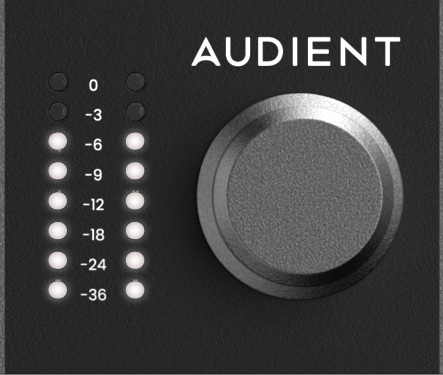
The large aluminium Main Monitor encoder controls the monitor-controlled output path configured in the iD Software Mixer.
Hardware metering
The eight-segment hardware meters display the playback level of the Main Mix in the iD Software Mixer.
Power control
To power iD48 down, press and hold the Main Monitor encoder for approximately three seconds. A short LED animation indicates shutdown.
To power it back up, press the Main Monitor encoder once. The interface remains connected to mains power while in this powered-down state.
If iD48 is powered but idle, the meter LEDs may periodically animate to indicate that the unit remains powered.
Alt speakers
The dedicated ALT button switches between the normal monitor path and the outputs assigned as Alt Speakers in the Routing Matrix. Use it to compare the mix on a second speaker pair.
Function keys
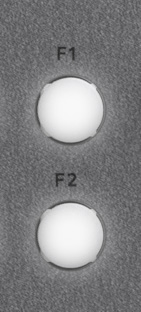
The front panel provides F1 and F2. Current iD48 function-key assignments are:
- Mono
- Polarity invert
- DIM
- CUT
Assign a supported function by right-clicking that function in the iD Software Mixer and choosing the required F-key. Assigning a new function replaces the previous assignment for that key.
Monitor outputs
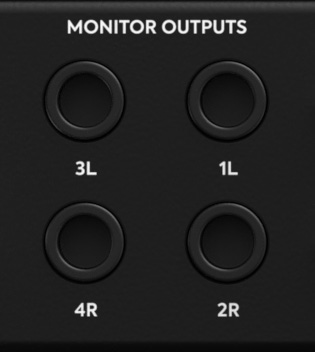
iD48 has two balanced stereo speaker-output pairs on rear-panel TRS connectors. These are normally used for Main and Alt speakers but can be assigned through the Routing Matrix.
Headphone outputs
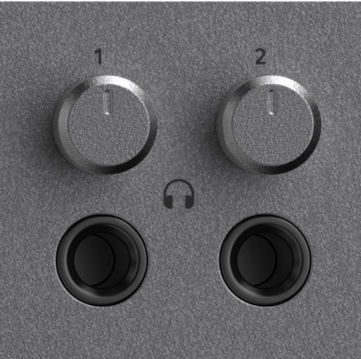
iD48 has two independent high-current headphone outputs, each with its own front-panel level control and its own source assignment in the Routing Matrix.
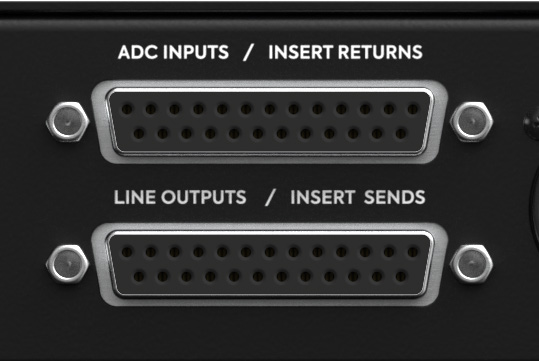
ADC Inputs / Insert Returns
The upper DB25 connector provides eight balanced ADC Inputs / Insert Returns in Tascam format. Their role depends on the selected ADC path for each channel.
Line Outputs / Insert Sends
The lower DB25 connector provides eight balanced Line Outputs / Insert Sends in Tascam format. Depending on the ADC path and routing selection, these can operate as preamp insert sends or as DAC-fed line outputs.
Tascam DB25 pinout
Use correctly wired Tascam-format analogue DB25 looms for both DB25 connectors.

Routing a physical output in DAW THRU, DAW ANALOGUE or DAW ADAT can bypass mixer level control. See System Panel, Routing and Talkback before connecting a full-scale routed output directly to speakers or other level-sensitive equipment.
Continue to Digital I/O and Clocking.