Expanded EVO Systems
The branded EVO Expanded System combines EVO 16 with one or two EVO SP8 units. EVO SP8 can also be used as an ADAT expander with other compatible interfaces.
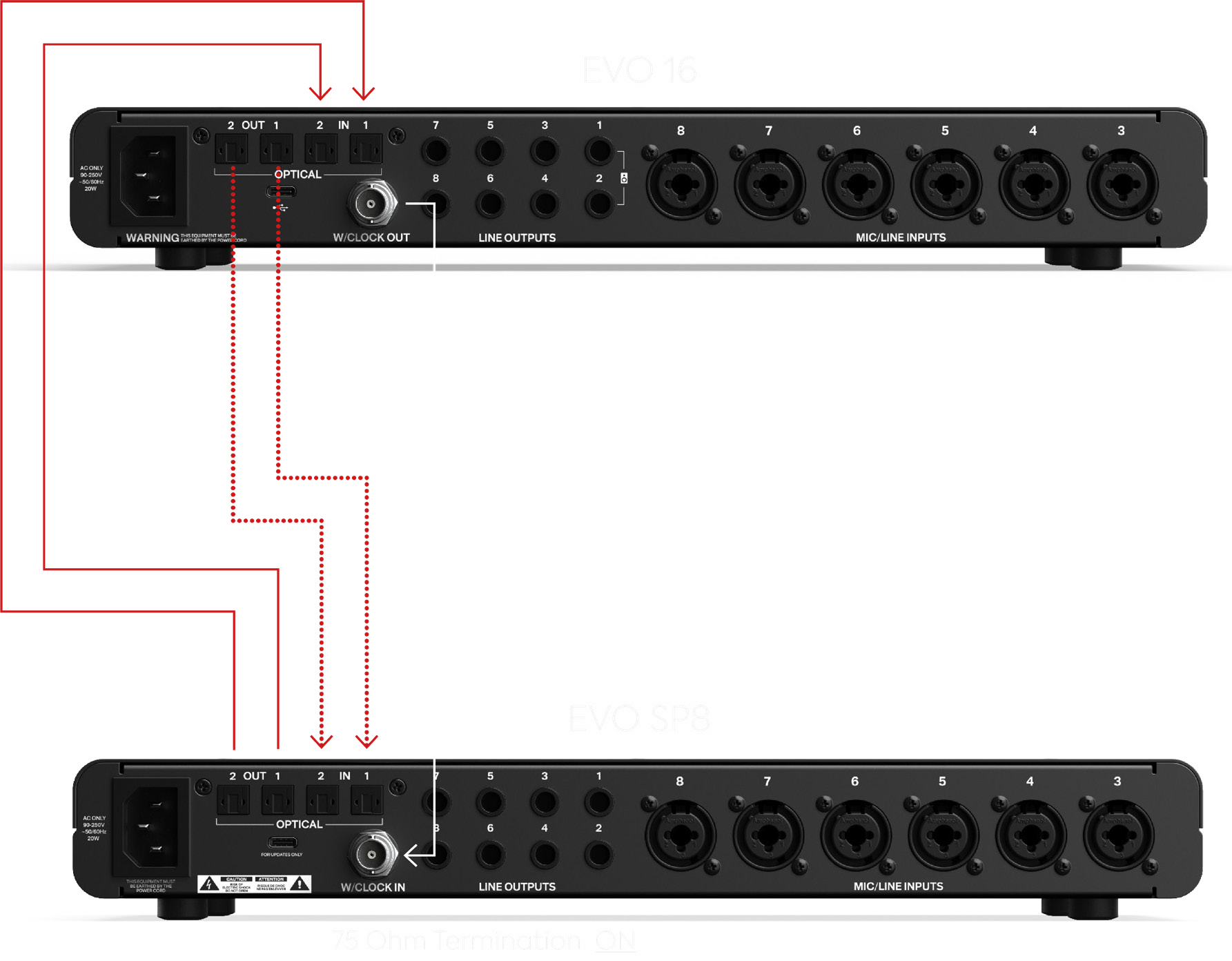
EVO 16 + one EVO SP8
Connect two optical cables from EVO 16's optical outputs to EVO SP8's optical inputs, and two optical cables from EVO SP8's optical outputs back to EVO 16's optical inputs. Connect EVO 16 Word Clock Out to EVO SP8 Word Clock In.
Set:
EVO 16
- Clock Source: Internal
- Optical Format: ADAT
EVO SP8
- Clock Source: Word Clock
- Word Clock Termination: On
- Sample Rate: Auto
EVO 16 + two EVO SP8 units
Use EVO 16 optical output 1 for the first SP8 and optical output 2 for the second, with corresponding optical return connections.
Use a BNC T-connector at the first SP8 Word Clock Input so the EVO 16 word-clock signal can continue to the second SP8.
Set both SP8 units to Word Clock and Auto sample rate. Set termination Off on the first SP8 and On on the final SP8. EVO 16 remains set to Internal clock and ADAT optical format.
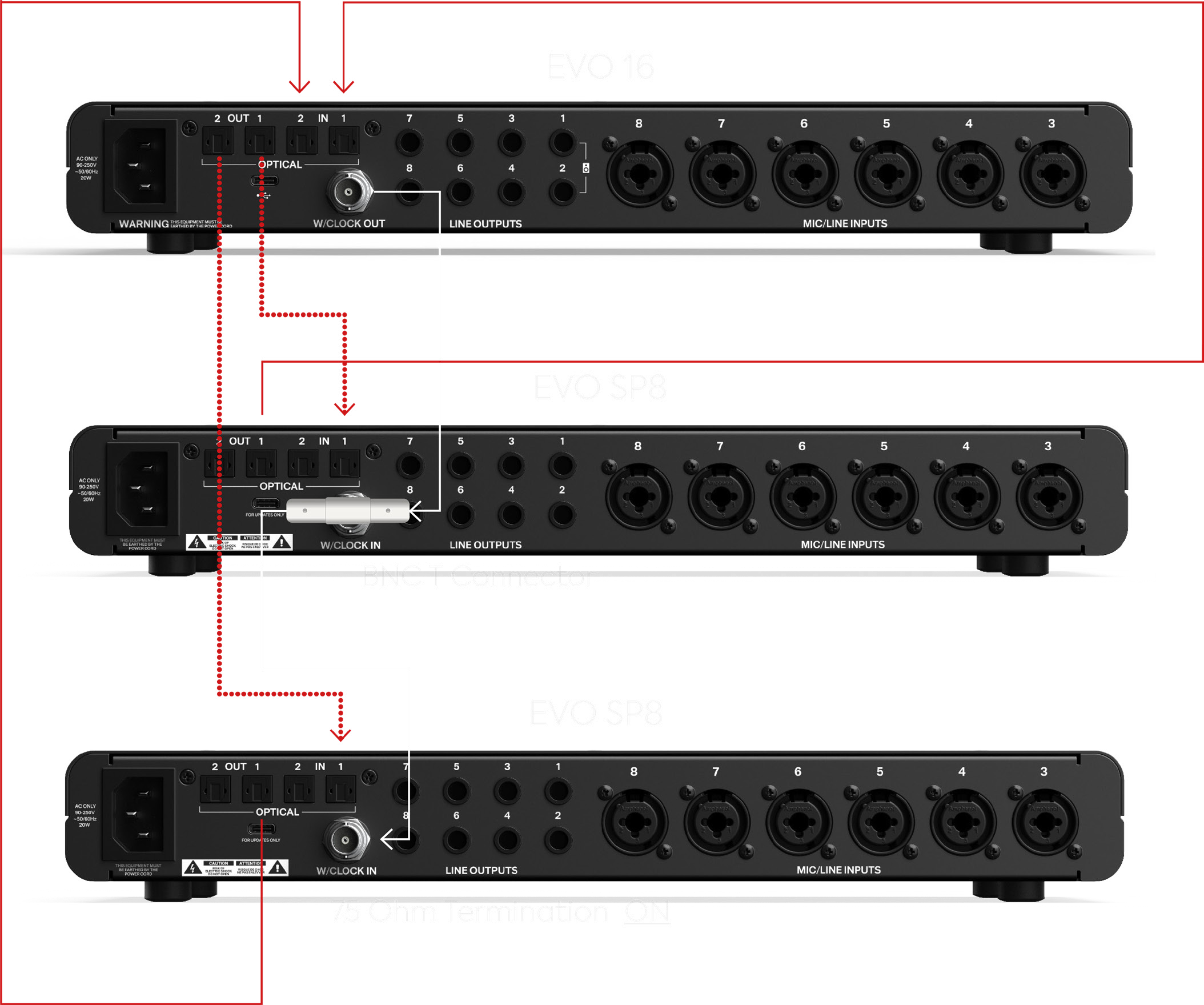
With EVO 16 and two SP8 units, Smartgain can operate across up to 24 input channels. At 88.2 and 96 kHz, each optical connection carries four channels rather than eight, so available channel counts depend on the optical connections used.
Using EVO SP8 as the clock source
If the host interface has no word-clock output, EVO SP8 can provide the clock in a simple ADAT setup. Connect EVO SP8's optical output to the host interface's optical input, set EVO SP8 to Internal, then configure the host interface to synchronise to its incoming ADAT clock and use the same sample rate.
On an Audient iD interface, the corresponding incoming-digital clock setting may be labelled DIGI. Other manufacturers may use different terminology.
Host interface with Word Clock Out
If the host interface provides Word Clock Out, connect the optical audio paths in both directions and connect the host Word Clock Out to EVO SP8 Word Clock In. Set the host as the internal clock source, then set EVO SP8 to Word Clock, Auto sample rate and termination On when it is the final word-clock device.
If the host has only one optical connection in each direction, one cable each way can be used, but at 88.2 and 96 kHz this limits that connection to four channels.
For third-party interfaces, refer to the host interface documentation for its exact clock and optical settings.