Hardware and Connections
EVO 16 combines eight analogue microphone or line inputs, two instrument-capable inputs, eight analogue line outputs, two independent headphone outputs, optical digital I/O and a BNC word-clock output in a desktop or rack-mountable interface.
Analogue and digital connections
Power and USB connection
EVO 16 uses its external AC power connection and communicates with the computer over the rear USB-C port.
- Turn down connected speakers and headphones before powering the system.
- Connect EVO 16 to mains power using the supplied power cable.
- Connect the rear USB-C port to a data-capable USB port on the computer.
- Power on EVO 16 and select it as the audio device in the operating system and recording application.
See Software Installation and Registration for the macOS and Windows setup process.
Microphone and line inputs
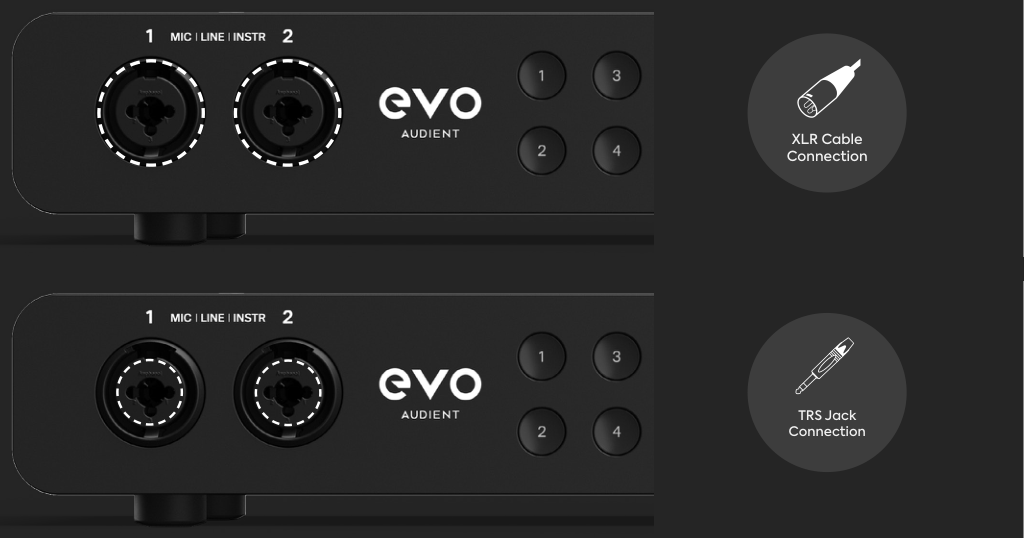
EVO 16 provides eight EVO microphone preamps through combination XLR/TRS input connectors on the front and rear of the unit.
- Use a three-pin XLR connection for a microphone.
- Use a balanced 1/4-inch TRS connection for a line-level source.
- Inputs 1 and 2 can also operate as instrument inputs when Instrument mode is enabled.
Use Input Controls and Smartgain to set gain, enable phantom power, use Instrument mode or link channels as stereo pairs.
Instrument inputs
Inputs 1 and 2 can use EVO 16's JFET instrument-input mode for directly connecting sources such as electric guitar or bass.
Connect the instrument to input 1 or 2 with an unbalanced 1/4-inch TS cable, select that channel and enable Instrument mode from the front panel.
Instrument mode and phantom power cannot be active at the same time on the same input.
Analogue line outputs
Eight balanced analogue line outputs are provided on the rear panel.
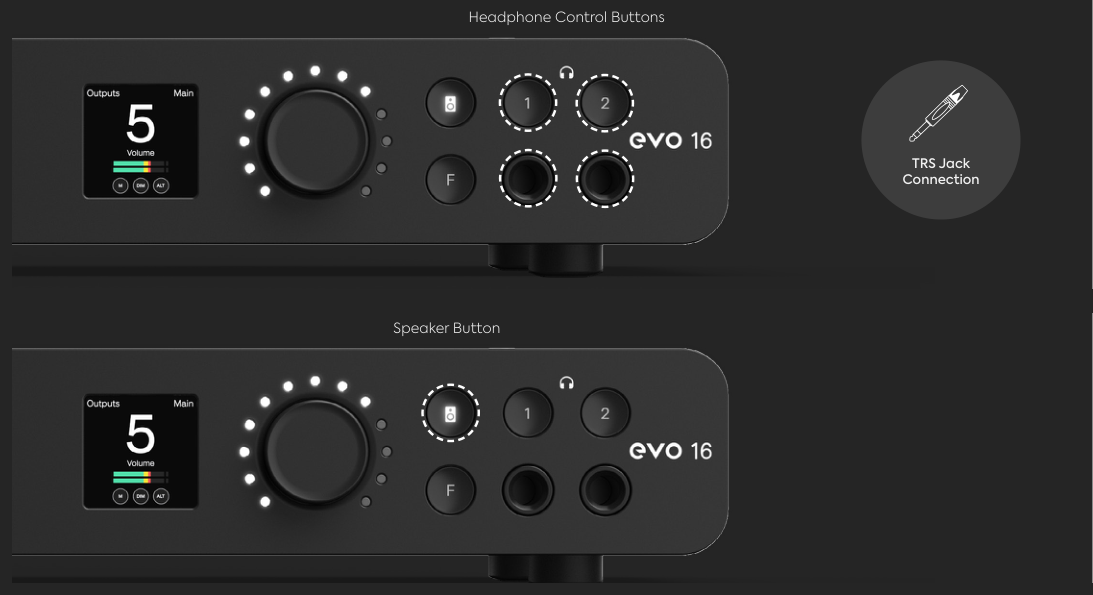
By default, the front-panel Speaker button controls the level of analogue outputs 1+2. The EVO software mixer provides routing and level control for the other analogue outputs.
See Monitoring and Output Controls for front-panel monitor control.
Headphone outputs
EVO 16 has two front-panel headphone outputs. Each headphone output has its own hardware selection button and independent level control.
See Monitoring and Output Controls for headphone-level adjustment and output muting.
Optical I/O and word clock
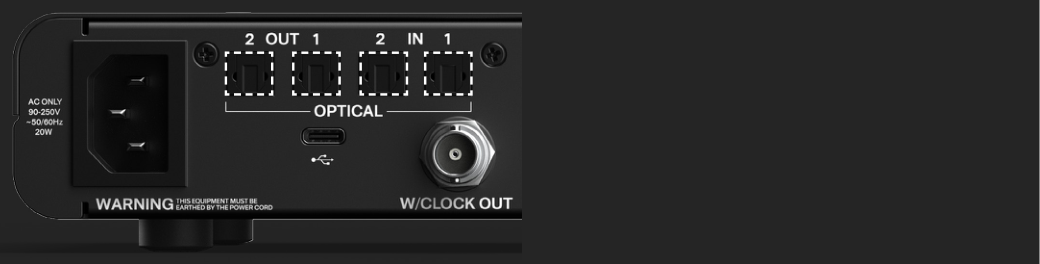
The rear panel provides:
- 2 × optical inputs
- 2 × optical outputs
- 1 × BNC word-clock output
The optical ports can be configured for ADAT or optical S/PDIF operation. The available digital channel count depends on the selected format and sample rate.
See Optical Inputs, Outputs and Clocking before connecting or clocking external digital equipment.
Connection summary
| Equipment | EVO 16 connection | Typical connector |
|---|---|---|
| Computer | Rear USB-C port | Data-capable USB cable |
| Microphone | Analogue input 1–8 | Three-pin XLR |
| Balanced line-level source | Analogue input 1–8 | 1/4-inch TRS |
| Guitar, bass or other high-impedance instrument | Input 1 or 2 in Instrument mode | 1/4-inch TS |
| Active monitors or other line-level equipment | Analogue outputs 1–8 | Balanced 1/4-inch TRS |
| Headphones | Front headphone output 1 or 2 | 1/4-inch stereo TRS |
| ADAT or optical S/PDIF equipment | Optical input/output 1 or 2 | TOSLINK optical cable |
| Word-clock destination | BNC word-clock output | 75-ohm BNC word-clock cable |
Next steps
Continue to Input Controls and Smartgain to configure the analogue inputs.