Ableton Live
Open Audio settings
- macOS: open Live > Settings.
- Windows: open Options > Settings.
Select the Audio section and choose iD24 / the Audient ASIO driver as the input and output device.
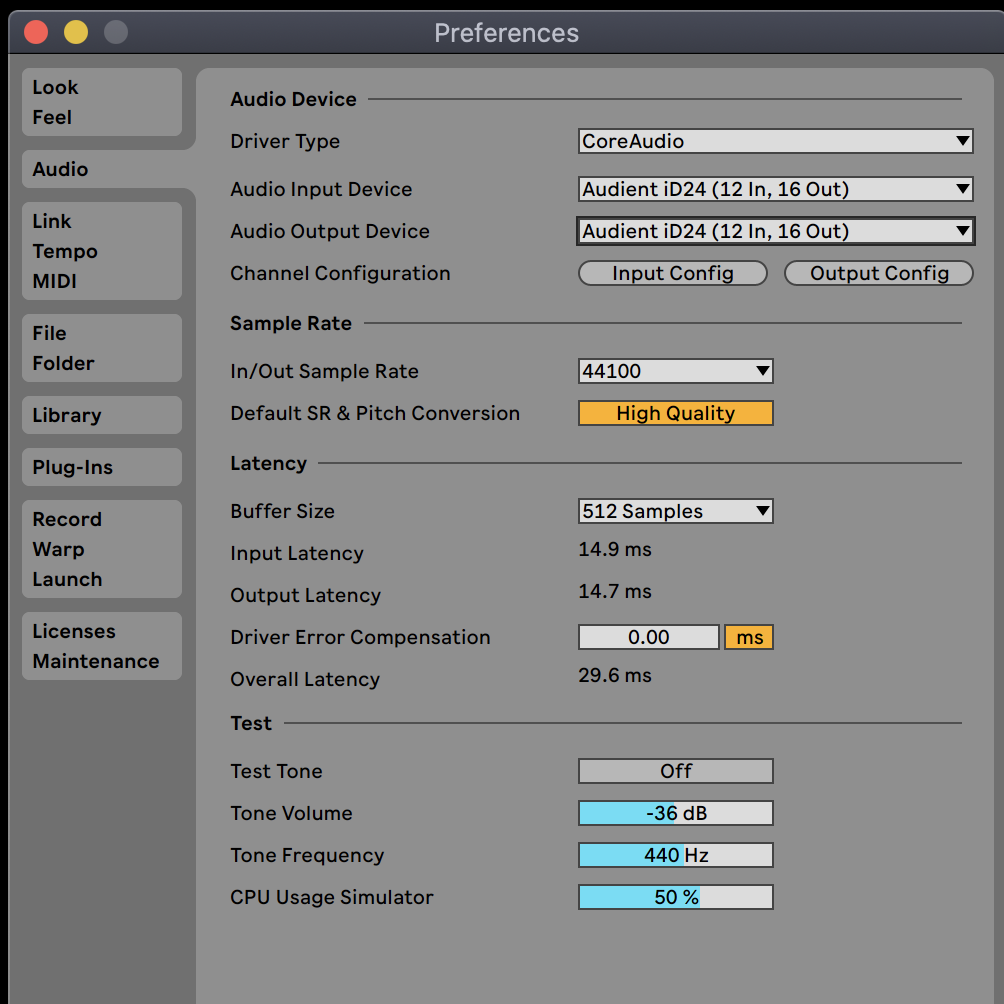
Configure channels
Use Input Config and Output Config to enable only the channels required by the Live Set. Disabling unused I/O can make the list easier to manage and reduce unnecessary CPU/driver overhead.
At full 44.1/48 kHz ADAT operation, iD24 reports up to 10 inputs and 14 outputs to the host. At higher sample rates the ADAT channel count is reduced.
Monitoring
If the iD Software Mixer is providing direct low-latency monitoring, set the corresponding Live track monitoring so the same live input is not also returned through Live unless that is intentional.
Buffer size
Use the Audient driver/iD controls on Windows or the available Core Audio buffer control on macOS/Live to balance latency and system stability.
Continue to Troubleshooting and FAQ.