System Panel, Routing and Talkback
The System Panel contains iD24's global digital, monitoring and output-routing settings.
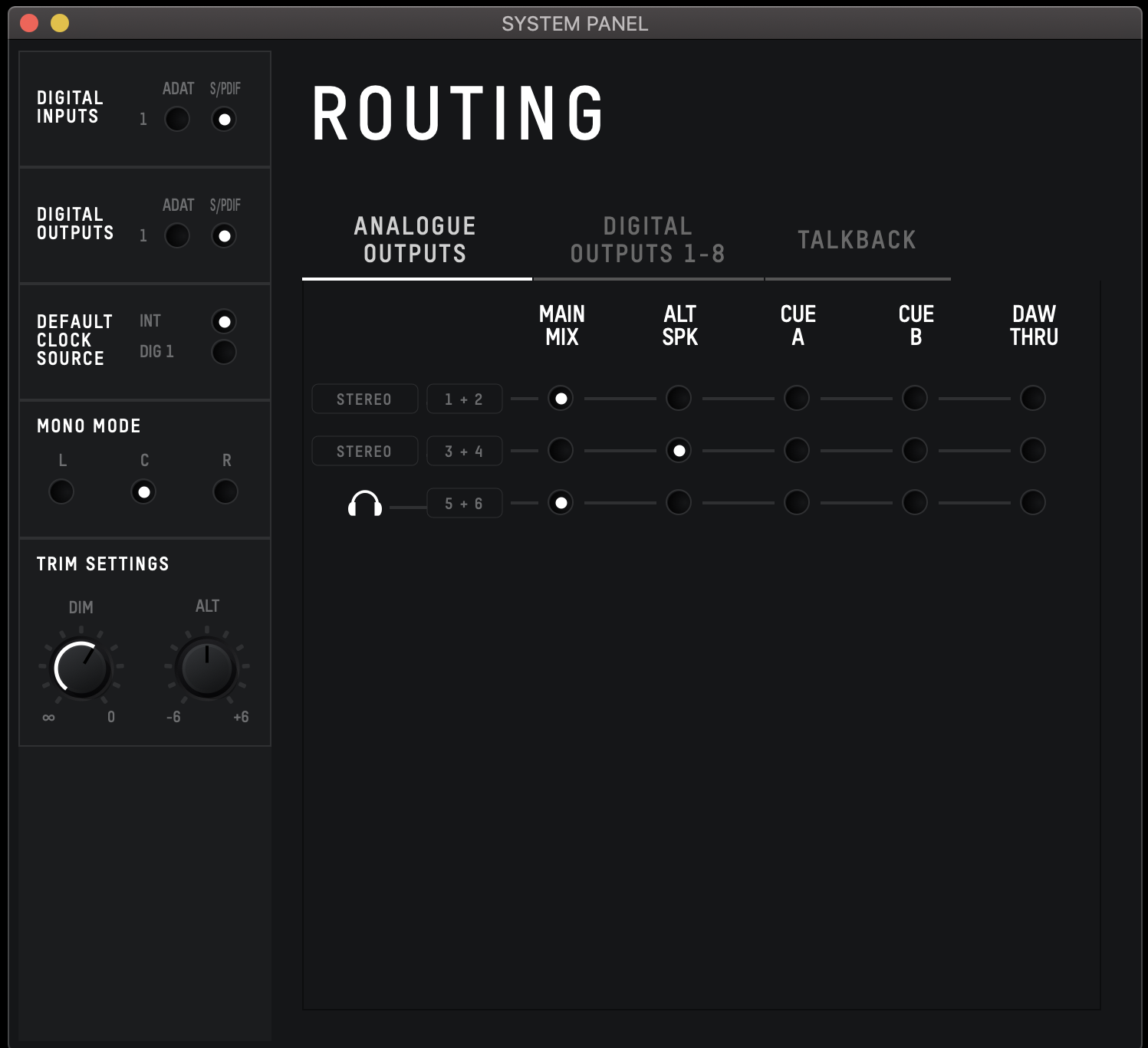
Digital I/O format
Choose ADAT or S/PDIF for the optical input/output mode. See Digital I/O and Clocking for channel counts and clocking rules.
Preferred clock source
Choose Internal or Optical. The status indicator beside an external source shows whether a usable external clock is present and at the correct sample rate.
Mono mode
When Mono is engaged, the System Panel controls whether the summed mono signal is sent to the left monitor, right monitor or both, according to the available iD software option.
Dim level
Set the attenuation applied when DIM is engaged.
Alt speaker level
Set the level offset used when switching to the Alt speaker path so two speaker systems can be level-matched.
Routing Matrix
Open the Routing Matrix from the relevant Analogue Outputs, Digital Output or Talkback routing selection for the destination you need to configure.
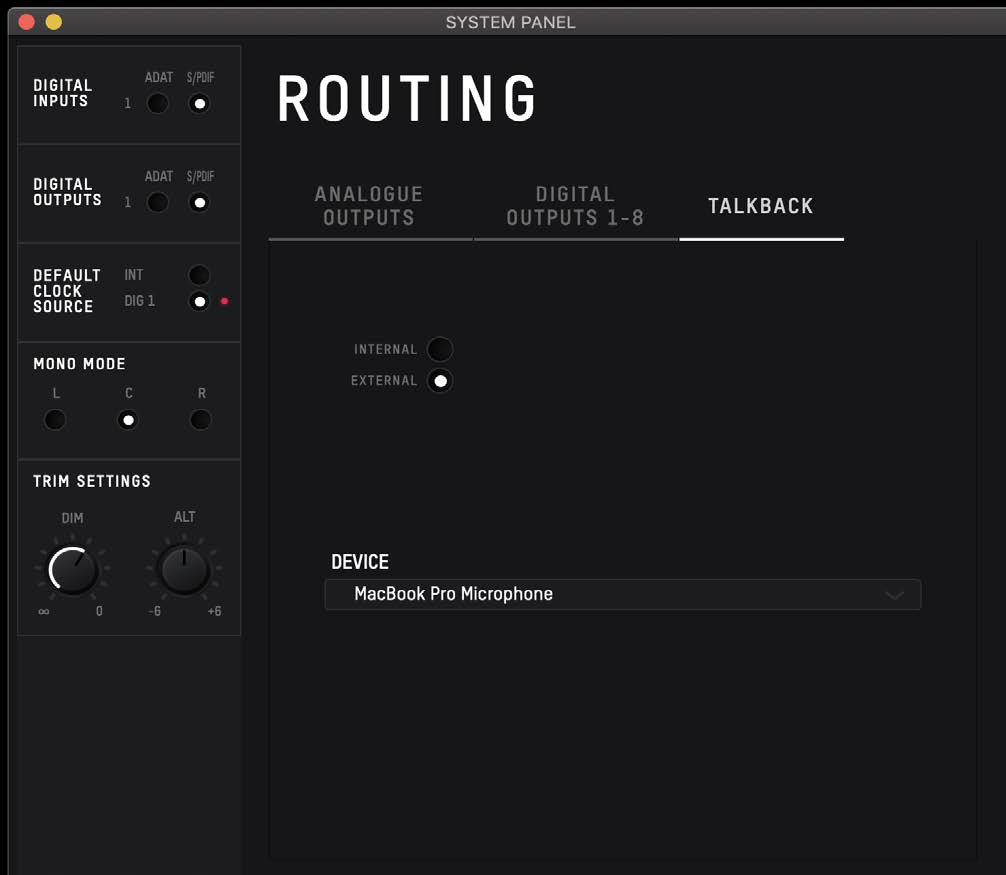
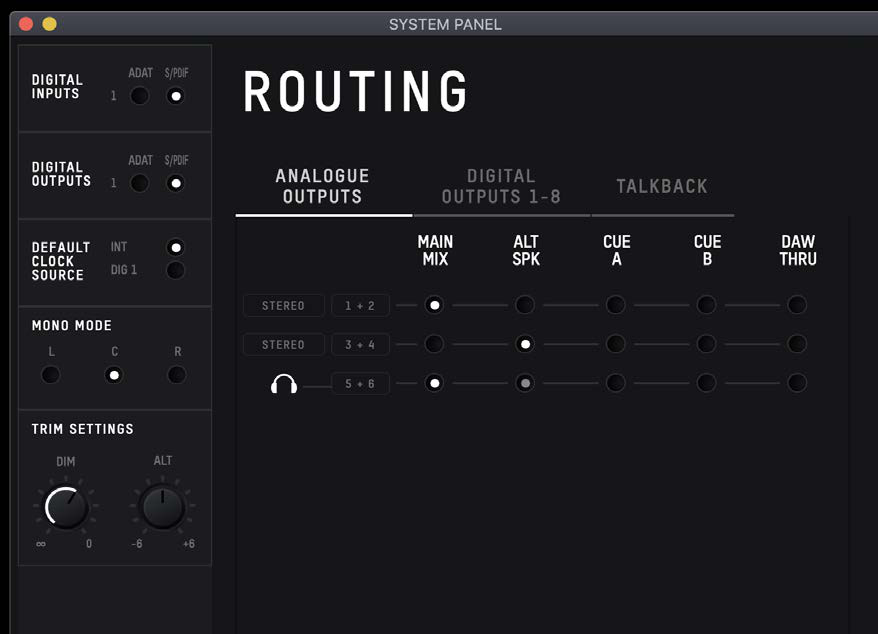
Available routing sources include:
- Main Mix - the current Main Mix from the iD mixer.
- Alt - the Main Mix routed through the Alt-speaker behaviour.
- Cue A / Cue B - the corresponding cue mix. The main hardware monitor-volume encoder does not control these cue routes; the cue masters have their own trims/levels.
- DAW THRU - a direct DAW playback path to the selected output pair.
DAW THRU bypasses the normal monitor-volume control and can pass audio at full scale. Do not route DAW THRU directly to powered monitors unless an appropriate downstream level control is in place. The headphone outputs are the exception: the hardware headphone level control still functions for the headphone path.
Talkback
Talkback can use one of iD24's available hardware inputs or a second audio input device connected to the host computer, such as a built-in or USB microphone when supported by the operating system/application.
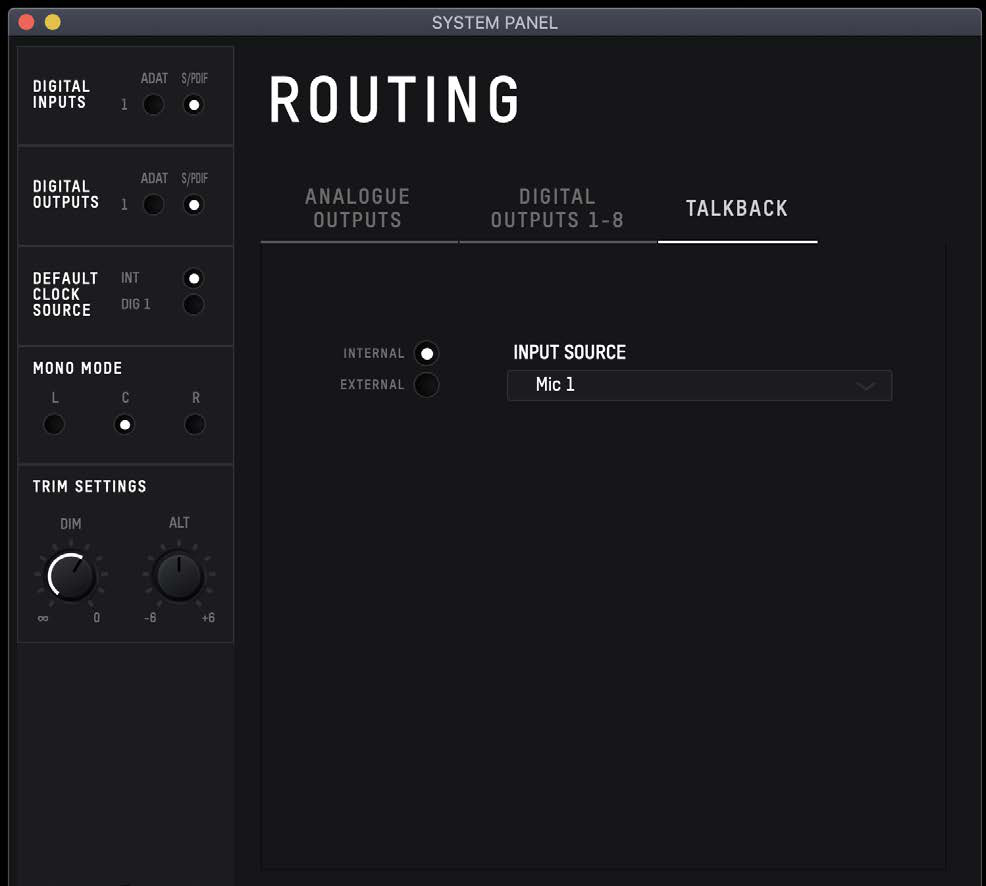
When a hardware input is assigned as talkback, the mixer presents it as a talkback channel. If an external host-connected device is selected, use the Talkback Device control to choose the connected device. Talkback is used in the Cue mixes rather than being added to the Main Mix. Trigger talkback from the channel/master control or assign it to an F-key for hardware access.
Continue to iD App Utilities.