iD App Utilities
Save and load mixer configurations
Use the File commands in the iD application to save the current mixer configuration and open a previously saved configuration. Saved configurations appear in the load list; the Save screen can also Export Mixer Configuration to a file for archiving/sharing alongside a DAW session, and the Load screen can Load From File.
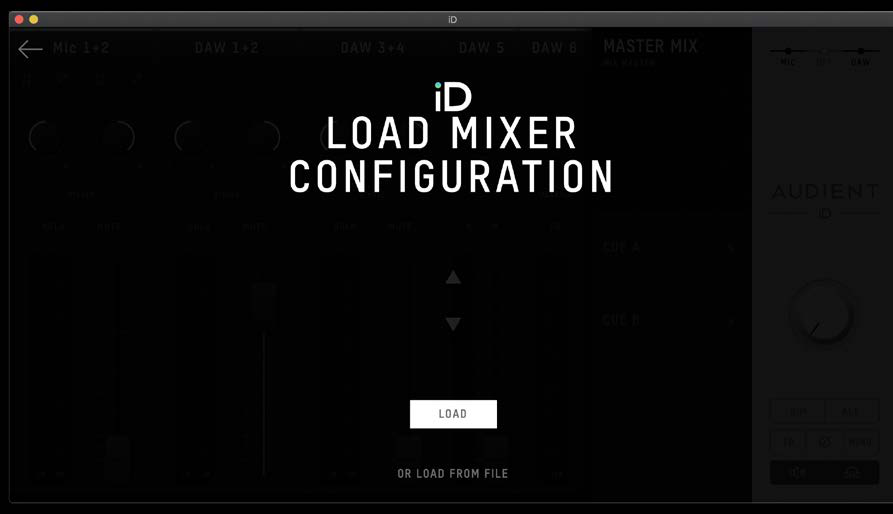
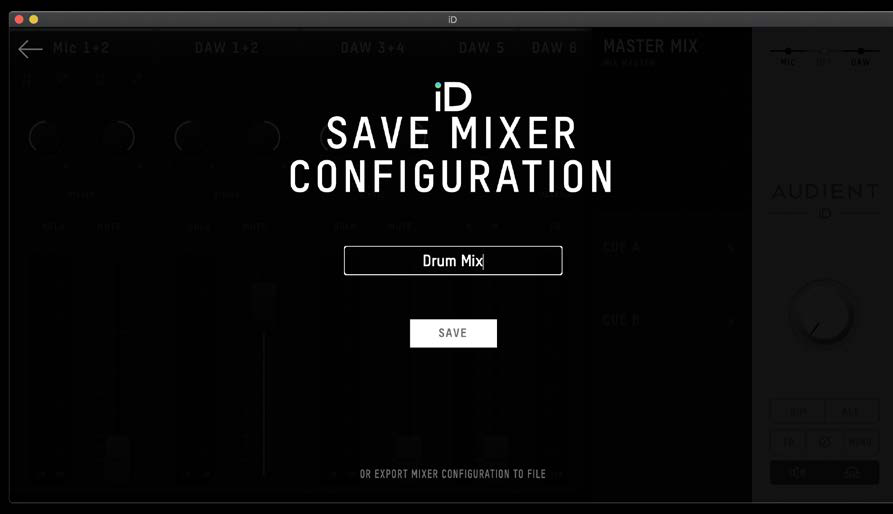
Useful shortcuts:
- macOS:
Command + Sto save,Command + Oto open. - Windows:
Ctrl + Sto save,Ctrl + Oto open.
Menu bar and system tray
On macOS, the iD icon appears in the menu bar. On Windows, it appears in the system tray.
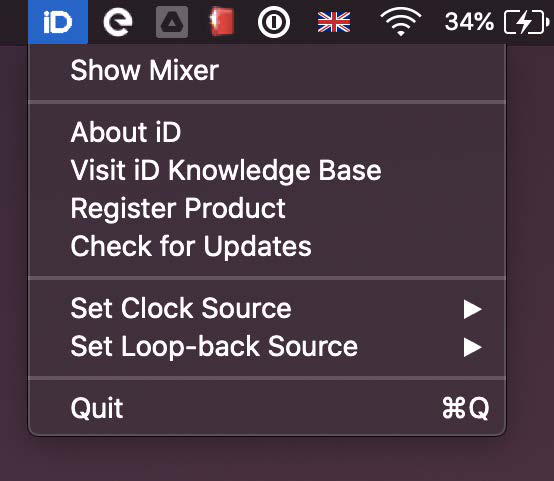
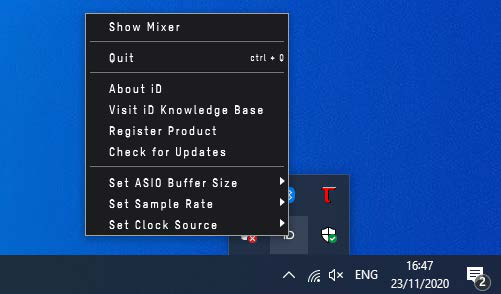
Some menu functions are available only while iD24 is connected; the Mixer itself cannot be opened without a connected unit. Depending on platform/software version, the menu provides quick access to functions such as:
- Show/Open Mixer
- About iD (application/firmware version information)
- Help / Knowledge Base
- Register Product
- Set Clock Source
- Set Loopback Source
- Check for Updates
- Quit
Windows additionally exposes 44.1, 48, 88.2 and 96 kHz sample-rate choices and an ASIO buffer-size range of 16 to 4096 samples from the tray controls. Higher buffers reduce CPU pressure at the cost of more latency.
Keyboard shortcuts
Faders
- Alt/Option + click a fader to return it to unity gain.
Pans
- Alt/Option + click a pan control to return it to centre.
Solo
- Command/Ctrl + click provides the documented all-solo-clear/exclusive-solo behaviour depending on the current solo state.
Meters
- Alt/Option + click the meter/peak area to clear retained clip indicators.
Mixer configurations
- Command/Ctrl + S - Save mixer configuration.
- Command/Ctrl + O - Open mixer configuration.
View modes
- Command/Ctrl + 1 - Mic/Line channels.
- Command/Ctrl + 2 - Optical channels.
- Command/Ctrl + 3 - DAW channels.
- Command/Ctrl + 4 - System Panel.
For firmware, see Installation and Updates. Shortcut availability can expand in later iD software releases, so the current application remains authoritative.
Continue to Audio Loopback.