Digital I/O and Clocking
iD24 provides one optical input, one optical output and one BNC word-clock output.
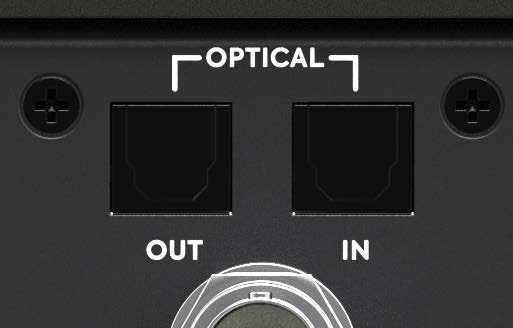
Optical formats
Select the optical format in the iD application's System Panel.
| Sample rate | ADAT channels per optical connection | S/PDIF |
|---|---|---|
| 44.1 / 48 kHz | 8 | 2 |
| 88.2 / 96 kHz | 4 (SMUX) | 2 |
At 88.2/96 kHz, ADAT uses SMUX and carries four channels over the single optical link. iD24 does not require a second optical cable for its four-channel high-rate ADAT stream. The optical output can feed an external ADAT DAC or multichannel headphone-distribution system as well as another recorder/interface.
Clock source
A digital system must have one clock master. In the iD application, choose:
- Internal when iD24 is the clock master.
- Optical when iD24 should lock to a valid incoming ADAT or S/PDIF clock.
When iD24 is externally clocked, the session/interface sample rate must match the incoming digital clock.
The external-clock status indicator uses:
- Green: valid clock detected at the correct sample rate.
- Amber: a clock signal is detected at a different sample rate.
- Red: no valid clock signal is detected.
If a valid external clock is not available, resolve the cable/format/sample-rate issue before relying on the digital audio path.
Word-clock output
The rear BNC connector is word-clock output only. It sends word clock at the iD24 operating sample rate (44.1, 48, 88.2 or 96 kHz), including when iD24 itself is clocked externally. Use proper 75 Ω word-clock cabling and terminate the receiving/end device as required by that device.
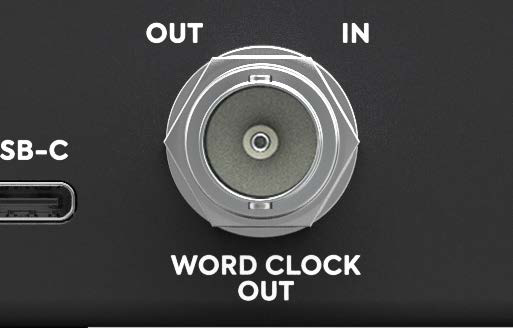
Example: iD24 as master
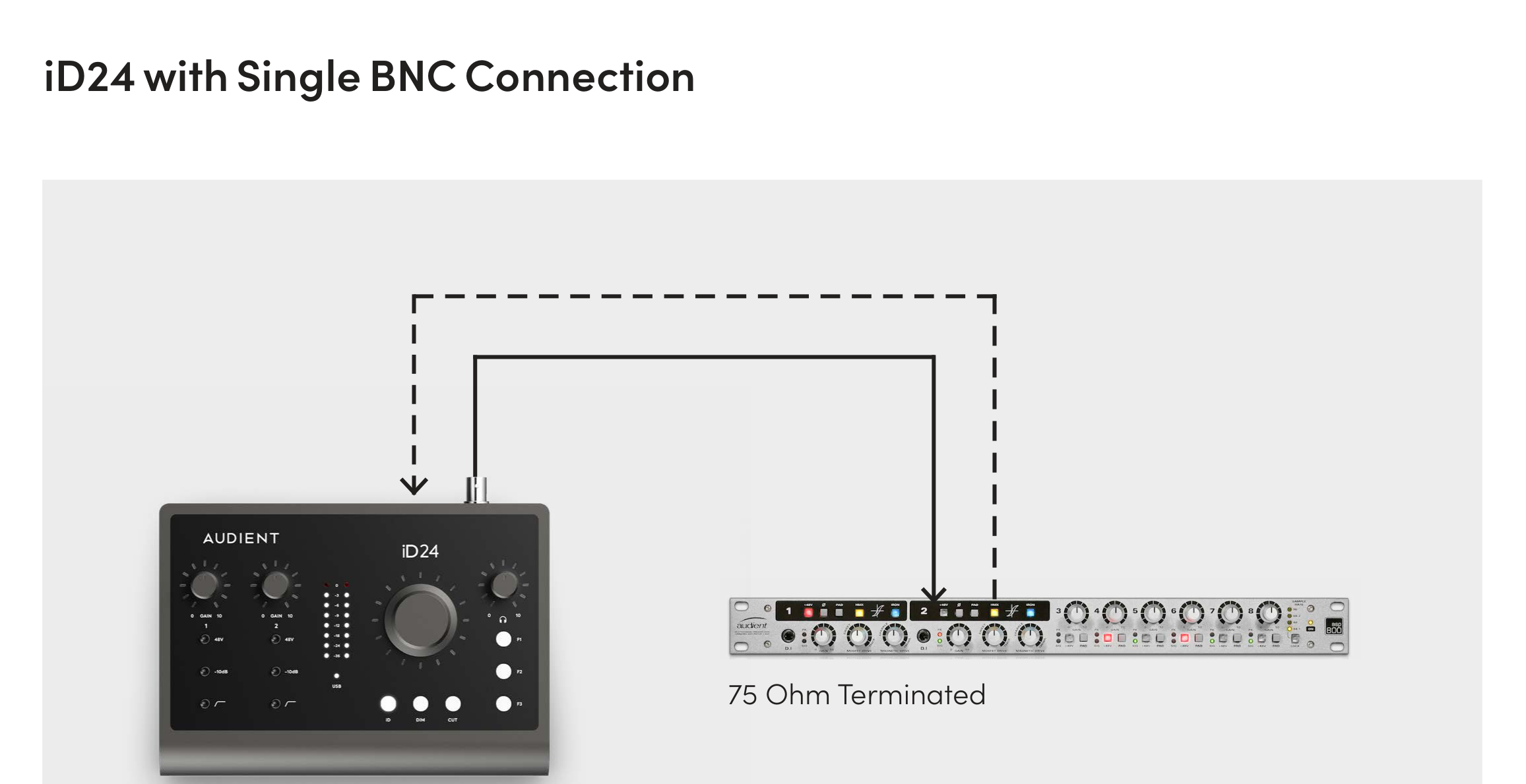
- Set iD24 clock source to Internal.
- Set the session/interface sample rate.
- Connect iD24 Word Clock Out to the external device's word-clock input, or use the optical output as the clock source if the external device supports it.
- Set the external device to its corresponding external clock source.
Example: iD24 as slave
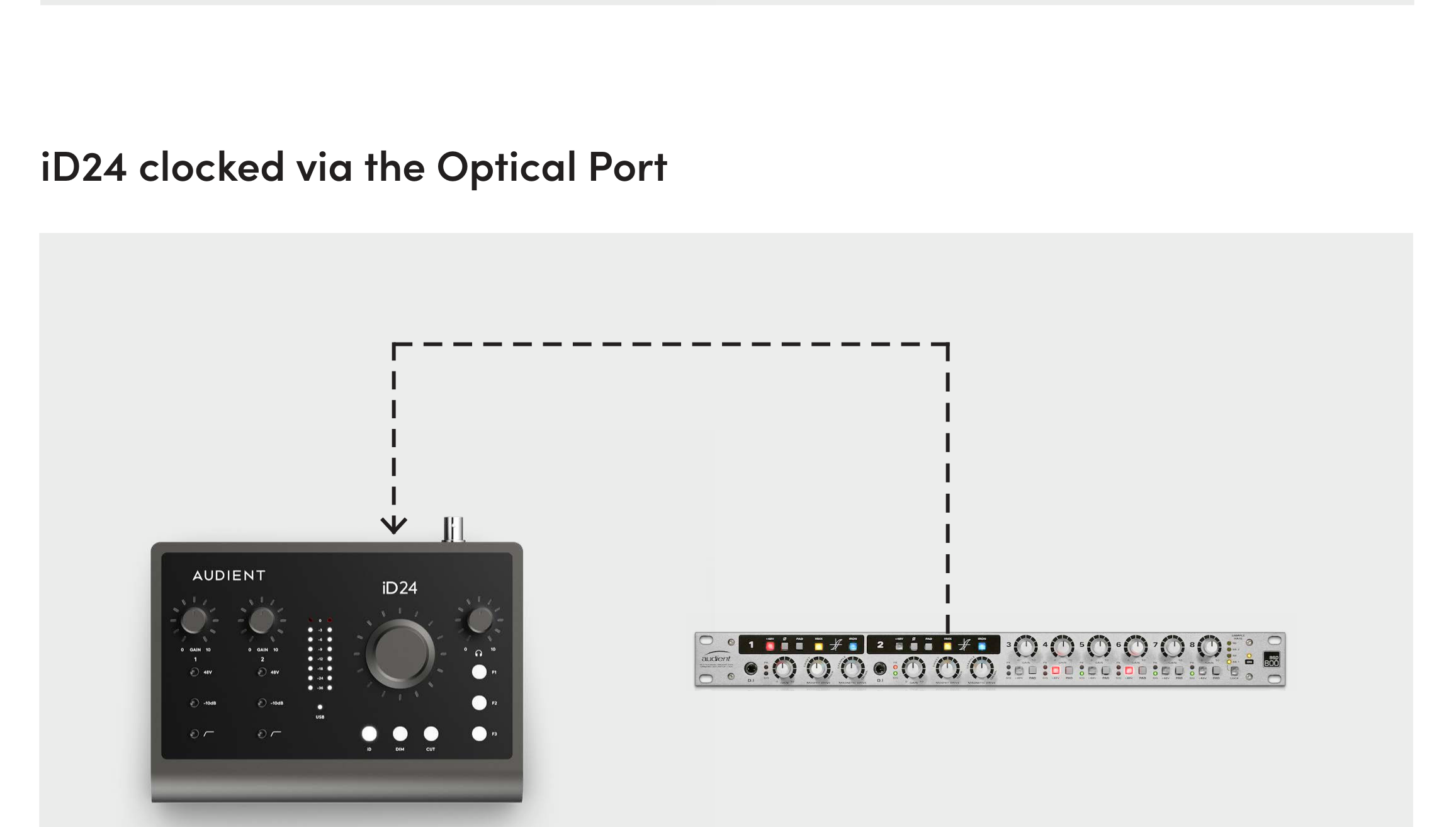
- Connect the external device's optical output to iD24 optical input.
- Choose the matching optical format, ADAT or S/PDIF.
- Set iD24 clock source to Optical.
- Confirm a green clock-status indicator and matching sample rate.
Continue to Outputs and Hardware Controls.