Software installation and registration
ORIA Control is used to calibrate your speakers, manage Profiles, control monitoring functions and update ORIA Mini firmware.
Registering ORIA Mini
Register ORIA Mini through Audient ARC to access the available software and services for your product.
- Visit Audient ARC.
- Select Register Your Product.
- Enter your details to create an account, or sign in to an existing account.
- Open the verification email sent by ARC and verify your account.
- Enter the ORIA Mini serial number and four-digit PIN printed on the underside of the unit.
Check your spam or junk folder if the verification email does not appear in your inbox.

Once the product is registered, the available software and services appear in your ARC account.
Downloading ORIA Control
- Open the ORIA Mini Downloads page.
- Select Visit ARC.
- Sign in to the ARC account containing your registered ORIA Mini.
- Download the ORIA Control installer for your operating system.
For current operating-system and computer requirements, see ORIA Mini Minimum System Requirements.
macOS installation
- Download the macOS installer from ARC.
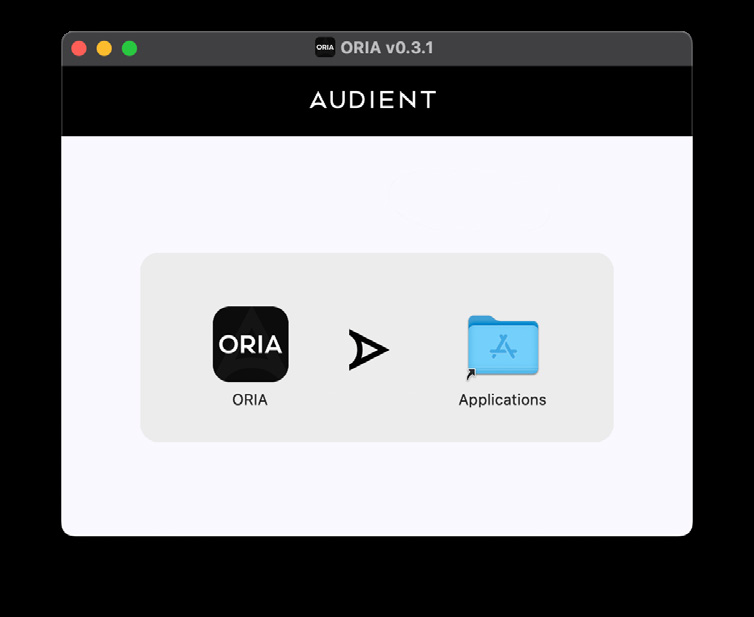
- Open the downloaded
.dmgfile. - Drag ORIA Control into the Applications folder.
- Open ORIA Control from the Applications folder.
Windows installation
- Download the Windows installer from ARC.
- Open the downloaded
.exefile. - Follow the on-screen instructions.
- Select Finish when the installation is complete.