SoundID Reference
ORIA Mini integrates with Sonarworks SoundID Reference, allowing speaker-calibration Profiles to be stored and processed on the ORIA Mini hardware.
Licence requirements
To export a SoundID Reference calibration Profile to ORIA Mini, you need:
- A permanent SoundID Reference base licence that supports speakers
- An ORIA Mini Room Correction Add-on licence
Both licences must be registered to the same Sonarworks account.
A separate ORIA Mini Add-on licence is required for each ORIA Mini unit.
Connecting the measurement microphone
Use the supplied Sonarworks measurement microphone to measure your listening environment.
ORIA Mini does not include a microphone input. Connect the measurement microphone to a suitable microphone input, such as the microphone input on the audio interface feeding ORIA Mini.
Setting the crossover before measurement
When using a subwoofer, set the required crossover frequency in ORIA Control before measuring the room.
- Select the left speaker in the Room view.
- Select Setup.
- Enable and adjust its crossover.
- Repeat the process for the right speaker.
Choose a crossover frequency appropriate for the connected speakers and subwoofer.
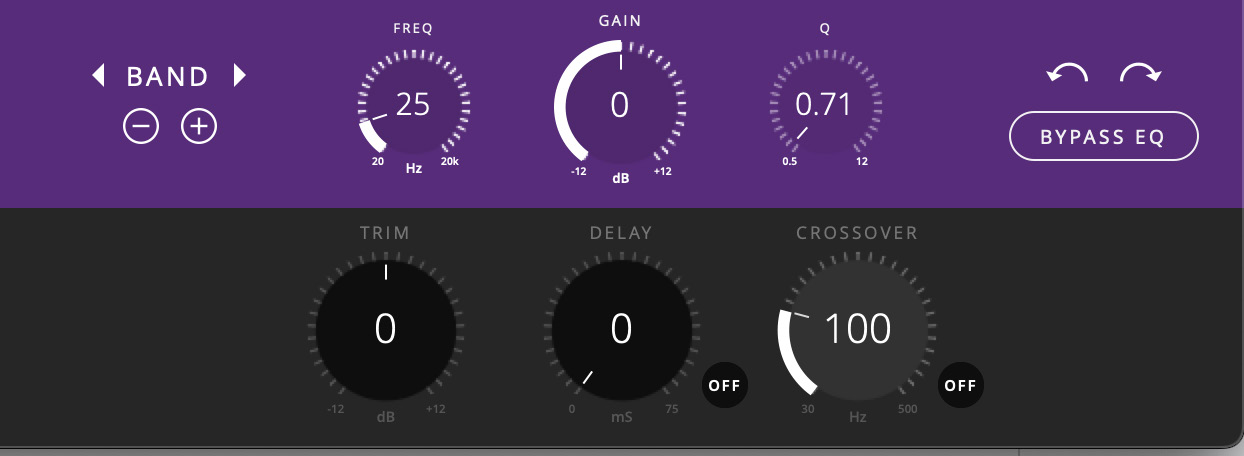
Changing the crossover frequency after measuring the room changes the response of the system and may make the calibration inaccurate.
Set the crossover correctly before measuring. Re-measure the system after changing it.
Measuring the room
Follow the guided measurement process in SoundID Reference to measure the listening position and room.
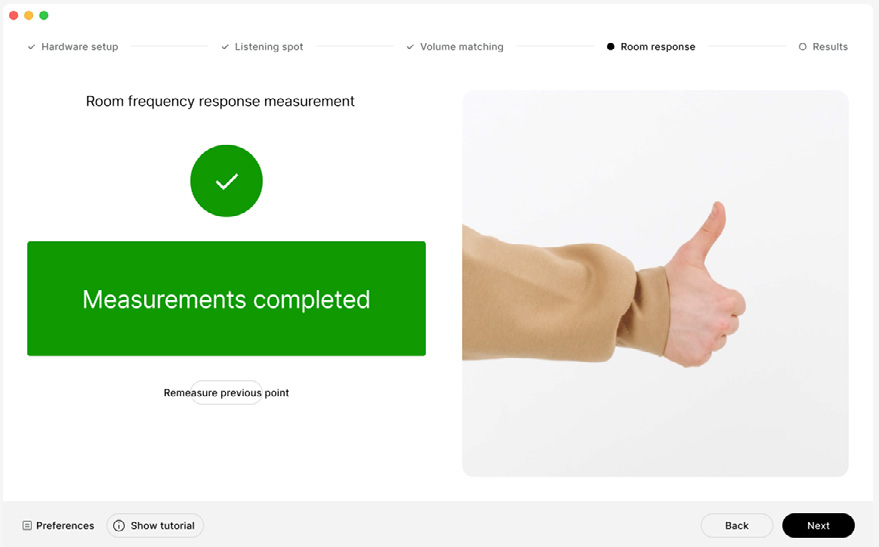
Existing compatible stereo SoundID Reference Profiles can also be exported without repeating the measurement.
A new measurement is required when creating a calibrated setup that includes ORIA Mini bass management, or when the speaker or room configuration has changed.
Exporting a calibration to ORIA Mini
After completing or loading the required speaker Profile:
- Open the Profile in SoundID Reference.
- Make any required adjustments to its target and DSP settings.
- Select Export Preset to Device.
- Select Audient ORIA Mini.
- Select the required export method.
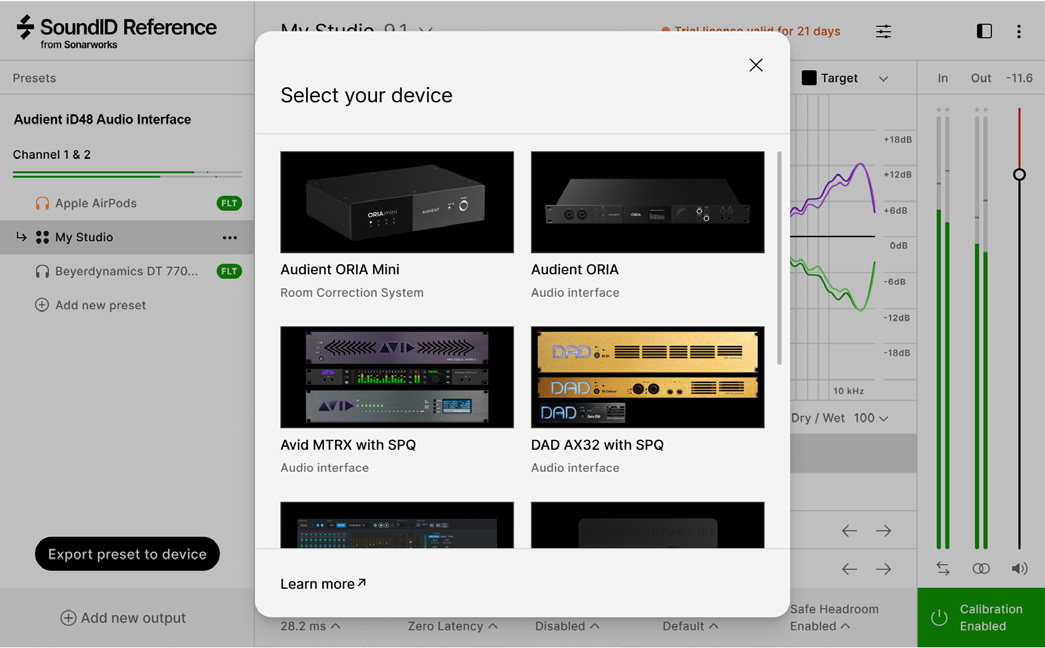
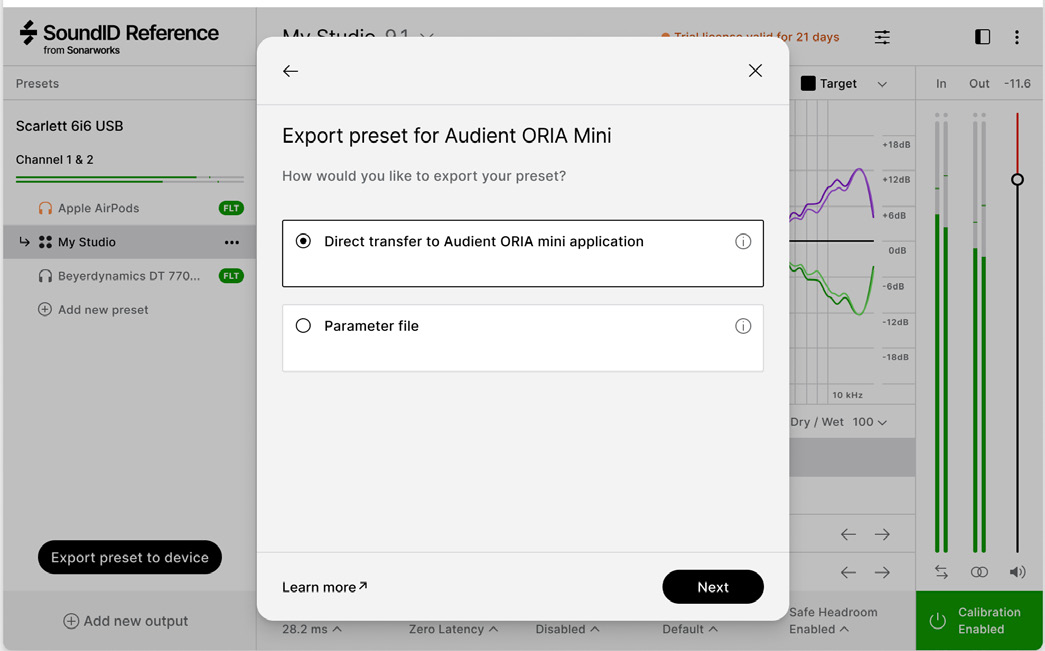
The appearance and wording of SoundID Reference may change between software versions.
First transfer
The first transfer to an ORIA Mini must use Direct transfer to ORIA Control Software.
This allows SoundID Reference to read the ORIA Mini serial number and associate the unit with the Add-on licence in your Sonarworks account.
To complete the first transfer:
- Connect ORIA Mini directly to the computer through USB.
- Open SoundID Reference and ORIA Control.
- Select Direct transfer to ORIA Control Software.
- In ORIA Control, choose whether to:
- Create a new Profile, or
- Overwrite an existing Profile
- Name the new Profile or select the Profile to overwrite.
- Wait for confirmation that the export has completed.
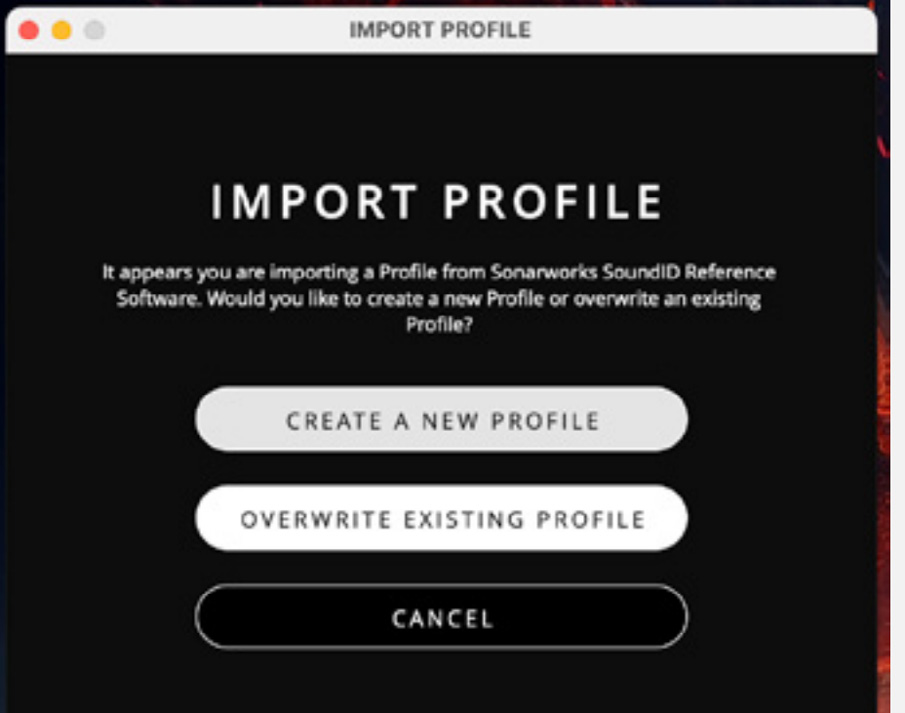
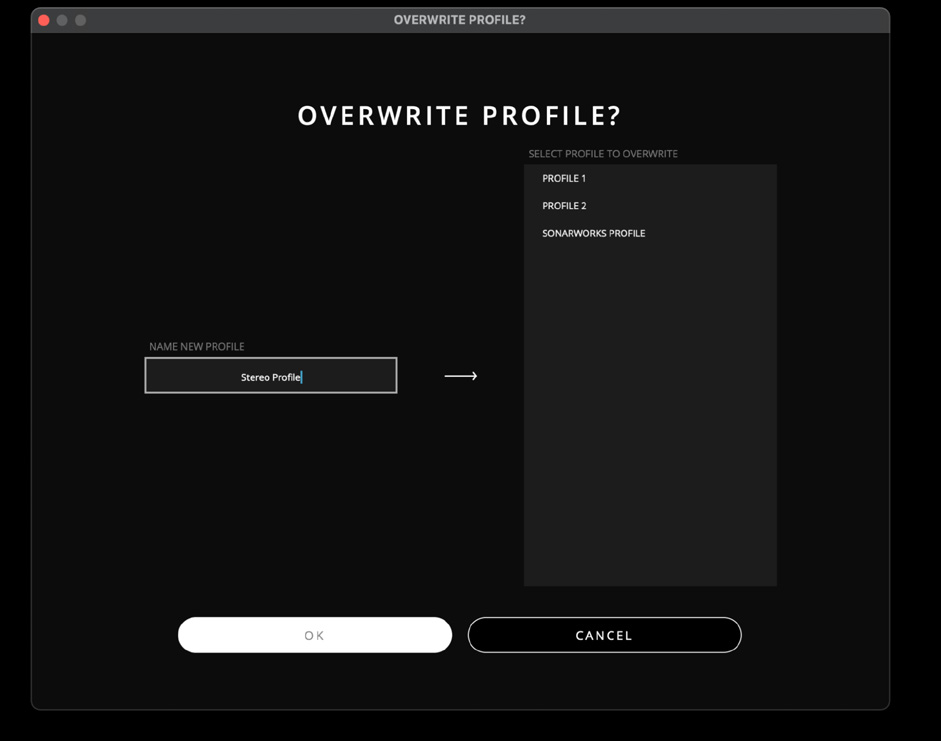
SoundID Reference Profiles display the Sonarworks logo beside their name in the Profiles panel.

Importing a parameter file
After the first direct transfer has linked ORIA Mini to the Add-on licence, later Profiles can also be exported as parameter files.
To import a parameter file:
- In SoundID Reference, select Export Preset to Device > Audient ORIA Mini.
- Select Parameter file for manual import.
- Open ORIA Control.
- Select File > Import SoundID Reference Profile.
- Select the exported parameter file.
- Choose whether to:
- Create a new Profile, or
- Overwrite an existing Profile
- Confirm the import.
Using the imported profile
Select the imported Profile from the Profiles panel to make it active.
SoundID Reference automatically disables its system-wide calibration after the Profile is applied to ORIA Mini. You can then quit SoundID Reference.
Do not apply the same calibration again through a DAW plug-in or another software processing path.
Applying the calibration twice will produce an inaccurate result.
SoundID Reference Profiles use 16 IIR EQ bands together with high- and low-shelf filters. Their EQ controls are locked in ORIA Control.
To change the calibration curve, edit the Profile in SoundID Reference and export it to ORIA Mini again.