Hardware and connections
ORIA Mini provides analogue and digital audio inputs, stereo speaker outputs, a dedicated Subwoofer output and a USB-C connection for power and software communication.
Front panel
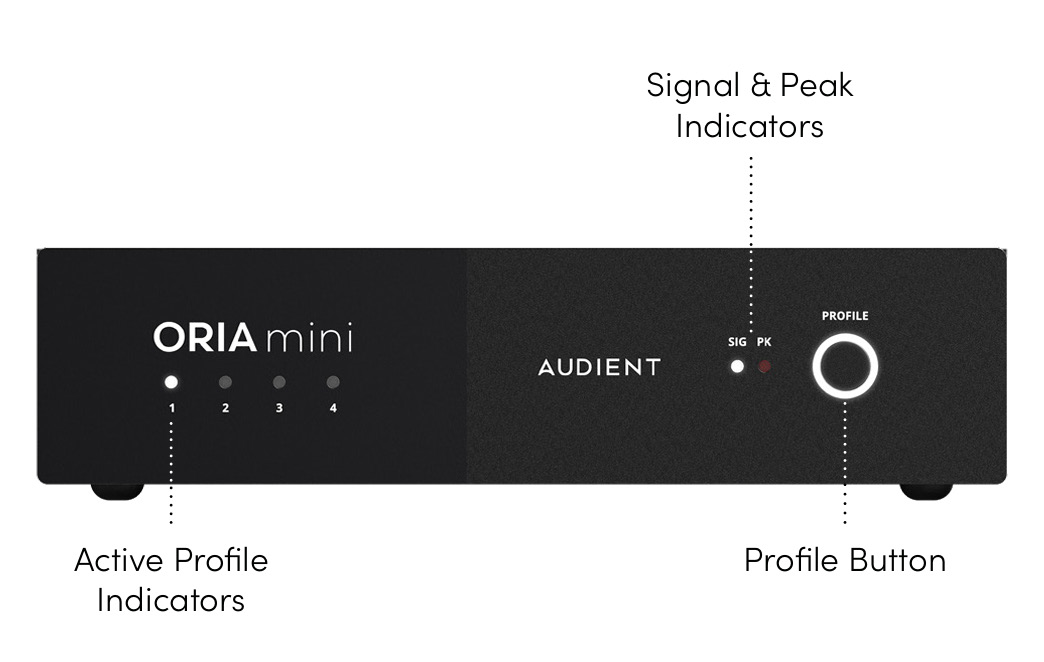
The front panel contains:
- Four Active Profile indicators
- Signal and Peak indicators
- The Profile button and illuminated ring
For operating instructions, see Front Panel Controls.
Rear panel
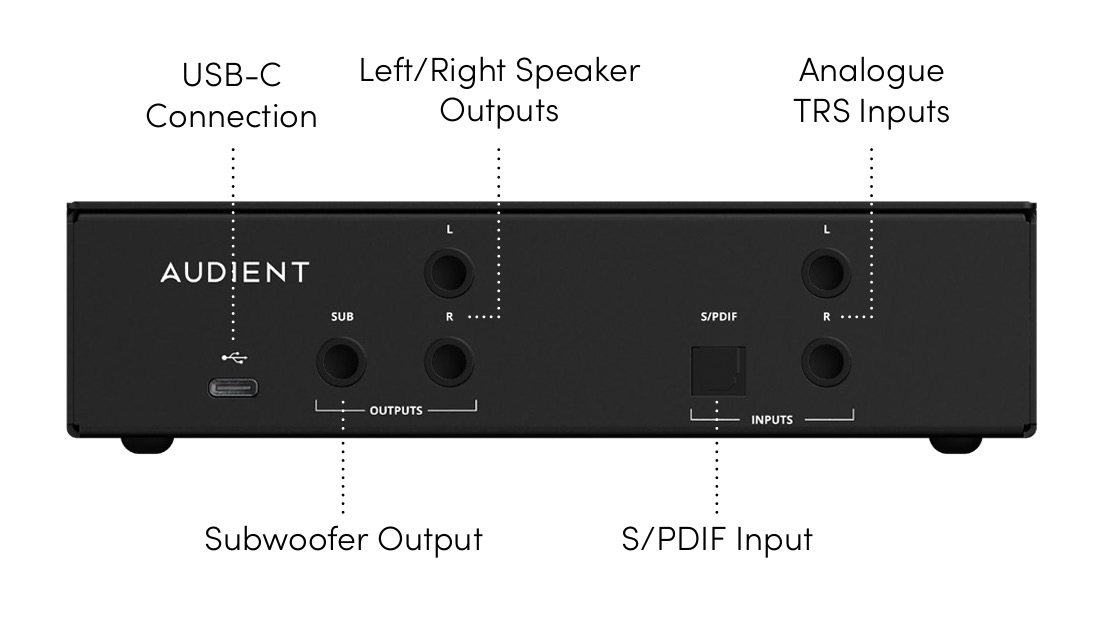
| Connection | Purpose |
|---|---|
| Analogue TRS Inputs | Connect a stereo line-level audio source |
| S/PDIF Input | Connect a stereo optical S/PDIF source |
| Left and Right Speaker Outputs | Connect the stereo speaker system |
| Subwoofer Output | Connect a subwoofer |
| USB-C Connection | Power ORIA Mini and communicate with ORIA Control |
Analogue inputs
ORIA Mini provides two balanced TRS analogue inputs for connecting an audio interface, mixer or another line-level source.
Unbalanced sources can also be connected using TS cables.
The maximum analogue input level is +18 dBu.
If the connected source has a higher maximum output level, reduce its output sufficiently to prevent the ORIA Mini inputs from clipping.
Optical S/PDIF input
The optical input accepts a two-channel S/PDIF signal through a TOSLINK connection.
A coaxial S/PDIF source requires a suitable coaxial-to-optical converter.
Select S/PDIF as the active source in ORIA Control when using the digital input.
Speaker outputs
ORIA Mini provides three balanced TRS outputs:
- Left speaker
- Right speaker
- Subwoofer
The outputs operate at line level and are designed to feed powered studio monitors or a power amplifier connected to passive speakers.
Unbalanced equipment can be connected using TS cables.
When using a subwoofer with separate left and right inputs, connect the ORIA Mini Subwoofer output to the subwoofer's left input only.
USB-C connection
The USB-C connection powers ORIA Mini and provides communication with the ORIA Control Desktop Software.
Connect ORIA Mini to a USB 3.0 or later port capable of providing 5 V at 900 mA.
ORIA Mini can alternatively be powered from a suitable external USB-C power supply.
ORIA Mini does not send or receive audio through USB. Connect audio through the analogue inputs or optical S/PDIF input.