Short and Long Faders
Short Fader
The Short Fader is normally the channel/recording path. With the console in its default state it carries the Mic/Line input.
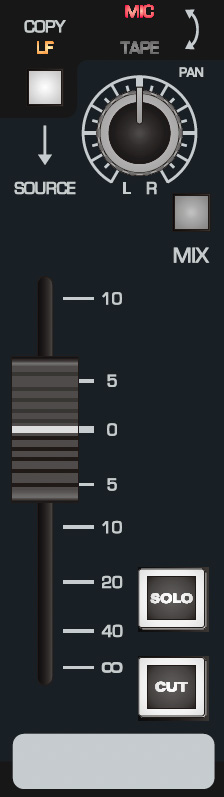
Controls
- COPY LF takes the post-fader Long Fader signal as the input to the Short Fader path, overriding the normal Mic/Tape source selection. The manual suggests this for riding an effects send from the Short Fader, including delay or reverb throws.
- PAN places the SF signal across the stereo field.
- MIX routes the SF signal to the stereo Mix Bus.
- SHORT FADER controls SF signal level.
- SOLO isolates the selected channel(s) through the console solo system.
- CUT mutes the Short Fader signal path.
To minimise unnecessary Mix Bus noise, disengage MIX on unused paths.
Long Fader
The Long Fader is normally the monitoring and final-mix path. With the default channel configuration it carries the DAW/Tape return.
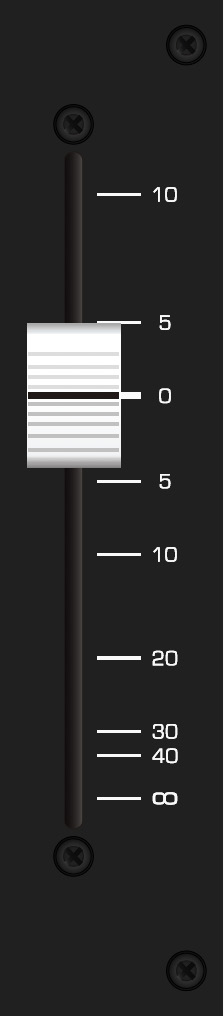
Controls
- CH FLIP swaps the Mic/Line and DAW/Tape sources so the channel input moves to LF and playback moves to SF.
- PAN places the LF signal across the stereo field.
- MIX routes the LF signal to the stereo Mix Bus.
- SOLO isolates the selected channel(s) through the console solo system.
- CUT mutes the Long Fader signal path.
- FADER controls the LF signal level.
The Long Fader is designed to operate around the 0 dB mark and provides approximately 10 dB of gain above unity. When setting up a source, start close to 0 dB and establish the appropriate level earlier in the signal path where possible.
To minimise Mix Bus noise, disengage MIX on channels that are not being used.
Continue to Stereo EFX, Bus Trims and Aux Masters.