Communications, Metering and Solo
Communications
Talkback is used to communicate with the studio, the artist foldback system or the multitrack bus outputs.
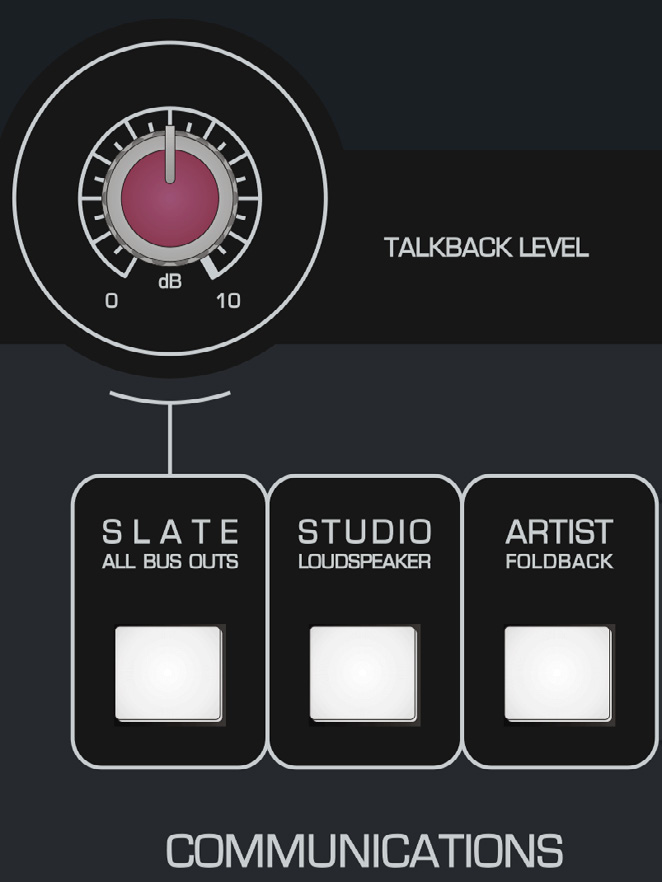
The source manual notes that talkback to the Foldback and Studio Loudspeaker paths remains available even when their normal level controls are turned down.
Whenever a talkback destination is engaged, the Control Room monitors automatically DIM. This reduces feedback risk and makes the talkback signal more intelligible without changing the console's program outputs.
Controls
- TALKBACK LEVEL sets the level of the talkback microphone.
- SLATE BUS OUTPUTS sends talkback to the artist and to all multitrack bus outputs so spoken slate information can be recorded. The manual suggests take numbers or session notes as typical uses.
- STUDIO LOUDSPEAKERS (SLS) sends talkback to the live-room Studio Loudspeaker output.
- ARTIST FOLDBACK sends talkback to the artist Foldback system.
Remote talkback
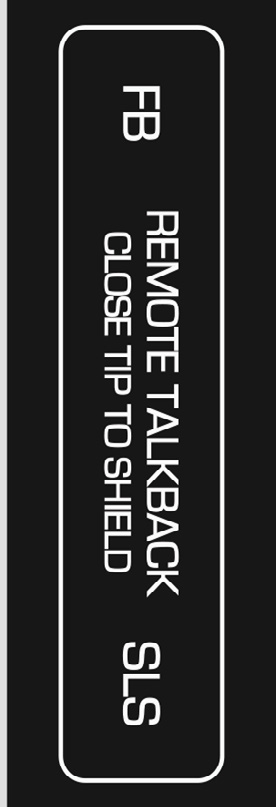
ASP8024-HE can control Studio Loudspeaker and Artist Foldback talkback from external latching foot switches.
- Use a suitable latching foot switch. A Radial Tonebone BigShot SW2 is given as an example.
- Connect it with a jack cable to the Remote Talkback connectors on the rear of the console, located to the right of the multitrack outputs.
- Verify the destination and talkback level before use, particularly when performers are wearing headphones.
Master Meters
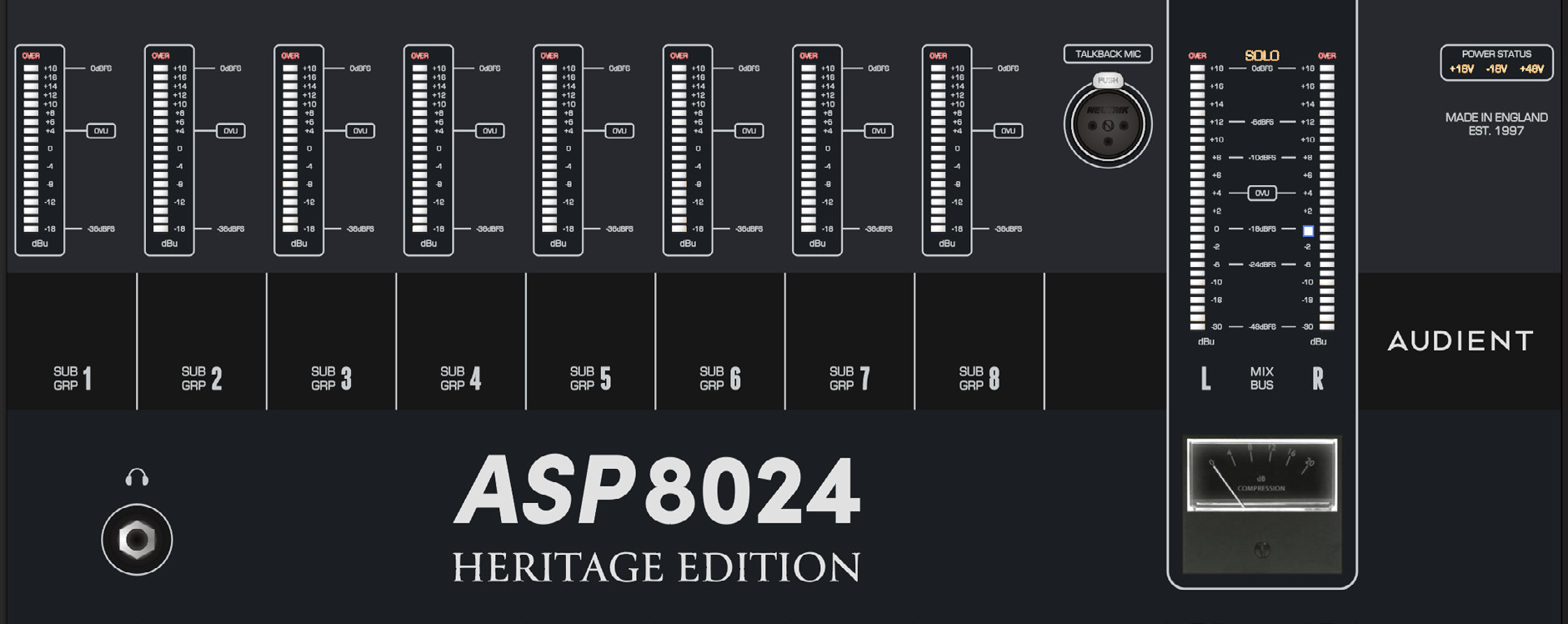
The Master Meter section combines subgroup and stereo-output metering with the talkback microphone input, console power-rail status, reference headphone output and compressor gain-reduction meter.
Subgroup meters
The eight SUB GROUP METERS display each subgroup's post-fader level. Each includes an OVER indication to warn when the subgroup is approaching its headroom limit.
Talkback microphone connector
The TALKBACK MIC XLR accepts a standard microphone and provides 48 V phantom power for condenser microphones.
Phantom power for this talkback XLR can be disabled internally by removing jumper LK1 on the Master Meter circuit board. Internal changes should only be carried out by suitably qualified personnel.
Main meters
The MAIN METERS show the stereo Mix Outputs after the Master Fader and include an OVER indication.
Power-rail indicators
The rail indicators show the status of the console power rails. With the PSU operating normally, the required indicators should be illuminated. If a rail indicator is off while the PSU is powered, contact Audient Support or qualified service personnel rather than attempting internal repair without appropriate service information.
Reference headphone output
The Heritage Edition headphone amplifier is accessed by selecting ALT 3 in the Control Room section. The front-panel connection is a standard 6.35 mm TRS headphone jack.
Gain-reduction meter
The analogue GAIN REDUCTION METER displays the amount of compression being applied by the stereo bus compressor.
Oscillator and Solo
The master section contains a four-frequency oscillator plus the master controls for AFL/PFL and Solo In Place.
Oscillator
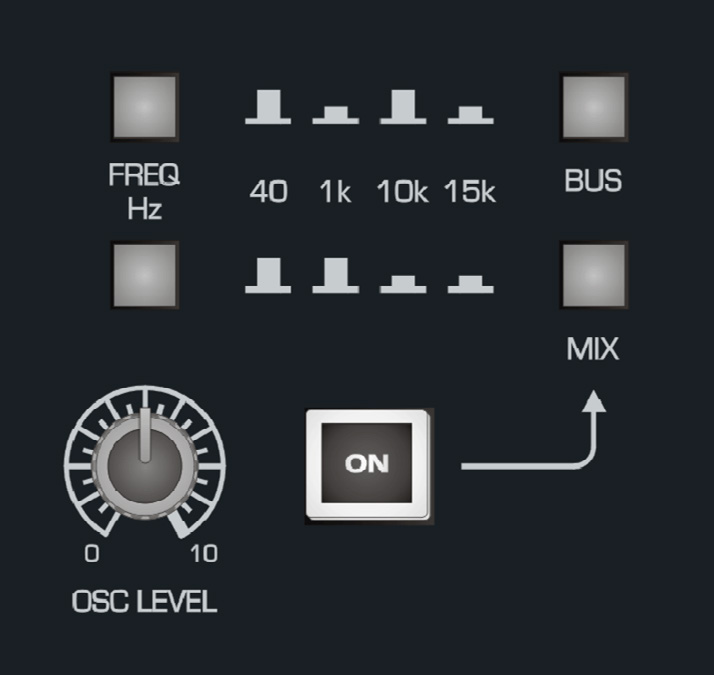
The internal oscillator can be assigned to every multitrack bus or to the stereo Mix Bus.
- FREQ HZ - the two frequency buttons select 40 Hz, 1 kHz, 10 kHz or 15 kHz using the combinations shown on the console.
- BUS - sends the oscillator to every multitrack Bus Output.
- MIX - sends the oscillator to the stereo Mix Bus.
- LEVEL - sets oscillator output level.
- ON - switches the oscillator on/off.
When the oscillator is not required, switch it off to prevent reference tone accidentally reaching a recording or monitoring path.
Solo master controls
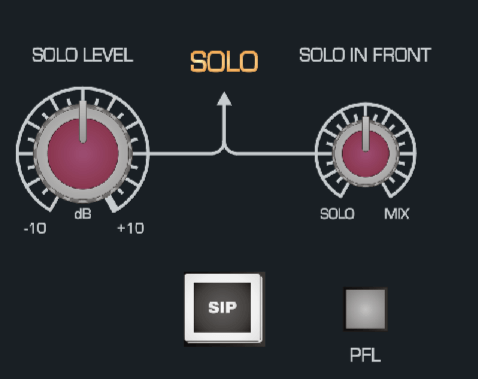
If SIP is not engaged, the console operates in AFL or PFL according to the AFL/PFL selection.
- SOLO LEVEL sets the overall solo-listen level from approximately -10 dB to +10 dB.
- SOLO IN FRONT blends the solo bus with the Mix Bus in AFL/PFL modes, allowing the soloed source to be heard in context rather than completely isolated.
- SIP (SOLO IN PLACE) cuts all non-soloed channels from the Mix Bus.
- PFL (PRE FADE LISTEN) takes the solo signal before the fader so the channel-fader position does not determine solo level.
SIP changes the stereo Mix Bus and will therefore be captured at the Mix Outputs. Use it with care during recording or final mix capture.
Continue to Connector Panels and Power Supply.