DLC Control Surface and Audio Routing
DLC DAW Control Surface
DLC control-surface assignments vary by DAW. Use Audient's current DAW-specific manuals for the exact setup and function mapping.
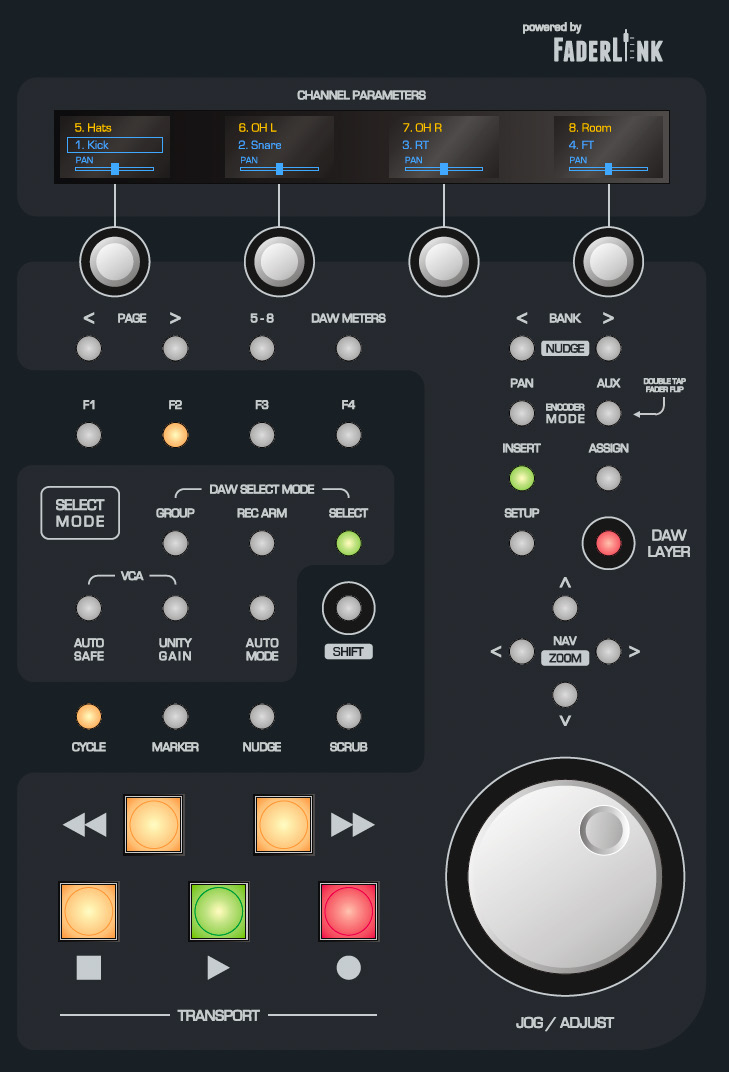
The surface includes:
- Eight faders with OLED channel displays
- Channel encoders and encoder/display flip
- Channel-select modes
- Bank and nudge controls
- Programmable function buttons
- DAW layer selection
- Transport controls
- Loop/cycle and marker controls
- Navigation/zoom controls
- Jog/shuttle wheel and Scrub
- Setup and insert-customisation controls
- DAW metering mode
Current Pro Tools, Logic and Cubase control-surface manuals are available from the ASP8024-HE Downloads page.
DLC Analogue Audio Routing and VCA
DLC provides eight line inputs and eight line outputs on DB25 connectors. The console labels these the DLC VCA Inputs/Outputs.
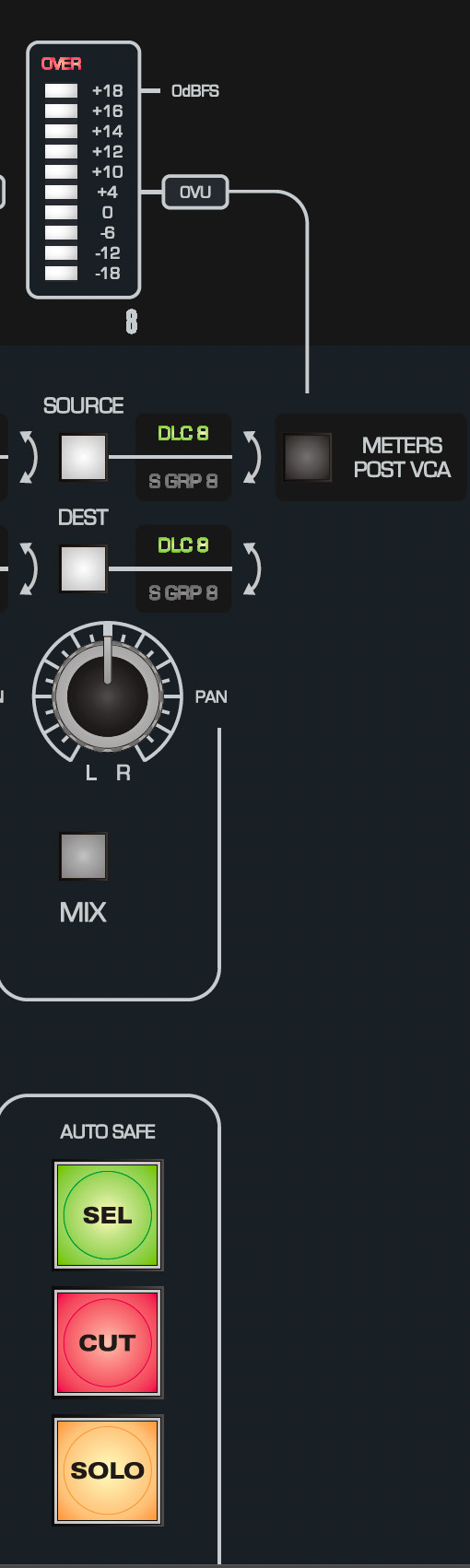
Per-channel audio controls
- METER - shows source level unless DAW Meters is selected.
- METERS POST VCA - changes metering between pre- and post-VCA.
- SOURCE - selects the external DLC VCA input or corresponding subgroup.
- DEST - routes to the DLC VCA output or corresponding subgroup.
- PAN - positions the channel in the stereo mix.
- MIX - routes the DLC channel to the stereo Mix Bus, allowing the eight DLC line inputs to act as extra mix channels.
- SELECT - used by Auto Safe, Unity and DAW-layer functions.
- CUT - mutes the channel and can be automated in the analogue layer.
- SOLO - solos the channel in the analogue or DAW layer; Solo itself is not recorded as analogue automation.
To place DLC VCA control directly in a subgroup path, set both SOURCE and DEST to S GRP on that channel.
Auto Safe and Unity
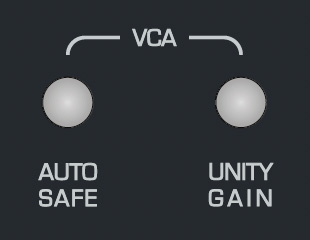
- Press AUTO SAFE, then SELECT the channels that should ignore automation.
- Press UNITY, then SELECT the channels that should be held at 0 dB.
VCA fader

The DLC fader is not directly in the analogue audio path. It sends DC control information to the VCA, providing attenuation, Cut and approximately +10 dB of gain above unity.
The manual highlights post-dynamics level automation as a useful application for the VCA path.
Continue to Faderlink, Analogue Automation and DLC Support.