Stereo EFX, Bus Trims and Aux Masters
Stereo EFX Inputs
The four Stereo EFX inputs return stereo effects or other line-level stereo sources without using two complete input channels. Unlike many simple effect returns, they can feed both the stereo Mix Bus and the multitrack buses.

Controls
- BUS ROUTING sends the stereo source to multitrack buses in odd/even pairs.
- SHIFT changes the routing switches from buses 1–12 to buses 13–24.
- F/B 1 and F/B 2 send the stereo return to the two foldback outputs.
- INPUT TRIM adjusts the stereo input level from -20 dB to +20 dB.
- FADER is a rotary level control for the signal sent to the Mix Bus.
- MIX routes the Stereo EFX input to the Mix Bus.
- SOLO isolates the Stereo EFX input through the solo system.
- CUT mutes the Stereo EFX input.
Disengage MIX on unused Stereo EFX inputs to avoid adding unnecessary noise to the stereo mix.
Bus Master Trims
Each of the 24 standard multitrack buses has a Bus Master Trim. This is the final console level control before that bus reaches its multitrack output.
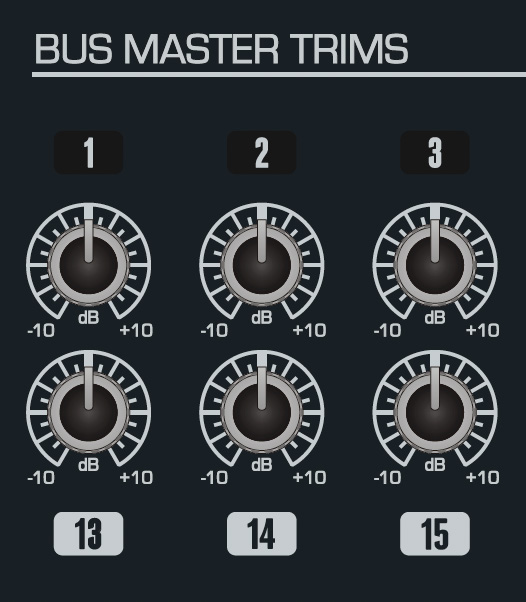
Each trim provides approximately -10 dB to +10 dB of adjustment.
Use a Bus Master Trim when several channels are already balanced into one recording bus and the overall level sent to the recording system needs to change. This avoids disturbing the relative balance created with the individual channel faders.
When the optional 48 Bus Mod is fitted, buses 25–48 do not have Bus Master Trims and leave the console at unity gain.
Cue and Aux Masters
The master controls set the overall output level of the Cue and Aux buses after the individual channel sends have created the balance.
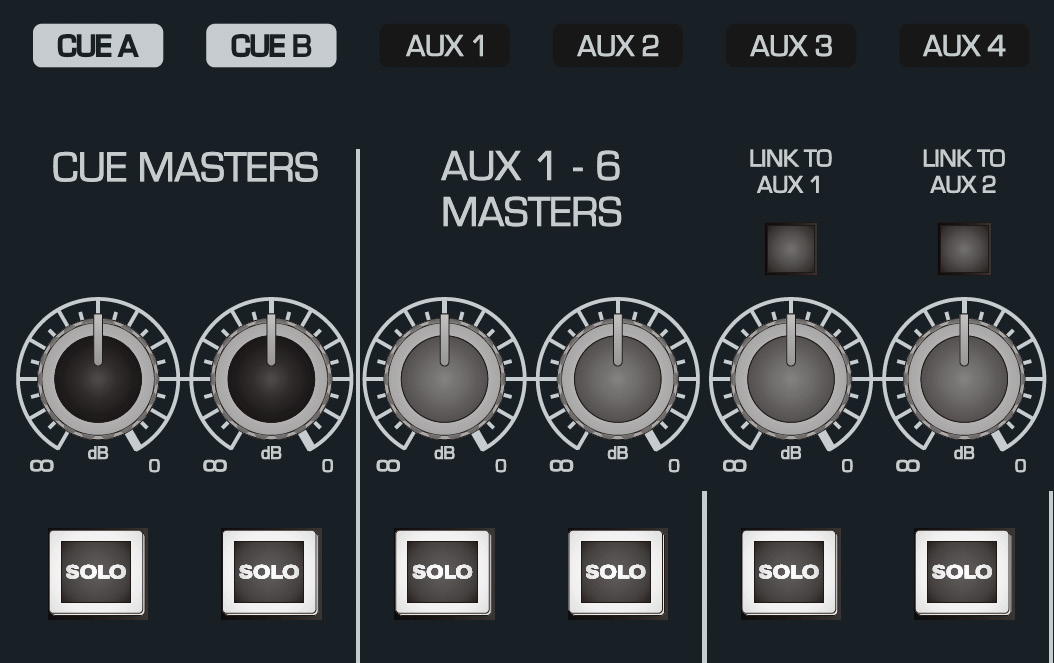
Master level
Each Cue/Aux master level varies from off to 0 dB. Use the channel send controls to create the relative mix and the master to set the final output level.
Solo
Each master has a SOLO button. Use this to audition the bus through the console monitoring system, for example when checking an artist headphone mix or confirming what is being sent to an effects processor.
Aux Link
The Aux Link facility allows later Aux buses to be combined back into Aux 1 or Aux 2. The manual presents this as a way to feed the same effects device from both LF and SF-related sends when one auxiliary source selection alone would not provide both paths.
Continue to Subgroups.